
Magento 2 Integration via API2Cart enables you to:
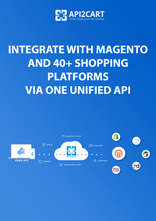
- retrieve and synchronize information on customers, products, categories, orders, abandoned carts, prices, etc.
- use the data from Magento e-stores according to your business purpose
- make updates on both sides
- perform these operations with the information from innumerable stores located on 80+ other shopping platforms
API2Cart provides Magento 2 integration for such kind of software providers:


Usage of API2Cart for integration with Magento 2 and 80+ other platforms allows you to:
-
1. Increase your market share
Developing the integration with multiple shopping platforms allows you to work with retailers from different countries of the world -
2. Forget about integration maintenance
Magento 2 integration via API2Cart allows you to forget about the necessity to support and update the connection every time the new version of a platform appears -
3. Use 100+ methods for managing the data
API2Cart provides more than 100 API methods for working with product, order, customer, shipment and tax information retrieved from online stores -
4. Enjoy 24/7 customer support
API2Cart is ready to help you with any difficulties connected with integration with Magento 2 or any other supported shopping platform. You can contact us by chat, email or phone 24/7
Use Total Cost of Ownership Calculator to compare the costs of developing in-house integration with multiple eCommerce platforms and via API2Cart
Use TCO Calculator方法列表 Magento2 Integration

-
account.failed_webhooks
如果您的服务回调由于某种原因无法接受来自 API2Cart 的 Webhooks,那么借助此方法,您可以获取丢失的 Webhook 列表,以便使用 entity_id 再次执行同步。请注意,我们会将此类记录保存 24 小时。 -
account.supported_platforms
使用此方法检索支持的平台列表以及连接到每个平台所需的参数集。注意:某些平台可能有多种连接方法,因此响应将包含多组参数。 -
account.cart.list
此方法可让您获取连接到您的 API2Cart 帐户的在线商店列表。 -
account.cart.add
使用此方法可以自动执行将商店连接到 API2Cart 的过程。 -
account.config.update
使用此方法可以自动更改用于连接在线商店的凭据。

-
analytics.report
获取某个商店在指定时间段内包含总计和可选区间拆分的分析报告。 -
analytics.product_report
获取某个商店在指定时间段内的商品级分析数据。 -
analytics.customer_report
获取某个商店在指定时间段内的客户级分析数据。

-
attribute.info
通过 ID 获取有关特定全局属性的信息。 -
attribute.count
获取属性计数。 -
attribute.list
获取全局属性列表。 -
attribute.add
添加新属性。 -
attribute.update
更新属性数据。 -
attribute.delete
从存储中删除属性。 -
attribute.assign.group
将属性分配给组 -
attribute.assign.set
将属性分配给属性集 -
attribute.attributeset.list
获取 attribute_set 列表 -
attribute.group.list
获取属性组列表 -
attribute.type.list
获取支持的属性类型列表。 -
attribute.unassign.group
从组中取消分配属性 -
attribute.unassign.set
从属性集中取消分配属性 -
attribute.value.add
向属性添加新值。 -
attribute.value.update
更新属性值。 -
attribute.value.delete
删除属性值。

-
basket.info
检索购物篮信息。 -
basket.item.add
将商品添加到购物篮。 -
basket.live_shipping_service.list
检索实时运费服务列表。 -
basket.live_shipping_service.create
创建实时运费服务。 -
basket.live_shipping_service.delete
删除实时运费服务。

-
batch.job.list
获取最近的工作列表 -
batch.job.result
获取作业结果数据

-
bridge.download
下载商店的桥。请注意,如果从 Swagger UI 调用该方法,该方法将不起作用。 -
bridge.update
更新商店中的桥梁。 -
bridge.delete
从商店中删除桥。

-
cart.info
此方法可让您获取有关商店的各种信息,包括商店列表(在多店铺配置的情况下)、支持的语言列表、货币、承运商、仓库以及许多其他信息。这些信息中的数据相对稳定,很少发生变化,因此 API2Cart 可以缓存某些数据,以减少商店负载并加快请求执行。我们还建议您在自己的端对该方法的响应进行缓存,以节省请求次数。如果您需要清除某个特定商店的缓存,请使用 cart.validate 方法。 -
cart.validate
此方法会清除 API2Cart 中特定商店的缓存,并检查与商店的连接是否可用。如果商店设置发生了任何更改,例如安装或删除了新插件,请使用此方法。 -
cart.list
获取支持的购物车列表。 -
cart.bridge
获取 bridge key 和 store key。 -
cart.disconnect
断开与商店的连接并清除商店会话数据。 -
cart.methods
返回支持的API方法列表。 -
cart.config
获取购物车配置列表。 -
cart.clear_cache
清除商店中的缓存。 -
cart.create
将商店添加到账号。 -
cart.delete
从 API2Cart 中删除商店。 -
cart.catalog_price_rules.count
获取购物车目录价格规则折扣计数。 -
cart.catalog_price_rules.list
获取购物车目录价格规则折扣。 -
cart.config.update
使用此API方法更新客户端数据库中的自定义数据。 -
cart.coupon.count
此方法允许您获取礼金券数量。在某些平台上,您可以按活动日期筛选礼金券。 -
cart.coupon.list
获取购物车礼金券折扣。 -
cart.coupon.add
使用此方法创建具有指定条件的礼金券。 -
cart.coupon.delete
删除优惠券 -
cart.coupon.condition.add
使用此方法可为礼金券申请添加其他条件。 -
cart.giftcard.count
获取礼品卡数量。 -
cart.giftcard.list
获取礼品卡列表。 -
cart.giftcard.add
使用此方法创建指定金额的礼品卡。 -
cart.giftcard.delete
删除礼品卡。 -
cart.meta_data.list
使用此方法可以获取各种实体的元数据列表。不同平台支持的实体可能有所不同。 要获取支持的实体列表,请在参数entity中传入无效值。响应中将包含特定平台支持的实体列表。 通常这些数据由第三方插件创建。 -
cart.meta_data.set
使用此方法可以设置特定实体的元数据。不同平台支持的实体可能有所不同。 要获取支持的实体列表,请在参数entity中传入无效值。响应中将包含特定平台支持的实体列表。 通常这些数据由第三方插件创建。 -
cart.meta_data.unset
取消设置特定实体的元数据。 -
cart.plugin.list
获取商店中安装的第三方插件的列表。 -
cart.script.list
获取安装到店面的脚本。 -
cart.script.add
将新脚本添加到店面。 -
cart.script.delete
从店面中删除脚本。 -
cart.shipping_zones.list
获取运送区域列表。

-
category.info
获取有关类别 ID*** 的类别信息或指定其他类别 ID。 -
category.count
计算商店中的类别。 -
category.list
从商店获取类别列表。 -
category.find
在商店中搜索类别。默认情况下,此处指定“笔记本电脑”。 -
category.assign
为产品分配类别 -
category.unassign
取消为产品分配类别 -
category.add
商店添加新类别 -
category.add.batch
向商店添加新类别。 -
category.update
更新商店类别 -
category.delete
删除商店中的类别 -
category.delete.batch
从商店中删除类别。 -
category.image.add
将图像添加到类别 -
category.image.delete
删除图像

-
customer.info
从商店获取客户的详细信息。 -
customer.count
获取商店的顾客数量。 -
customer.list
从商店获取客户列表。 -
customer.find
在店里寻找顾客。 -
customer.add
将客户添加到商店。 -
customer.update
更新店内顾客信息。 -
customer.delete
从商店中删除客户。 -
customer.address.add
添加客户地址。 -
customer.attribute.list
获取特定客户的属性。 -
customer.group.list
获取客户组列表。 -
customer.group.add
创建客户群。 -
customer.wishlist.list
从商店获取顾客的愿望清单。

-
marketplace.product.find
在全局目录中搜索产品。

-
order.info
有关特定订单 ID 的信息 -
order.count
统计店内订单数量 -
order.list
获取商店的订单列表。 -
order.find
此方法已被弃用,将来将不再受支持。请改用“order.list”。 -
order.calculate
计算指定客户和一组产品的订单总费用,以及根据指定地址可用的配送方式。计算会考虑商店产品价格、折扣、税费、运费和其他商店设置。结果包括按组成部分对最终订单费用的详细分解。
请注意,最终总计、税费和其他金额必须包含所选配送方式的相应值。
此方法的结果可在使用 order.add 方法创建订单时使用。
-
order.add
将新订单添加到购物车。 -
order.update
更新现有订单。 -
order.abandoned.list
获取客户在完成订单之前留下的订单列表。 -
order.financial_status.list
检索财务状况列表 -
order.fulfillment_status.list
检索履行状态列表 -
order.preestimate_shipping.list
检索订单预计运输方式列表。 -
order.refund.add
在订单中添加退款。 -
order.return.add
创建新的退货请求。 -
order.return.update
更新订单的发货信息。 -
order.return.delete
删除返回。 -
order.shipment.info
获取发货信息。 -
order.shipment.list
获取每个订单的发货列表。 -
order.shipment.add
将发货添加到订单中。 -
order.shipment.add.batch
将发货添加到订单中。 -
order.shipment.update
更新订单的发货信息。 -
order.shipment.delete
删除订单的发货。 -
order.shipment.event.list
获取货运跟踪事件列表。 -
order.shipment.event.add
向货运添加跟踪事件。 -
order.shipment.tracking.add
添加订单发货的跟踪信息。 -
order.status.list
检索状态列表 -
order.transaction.list
检索订单交易列表。

-
product.info
通过 ID 获取有关特定产品的信息。在多商店配置的情况下,使用 store_id 过滤器在特定商店的上下文中获取响应。 -
product.count
清点商店中的产品。 -
product.list
从您的商店获取产品列表。默认返回 10 个产品。 -
product.find
在商店目录中搜索产品。默认情况下,此处指定“Apple”。 -
product.fields
检索商店中产品项目的所有可用字段。 -
product.add
将新产品添加到商店。 -
product.add.batch
将新产品添加到商店。 -
product.update
此方法可用于更新某些产品数据。支持的参数列表取决于特定平台。请仅传输特定平台支持的参数。请注意,更新产品数量时,建议使用相关参数(increase_quantity 或 reduce_quantity),以避免负载过重的商店出现意外覆盖。 -
product.update.batch
更新商店中的产品。 -
product.delete
产品删除 -
product.delete.batch
从商店中删除产品。 -
product.attribute.list
获取属性和值的列表。 -
product.attribute.value.set
将属性值设置为产品。 -
product.attribute.value.unset
删除产品的属性值。 -
product.brand.list
从您的商店获取品牌列表。 -
product.child_item.info
让孩子购买特定产品。 -
product.child_item.list
获取产品子项目的列表,例如变体或捆绑组件。响应中的 total_count 字段指示当前过滤器上下文中的项目总数。 -
product.child_item.find
在商店目录中搜索产品子商品(捆绑商品或可配置的产品变体)。 -
product.currency.list
获取货币列表。 -
product.currency.add
添加货币和/或在商店中设置默认值。 -
product.image.add
将图像添加到产品中 -
product.image.update
更新图像的详细信息 -
product.image.delete
删除图像 -
product.manufacturer.add
添加制造商以存储并分配给产品。 -
product.option.list
获取选项列表。 -
product.option.assign
从产品中分配选项。 -
product.option.add
从商店添加产品选项。 -
product.option.delete
产品选项删除。 -
product.option.value.assign
从产品中分配产品选项。 -
product.option.value.add
从选项中添加产品选项。 -
product.option.value.update
从选项中更新产品选项。 -
product.option.value.delete
产品选项值删除。 -
product.price.add
为产品添加一些价格。 -
product.price.update
更新部分产品的价格。 -
product.price.delete
删除部分产品价格 -
product.review.list
获取特定产品的评论。 -
product.store.assign
将产品分配给商店。 -
product.tax.add
添加税级和税率以存储并分配给产品。 -
product.variant.info
获取变体信息。此方法已被弃用,并且其开发已停止。请改用“product.child_item.info”。 -
product.variant.count
获取计数变体。 -
product.variant.list
获取变体列表。此方法已被弃用,并且其开发已停止。请改用“product.child_item.list”。 -
product.variant.add
向产品添加变体。 -
product.variant.add.batch
向商店添加新的产品变体。 -
product.variant.update
更新变体。 -
product.variant.update.batch
更新商店中的产品变体。 -
product.variant.delete
删除变体。 -
product.variant.delete.batch
从商店中删除产品变体。 -
product.variant.image.add
将图像添加到产品中 -
product.variant.image.delete
删除产品图像 -
product.variant.price.add
向产品变体添加一些价格。 -
product.variant.price.update
更新产品变体的一些价格。 -
product.variant.price.delete
删除产品变体的部分价格。

-
return.info
检索返回信息。 -
return.count
计算商店退货数量 -
return.list
获取商店的退货请求列表。 -
return.action.list
检索返回操作列表 -
return.reason.list
检索退货原因列表 -
return.status.list
检索状态列表

-
subscriber.list
获取订阅者列表。

-
tax.class.info
使用此方法获取有关税级及其税率的信息。它允许您计算特定客户地址的税率。这些信息包含相对静态的数据,很少发生变化,因此 API2Cart 可能会缓存某些数据,以减少存储上的负载并加快请求执行速度。我们还建议您在您这边缓存此方法的响应以保存请求。如果需要清除特定存储的缓存,请使用 cart.validate 方法。 -
tax.class.list
从您的商店获取税级列表。

-
webhook.count
统计商店中已注册的Webhook。 -
webhook.list
在商店中列出已注册的webhook。 -
webhook.events
列出此商店上可用的所有Webhook。 -
webhook.create
在商店上创建webhook并订阅。 -
webhook.update
更新Webhooks参数。 -
webhook.delete
删除商店中已注册的Webhook。
Please fill in the form to download your document: