
Magento 2 Integration via API2Cart enables you to:
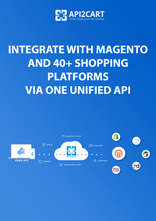
- retrieve and synchronize information on customers, products, categories, orders, abandoned carts, prices, etc.
- use the data from Magento e-stores according to your business purpose
- make updates on both sides
- perform these operations with the information from innumerable stores located on 80+ other shopping platforms
API2Cart provides Magento 2 integration for such kind of software providers:


Usage of API2Cart for integration with Magento 2 and 80+ other platforms allows you to:
-
1. Increase your market share
Developing the integration with multiple shopping platforms allows you to work with retailers from different countries of the world -
2. Forget about integration maintenance
Magento 2 integration via API2Cart allows you to forget about the necessity to support and update the connection every time the new version of a platform appears -
3. Use 100+ methods for managing the data
API2Cart provides more than 100 API methods for working with product, order, customer, shipment and tax information retrieved from online stores -
4. Enjoy 24/7 customer support
API2Cart is ready to help you with any difficulties connected with integration with Magento 2 or any other supported shopping platform. You can contact us by chat, email or phone 24/7
Use Total Cost of Ownership Calculator to compare the costs of developing in-house integration with multiple eCommerce platforms and via API2Cart
Use TCO Calculatorメソッドのリスト Magento2 Integration

-
account.failed_webhooks
何らかの理由でサービスのコールバックが API2Cart からの Webhook を受け入れられなかった場合、このメソッドを利用して、失敗した Webhook のリストを取得し、entity_id を使用して同期を再度実行できます。当社ではそのような記録を 24 時間保管しますのでご了承ください。 -
account.supported_platforms
このメソッドを使用して、サポートされているプラットフォームのリストと、各プラットフォームへの接続に必要なパラメーターのセットを取得します。注: 一部のプラットフォームでは複数の接続方法があり、応答に複数のパラメーターのセットが含まれる場合があります。 -
account.cart.list
このメソッドを使用すると、API2Cart アカウントに接続されているオンライン ストアのリストを取得できます。 -
account.cart.add
このメソッドを使用して、ストアを API2Cart に接続するプロセスを自動化します。 -
account.config.update
この方法を使用して、オンライン ストアへの接続に使用される資格情報の変更を自動化します。

-
analytics.report
指定した期間のストアに対する合計と、必要に応じた区間別内訳を含む分析レポートを取得します。 -
analytics.product_report
指定した期間のストアの商品レベル分析を取得します。 -
analytics.customer_report
指定した期間のストアの顧客レベル分析を取得します。

-
attribute.info
特定のグローバル属性に関する情報を ID によって取得します。 -
attribute.count
属性数を取得します。 -
attribute.list
グローバル属性のリストを取得します。 -
attribute.add
新しい属性を追加します。 -
attribute.update
属性データを更新します。 -
attribute.delete
ストアから属性を削除します。 -
attribute.assign.group
グループに属性を割り当てる -
attribute.assign.set
属性セットに属性を割り当てる -
attribute.attributeset.list
attribute_set リストを取得する -
attribute.group.list
属性グループリストの取得 -
attribute.type.list
サポートされている属性タイプのリストを取得します。 -
attribute.unassign.group
グループから属性の割り当てを解除する -
attribute.unassign.set
属性セットから属性の割り当てを解除する -
attribute.value.add
属性に新しい値を追加します。 -
attribute.value.update
属性値を更新します。 -
attribute.value.delete
属性値を削除します。

-
basket.info
バスケット情報を取得します。 -
basket.item.add
アイテムをバスケットに追加します。 -
basket.live_shipping_service.list
ライブ配送料サービスのリストを取得します。 -
basket.live_shipping_service.create
ライブ配送料サービスを作成します。 -
basket.live_shipping_service.delete
ライブ配送料サービスを削除します。

-
batch.job.list
最近のジョブのリストを取得する -
batch.job.result
ジョブ結果データの取得

-
bridge.download
ストア用のダウンロード ブリッジ。Swagger UI から呼び出した場合、このメソッドは機能しないことに注意してください。 -
bridge.update
ストア内のブリッジを更新します。 -
bridge.delete
ストアからブリッジを削除します。

-
cart.info
このメソッドを使用すると、ストアに関するさまざまな情報を取得できます。これには、ストアの一覧(マルチストア構成の場合)、サポートされている言語の一覧、通貨、配送業者、倉庫、その他多くの情報が含まれます。これらの情報に含まれるデータは比較的安定しており、頻繁には変更されないため、API2Cart はストアへの負荷を軽減し、リクエストの実行を高速化するために一部のデータをキャッシュできます。また、リクエスト数を節約するために、このメソッドのレスポンスをお客様側でもキャッシュすることをお勧めします。特定のストアのキャッシュをクリアする必要がある場合は、cart.validate メソッドを使用してください。 -
cart.validate
このメソッドは、API2Cart 内の特定ストアのキャッシュをクリアし、ストアへの接続が利用可能かどうかを確認します。新しいプラグインがインストールまたは削除された場合など、ストアの設定に変更があった場合は、この方法を使用します。 -
cart.list
サポートされているカートのリストを取得します。 -
cart.bridge
bridge key と store key を取得します。 -
cart.disconnect
ストアとの接続を解除し、ストアセッションデータをクリアします。 -
cart.methods
サポートされているAPIメソッドのリストを返します。 -
cart.config
カート設定のリストを取得します。 -
cart.clear_cache
ストアのキャッシュをクリアします。 -
cart.create
アカウントにストアを追加します。 -
cart.delete
API2Cart からストアを削除します。 -
cart.catalog_price_rules.count
カートカタログの価格ルール割引の数を取得します。 -
cart.catalog_price_rules.list
カートカタログの価格ルール割引を取得します。 -
cart.config.update
このAPIメソッドを使用して、クライアントデータベースのカスタムデータを更新します。 -
cart.coupon.count
この方法では、クーポンの数を取得できます。一部のプラットフォームでは、有効な日付でクーポンを絞り込むことができます。 -
cart.coupon.list
カートのクーポン割引を取得します。 -
cart.coupon.add
この方法を使用して、指定された条件でクーポンを作成します。 -
cart.coupon.delete
クーポンを削除 -
cart.coupon.condition.add
この方法を使用して、クーポン適用の追加条件を追加します。 -
cart.giftcard.count
ギフトカード数を取得します。 -
cart.giftcard.list
ギフトカードリストを取得します。 -
cart.giftcard.add
この方法を使用して、指定された金額のギフトカードを作成します。 -
cart.giftcard.delete
ギフトカードを削除します。 -
cart.meta_data.list
このメソッドを使用すると、さまざまなエンティティのメタデータ一覧を取得できます。サポートされるエンティティはプラットフォームによって異なる場合があります。 サポートされているエンティティの一覧を取得するには、entityパラメータに無効な値を指定してください。レスポンスには、特定のプラットフォームでサポートされているエンティティ一覧が含まれます。 通常、これらはサードパーティ製プラグインによって作成されたデータです。 -
cart.meta_data.set
このメソッドを使用して、特定のエンティティのメタデータを設定します。サポートされるエンティティはプラットフォームによって異なる場合があります。 サポートされているエンティティの一覧を取得するには、entityパラメータに無効な値を指定してください。レスポンスには、特定のプラットフォームでサポートされているエンティティ一覧が含まれます。 通常、これらはサードパーティ製プラグインによって作成されたデータです。 -
cart.meta_data.unset
特定のエンティティのメタデータの設定を解除します。 -
cart.plugin.list
ストアにインストールされているサードパーティのプラグインのリストを取得します。 -
cart.script.list
ストアフロントにインストールされているスクリプトを取得します。 -
cart.script.add
ストアフロントに新しいスクリプトを追加します。 -
cart.script.delete
店舗からスクリプトを削除します。 -
cart.shipping_zones.list
配送ゾーンのリストを取得します。

-
category.info
カテゴリ ID*** に関するカテゴリ情報を取得するか、他のカテゴリ ID を指定します。 -
category.count
ストア内のカテゴリを数える。 -
category.list
ストアからカテゴリのリストを取得します。 -
category.find
ストア内のカテゴリを検索します。ここではデフォルトで「ラップトップ」が指定されています。 -
category.assign
製品にカテゴリを割り当てる -
category.unassign
製品へのカテゴリの割り当てを解除する -
category.add
ストアに新しいカテゴリを追加 -
category.add.batch
ストアに新しいカテゴリを追加します。 -
category.update
ストアのカテゴリーを更新 -
category.delete
ストア内のカテゴリを削除する -
category.delete.batch
ストアからカテゴリを削除します。 -
category.image.add
カテゴリに画像を追加 -
category.image.delete
画像の削除

-
customer.info
ストアから顧客の詳細を取得します。 -
customer.count
店舗から顧客数を取得します。 -
customer.list
ストアから顧客リストを取得します。 -
customer.find
店内で顧客を見つけます。 -
customer.add
顧客をストアに追加します。 -
customer.update
店頭のお客様情報を更新します。 -
customer.delete
顧客をストアから削除します。 -
customer.address.add
顧客の住所を追加します。 -
customer.attribute.list
特定の顧客の属性を取得します。 -
customer.group.list
顧客グループのリストを取得します。 -
customer.group.add
顧客グループを作成します。 -
customer.wishlist.list
ストアから顧客のウィッシュリストを取得します。

-
marketplace.product.find
グローバルカタログから製品を検索します。

-
order.info
ID による特定の注文に関する情報 -
order.count
店内での注文を数える -
order.list
ストアから注文のリストを取得します。 -
order.find
このメソッドは非推奨であり、将来はサポートされません。代わりに「order.list」を使用してください。 -
order.calculate
指定された顧客と一連の商品に対する注文の合計コスト、および指定された住所に基づいて利用可能な配送方法を計算します。計算では、ストアの商品価格、割引、税金、送料、その他のストア設定が考慮されます。結果には、最終的な注文コストの構成要素ごとの詳細な内訳が含まれます。
最終的な合計、税金、その他の金額には、選択した配送方法に対応する値を含める必要があることにご注意ください。
このメソッドの結果は、order.add メソッドを使用して注文を作成する際に使用できます。
-
order.add
新しい注文をカートに追加します。 -
order.update
既存の注文を更新します。 -
order.abandoned.list
注文を完了する前に顧客が残した注文のリストを取得します。 -
order.financial_status.list
財務状況のリストを取得する -
order.fulfillment_status.list
フルフィルメントステータスのリストを取得する -
order.preestimate_shipping.list
注文の事前見積配送方法のリストを取得します。 -
order.refund.add
注文に返金を追加します。 -
order.return.add
新しい返品リクエストを作成します。 -
order.return.update
注文の出荷情報を更新します。 -
order.return.delete
リターンを削除します。 -
order.shipment.info
入荷情報を取得します。 -
order.shipment.list
注文ごとの出荷リストを取得します。 -
order.shipment.add
注文に出荷を追加します。 -
order.shipment.add.batch
注文に出荷を追加します。 -
order.shipment.update
注文の出荷情報を更新します。 -
order.shipment.delete
注文の発送を削除します。 -
order.shipment.event.list
出荷追跡イベントのリストを取得します。 -
order.shipment.event.add
出荷に追跡イベントを追加します。 -
order.shipment.tracking.add
注文発送の追跡情報を追加します。 -
order.status.list
ステータスのリストを取得する -
order.transaction.list
注文トランザクションのリストを取得します。

-
product.info
ID によって特定の製品に関する情報を取得します。マルチストア構成の場合、store_id フィルターを使用して、特定のストアのコンテキストで応答を取得します。 -
product.count
店内の商品を数えます。 -
product.list
ストアから製品リストを取得します。デフォルトでは 10 個の製品を返します。 -
product.find
ストアカタログから商品を検索します。ここではデフォルトで「Apple」が指定されています。 -
product.fields
ストア内の製品アイテムの使用可能なフィールドをすべて取得します。 -
product.add
新しい商品をストアに追加します。 -
product.add.batch
新しい商品をストアに追加します。 -
product.update
このメソッドは、特定の製品データを更新するために使用できます。サポートされるパラメータのリストは、特定のプラットフォームによって異なります。特定のプラットフォームでサポートされているパラメータのみを送信してください。製品数量を更新するには、負荷の高いストアでの予期しない上書きを避けるために、相対パラメーター (increase_quantity または reduce_quantity) を使用することをお勧めします。 -
product.update.batch
ストアの商品を更新します。 -
product.delete
製品の削除 -
product.delete.batch
製品をストアから削除します。 -
product.attribute.list
属性と値のリストを取得します。 -
product.attribute.value.set
属性値を製品に設定します。 -
product.attribute.value.unset
製品の属性値を削除します。 -
product.brand.list
ストアからブランドのリストを取得します。 -
product.child_item.info
特定の製品の子を取得します。 -
product.child_item.list
バリアントやバンドル コンポーネントなど、製品の子アイテムのリストを取得します。応答の total_count フィールドは、現在のフィルターのコンテキスト内の項目の合計数を示します。 -
product.child_item.find
ストア カタログ内の製品の子アイテム (バンドルされたアイテムまたは構成可能な製品バリエーション) を検索します。 -
product.currency.list
通貨のリストを取得します。 -
product.currency.add
通貨を追加したり、ストアでデフォルトを設定したりできます。 -
product.image.add
商品に画像を追加 -
product.image.update
画像の詳細を更新 -
product.image.delete
画像の削除 -
product.manufacturer.add
メーカーをストアに追加し、製品に割り当てます。 -
product.option.list
オプションのリストを取得します。 -
product.option.assign
製品からオプションを割り当てます。 -
product.option.add
ストアから製品オプションを追加します。 -
product.option.delete
製品オプション削除。 -
product.option.value.assign
製品オプション項目を製品から割り当てます。 -
product.option.value.add
商品オプション項目は選択肢より追加してください。 -
product.option.value.update
オプションから製品オプション項目を更新します。 -
product.option.value.delete
製品オプションの値を削除します。 -
product.price.add
商品に価格を追加します。 -
product.price.update
製品の一部の価格を更新します。 -
product.price.delete
商品の一部の価格を削除 -
product.review.list
特定の製品のレビューを取得します。 -
product.store.assign
製品をストアに割り当てます。 -
product.tax.add
税クラスと税率を追加して保存し、製品に割り当てます。 -
product.variant.info
バリアント情報を取得します。このメソッドは非推奨となり、開発は停止されました。代わりに「product.child_item.info」を使用してください。 -
product.variant.count
count バリアントを取得します。 -
product.variant.list
バリアントのリストを取得します。このメソッドは非推奨となり、開発は停止されました。代わりに「product.child_item.list」を使用してください。 -
product.variant.add
製品にバリエーションを追加します。 -
product.variant.add.batch
新しい製品バリエーションをストアに追加します。 -
product.variant.update
バリアントを更新します。 -
product.variant.update.batch
ストア上の製品バリエーションを更新します。 -
product.variant.delete
バリアントを削除します。 -
product.variant.delete.batch
ストアから製品バリエーションを削除します。 -
product.variant.image.add
商品に画像を追加 -
product.variant.image.delete
商品から画像を削除 -
product.variant.price.add
製品バリエーションに価格を追加します。 -
product.variant.price.update
製品バリエーションの一部の価格を更新します。 -
product.variant.price.delete
製品バリエーションの一部の価格を削除します。

-
return.info
返品情報を取得します。 -
return.count
店内の返品を数える -
return.list
ストアから返品リクエストのリストを取得します。 -
return.action.list
リターンアクションのリストを取得する -
return.reason.list
返品理由のリストを取得する -
return.status.list
ステータスのリストを取得する

-
subscriber.list
購読者リストを取得します。

-
tax.class.info
このメソッドを使用して、税クラスとその税率に関する情報を取得します。特定の顧客の住所に対する税率を計算できます。この情報には、めったに変更されない比較的静的なデータが含まれるため、API2Cart はストアの負荷を軽減し、リクエストの実行を高速化するために特定のデータをキャッシュすることがあります。また、このメソッドの応答を側でキャッシュしてリクエストを保存することをお勧めします。特定のストアのキャッシュをクリアする必要がある場合は、cart.validate メソッドを使用します。 -
tax.class.list
ストアから税クラスのリストを取得します。

-
webhook.count
ストアに登録されているWebhookを数えます。 -
webhook.list
ストアに登録されているWebhookを一覧表示します。 -
webhook.events
このストアで利用可能なすべてのWebhookを一覧表示します。 -
webhook.create
ストアにWebhookを作成して購読します。 -
webhook.update
Webhooksパラメーターを更新します。 -
webhook.delete
ストアで登録されているWebhookを削除します。
Please fill in the form to download your document: