
Have questions? Leave your message here or Schedule a quick call with our manager now

A Developer's Guide to the API for WooCommerce

    Request Demo or Trial

    Get 14-Day Free Trial or Personalized Demo

    Updated 1 December 2025 |

    Think of the API for WooCommerce as a universal translator for your online store. It's a set of rules and protocols that lets your store talk to other software, creating a vital bridge between your website and external applications. This connection is what makes it possible to automate everyday tasks like syncing inventory, managing shipping, or updating customer data across different systems without you lifting a finger.

    What Is the API for WooCommerce

    A good way to understand an API (Application Programming Interface) is to picture a waiter at a restaurant. Instead of barging into the kitchen yourself and digging through the ingredients (which would be like accessing the store’s database directly), you simply use the menu—the API—to place a specific order. The kitchen (your WooCommerce store) prepares what you asked for, and the waiter (the API) brings it back to you. It’s a clean, structured way to communicate that prevents chaos and ensures different systems can work together reliably.

    This kind of structured communication has become the backbone of modern eCommerce. In fact, over 65% of WooCommerce stores now use the REST API to connect with third-party services for everything from order fulfillment to CRM updates. This widespread adoption is a clear sign of how critical API integration has become for running an efficient, automated business online. You can find more details on these trends and gain further insights about WooCommerce statistics on woolentor.com.

    The Two Core Components

    The API for WooCommerce isn't just one single thing. It’s made up of two main parts that work together, each handling a different type of communication. Getting a handle on what each one does is the first step toward building powerful, seamless integrations.

    To put it simply, here’s how they break down:

    WooCommerce API Components at a Glance

    API Component Primary Function Best Used For
    REST API Acts on demand, allowing you to "pull" data or "push" commands to the store. Actively fetching order details, updating product stock, or creating customers.
    Webhooks Acts automatically, "pushing" data to other systems when a specific event occurs. Instantly notifying a shipping app when a new order is placed.

    Let’s dig a little deeper into what this means for your setup.

    • The REST API: This is the "on-demand" workhorse of the system. It allows an external application to actively request (or "pull") data from your store whenever it needs it. You can also use it to send commands to create, update, or delete information, like adding a new product or changing an order status.

    • Webhooks: This component works in the opposite direction. Instead of waiting for a request, Webhooks act like an alert system. They automatically "push" data to another system in real-time the moment a specific event happens, like a customer creating an account or a new order being placed.

    Key Takeaway: The REST API is for pulling data when you need it, while Webhooks are for pushing data automatically when an event occurs. A robust integration often uses both.

    How These APIs Speed Up Your Business

    Manually moving data between your store and your other software is not just slow—it’s a recipe for human error. The API for WooCommerce gets rid of that friction completely. For instance, instead of spending time every day exporting a CSV of new orders to upload to your shipping software, an API integration can send those order details over instantly and automatically.

    This is where a unified solution like API2Cart really shines. Instead of getting bogged down building and maintaining separate, complex connections for every single tool you use, API2Cart provides one single point of integration. This lets you connect your WooCommerce store to dozens of other platforms—like warehouse management systems, ERPs, or marketing automation tools—much faster and with far less development effort, giving your operational efficiency a massive boost.

    Making Your First WooCommerce API Call

    Alright, let's move from theory to practice—this is where things get exciting. Before you can talk to the API for WooCommerce, you need to authenticate, which is just a fancy way of proving your app has permission to access store data. Think of it like showing an ID badge to get into a secure building; without the right credentials, the door stays shut.

    In WooCommerce, that "ID badge" is a pair of keys: a Consumer Key and a Consumer Secret. These two work together to secure every request your application sends. The good news is that you can generate them right from your WordPress dashboard in just a few clicks.

    Generating Your API Keys

    First things first, you need to create those keys. This is a crucial security step that ties API access to a specific WordPress user, giving you granular control over who can do what.

    Here’s the straightforward path to get your keys:

    1. Head over to WooCommerce > Settings > Advanced in your WordPress admin area.
    2. Click on the REST API tab.
    3. Select Add Key or Create an API key.
    4. Give it a clear Description (like "Inventory Management App") so you'll remember what it's for later.
    5. Choose the User you want to associate these keys with.
    6. Set the Permissions to Read, Write, or Read/Write, depending on what your app actually needs to do.

    Once you hit "Generate API Key," WooCommerce will show you the Consumer Key and Consumer Secret. Make sure you copy and save these somewhere safe immediately, because the secret key won't be displayed again.

    Understanding API Endpoints

    Now that you have your keys, you need to know where to send your requests. In the API world, these destinations are called endpoints. Each endpoint corresponds to a specific type of data in your store—like products, orders, or customers.

    You can think of endpoints like different departments in a big office. Need sales figures? You go to the "orders" department. Need to check on inventory? You visit the "products" department. It’s that simple.

    Some of the most common WooCommerce endpoints include:

    • /wp-json/wc/v3/products: Your go-to for creating, viewing, updating, and deleting products.
    • /wp-json/wc/v3/orders: The spot for managing every aspect of customer orders.
    • /wp-json/wc/v3/customers: Where you can access and manage all your customer information.

    Each endpoint responds to different HTTP methods (like GET, POST, PUT) that map to the actions you want to take. For instance, sending a GET request to the /products endpoint fetches a list of your products. If you want a deeper dive, you can learn how to get product data from WooCommerce with API2Cart.

    A Simple Example: Getting Orders

    Let's see what a basic API call actually looks like in action. Using a tool like Postman or even a simple cURL command, you can ask for a list of your latest orders. The request is sent to your store's URL, followed by the orders endpoint, with your keys used for authentication.

    Example: A GET request to https://yourstore.com/wp-json/wc/v3/orders will return a list of recent orders neatly structured in JSON format. This response is packed with rich details like the order ID, status, total amount, and customer info.

    This is the foundational building block for countless integrations. An order management system, for example, would make this exact call on a schedule to pull new orders into its own dashboard for processing and fulfillment.

    This hands-on interaction is where the real power of the API for WooCommerce starts to click. But here's the reality check: while making a single call is easy, building and maintaining a full-scale integration that juggles thousands of orders or syncs inventory across multiple platforms introduces a ton of complexity. This is where a service like API2Cart becomes a massive shortcut for businesses. Instead of writing unique code for every platform's API, you use API2Cart's unified methods to do the same thing—like retrieving orders or updating products—across WooCommerce and dozens of other shopping carts, dramatically cutting down your development time.

    Automating Your Store with Webhooks

    While the REST API is fantastic for asking your store for information, Webhooks are built for telling other systems about important events the moment they happen.

    Think of it this way: the REST API is like making a phone call to check on an order’s status. A Webhook, on the other hand, is like getting an instant text message the second that order is placed. It’s a proactive, event-driven way to handle automation.

    Instead of constantly polling the API—repeatedly asking "Anything new? Anything new?" which eats up server resources—Webhooks completely flip the script. When a specific event happens in your WooCommerce store, like a product’s inventory hitting zero or a new order coming through, WooCommerce instantly bundles up the relevant data and "pushes" it to a URL you've specified. This push notification system is the secret sauce for building real-time integrations.

    Setting Up Your First Webhook

    Getting started with Webhooks in WooCommerce is surprisingly simple. You don’t need to touch a line of code to create one; it's all handled right inside your WordPress dashboard. The whole process boils down to defining what event should trigger the notification and where that info should be sent.

    Here’s a quick rundown of the steps:

    1. Head over to WooCommerce > Settings > Advanced > Webhooks.
    2. Click Add webhook.
    3. Give it a descriptive Name that makes sense to you (e.g., "New Order to Warehouse").
    4. Set the Status to "Active."
    5. Choose a Topic from the dropdown menu. This is the event you want to listen for (like Order created or Product updated).
    6. Enter the Delivery URL—this is your external application’s endpoint that’s ready to catch the data.
    7. A Secret key is generated for you. This helps you confirm that incoming data is genuinely from your store.

    Once you save, WooCommerce sends a test ping to your URL, and just like that, your system is officially "listening" for that specific event.

    How Webhooks Power Modern eCommerce

    The applications for this simple but powerful tool are huge. An "Order created" Webhook can instantly ping your warehouse management system (WMS) to kick off the fulfillment process. A "Product updated" Webhook could trigger a sync with your marketing platform to refresh a campaign. This real-time data flow gets rid of delays and cuts down on the risk of manual errors.

    But as you scale, managing Webhooks—especially across multiple platforms—comes with its own headaches. Every platform has its own event types, data structures (payloads), and security rules. If you're building software that needs to plug into WooCommerce, Shopify, and Magento, you'd have to develop and maintain separate logic just to listen for and parse the data from each one. To get a deeper dive into how they work, check out our guide on how Webhooks are the perfect supplement to an API.

    This is where a unified api for woocommerce solution like API2Cart becomes a game-changer. Instead of juggling dozens of different Webhook formats, API2Cart provides a standardized structure. You configure one system to listen for API2Cart's webhooks, and it automatically translates the event data from WooCommerce and over 60 other shopping platforms into a single, consistent format.

    This approach massively speeds up development. A shipping application, for example, can just listen for API2Cart's order.add webhook to get new order notifications from any connected store—whether it’s WooCommerce or another platform—without a single line of platform-specific code. That saves countless hours of development and maintenance, letting you focus on your actual product instead of the messy details of individual eCommerce integrations.

    Solving Common Integration Headaches

    Working directly with the api for woocommerce is a powerful way to plug your store into other systems, but it’s rarely a simple "set it and forget it" affair. As your business scales, what started as a straightforward connection can quickly hit some very real, very frustrating roadblocks. Knowing what these headaches are ahead of time is the best way to build an integration that won’t fall over when you need it most.

    One of the first walls developers hit is the API rate limit. You can think of rate limits as a bouncer at a club, controlling how many requests can get into your store’s server at once. During a flash sale or a big marketing push, a sudden flood of activity can cause your app to make too many API calls too fast. The result? You get temporarily locked out, and critical updates fail.

    This is exactly why smart error handling and careful planning aren't just nice-to-haves; they're essential.

    Navigating API Versions and Data Complexity

    Another major challenge is just keeping up with the API itself. WooCommerce is constantly evolving, and new versions can introduce breaking changes or get rid of old endpoints you relied on. An integration built for an older version might suddenly break after a core update, leaving you with lost data and a weekend spent debugging. Staying on top of these updates requires constant maintenance.

    On top of that, syncing complex data like product variations can be a nightmare. A single t-shirt with different sizes and colors isn't just one product in the API. It's a parent product with a bunch of child variations, each with its own SKU, inventory count, and price. Getting this complex web of data to sync perfectly between your store and another system is where many integrations fail.

    The truth is, building a solid, single-platform integration is a full-time commitment. You aren't just writing the initial code; you're signing up for ongoing maintenance, troubleshooting, and adapting to every little quirk the platform throws at you.

    To keep things running smoothly and avoid future meltdowns with the WooCommerce API, it's crucial to follow essential API management best practices. This includes implementing recovery strategies like exponential backoff, where your application automatically waits for longer and longer periods before retrying a failed request, giving the server a chance to breathe.

    A Faster Path with a Unified API

    While you can certainly build custom solutions for all these problems, the time and effort add up fast. For software companies serving merchants on multiple platforms, these headaches don't just add up—they multiply. This is where a unified API solution like API2Cart completely changes the game.

    Instead of wrestling with the rate limits and data complexities of each platform individually, API2Cart acts as a universal adapter, smoothing out all the rough edges for you.

    • Standardized Data: API2Cart gives you a single, predictable data structure for products, orders, and customers across more than 60 eCommerce platforms, WooCommerce included. No more writing custom logic just to handle product variations from different shopping carts.
    • Simplified Maintenance: When WooCommerce updates its API, the API2Cart team handles it. Your integration stays stable and keeps working, and you don’t have to touch a line of code.
    • Reduced Complexity: Tricky tasks like fetching all new orders or updating stock levels across dozens of stores can be done with one set of API calls. This drastically cuts down on development time and ongoing effort.

    By using a service like API2Cart, you're essentially outsourcing the most painful parts of building and maintaining integrations. This frees you up to focus on what makes your application great, instead of getting buried in the plumbing of individual connections. For a deeper dive into these issues, check out the top pain points in WooCommerce integration and see how a unified approach solves them.

    Scaling Beyond a Single API Connection

    Working directly with the API for WooCommerce is a solid strategy when your software only needs to connect to that one platform. But what happens when your business grows? As soon as you need to support merchants on Shopify, Magento, or BigCommerce, that simple one-to-one connection model quickly becomes a massive development bottleneck.

    Imagine you're a builder who has perfected the wiring for one specific type of outlet. Now, you're asked to do the same for a dozen different outlets from various countries, each with unique voltages, plug shapes, and safety standards. You'd spend all your time becoming an expert electrician for each new system instead of actually building the house. This is precisely the challenge software companies face when integrating with multiple eCommerce platforms.

    The Problem with One-Off Integrations

    Managing individual APIs is a huge drain on resources. Each platform has its own authentication methods, rate limits, data structures, and update schedules. This means your development team has to learn, build for, and continuously maintain a separate, custom-built integration for every single shopping cart you want to support.

    These aren't just one-time setup costs, either. The technical hurdles are constant.

    A flowchart illustrating common headaches, including Rate Limits, Versioning, and Data Sync.

    As you can see, challenges like hitting rate limits, handling different API versions, and keeping data in sync are persistent pain points. When you multiply these issues across several platforms, the complexity skyrockets.

    This constant upkeep pulls developers away from improving your core product. Instead of adding valuable new features for your customers, they're stuck in a frustrating cycle of patching broken connections and adapting to unexpected API changes from each platform. It’s an inefficient, expensive, and ultimately unscalable way to grow.

    A Smarter Way with a Unified API

    This is where a unified API provider like API2Cart changes the game entirely. Think of API2Cart as a universal adapter or a master translator for the world of eCommerce APIs. Instead of building and maintaining dozens of individual connections, you integrate with API2Cart just once.

    With that single point of integration, you gain immediate access to over 60 different shopping carts and marketplaces, including WooCommerce.

    The core idea is simple but powerful: You make one API call to API2Cart, and it handles the complex work of translating that request into the specific format required by each platform. This approach completely removes the burden of mastering every individual API.

    API2Cart handles the unique authentication, rate limits, and data structures of every platform behind the scenes. Your team gets to focus on what they do best—building your application—while API2Cart manages the messy, time-consuming work of integration maintenance.

    To see just how different these two approaches are, let's compare them side-by-side.

    Direct API Integration vs Unified API (API2Cart)

    Feature Direct WooCommerce API Unified API (API2Cart)
    Initial Development Moderate effort for one platform. Low effort for one API.
    Adding New Platforms High effort per platform; must build from scratch. Minimal effort; new platforms are pre-integrated.
    Ongoing Maintenance High; must track and adapt to each platform's API updates. Low; API2Cart manages all platform-specific updates.
    Team Expertise Requires deep knowledge of multiple, distinct APIs. Requires knowledge of only one standardized API.
    Time to Market Slow; months per new integration. Fast; connect to 60+ platforms in weeks.
    Data Structure Varies by platform; requires custom data mapping. Standardized and unified across all platforms.
    Scalability Poor; costs and complexity grow linearly with each new platform. Excellent; easily add new platforms without new code.

    The table makes it clear: while a direct approach works for a single connection, it quickly becomes unsustainable. A unified API is built for scale from day one.

    How API2Cart Speeds Up Development

    Let's look at a practical use case. Say you run a shipping and fulfillment service. You need to retrieve new orders from your customers' stores, which could be on WooCommerce, Shopify, or a dozen other platforms.

    • The Old Way: You would write separate code to connect to the WooCommerce /orders endpoint, then entirely different code for the Shopify Orders API, and so on. Each would require its own error handling, authentication logic, and data parsing.
    • The API2Cart Way: You make a single call to API2Cart's order.list method. The service then fetches the orders from all connected stores, regardless of the underlying platform, and returns them to you in a single, standardized JSON format.

    This unified approach dramatically reduces your time-to-market. What would have taken months of development can now be accomplished in a fraction of the time, allowing you to serve more customers and scale your business faster than ever before.

    Putting a Unified API to Work: Real-World Use Cases

    Knowing the theory behind a unified API is one thing, but seeing it solve real business problems is where the lightbulb really goes on. When you abstract away the messy details of individual connections like the api for woocommerce, you unlock serious speed and scalability. Your developers can stop wrestling with platform-specific quirks and start building features that help all your customers, no matter which shopping cart they use.

    Let’s walk through a few practical scenarios where a solution like API2Cart turns a complex, head-banging task into a simple, elegant workflow. These examples show how a single point of integration can be a massive shortcut for any software company in the eCommerce space.

    Centralized Order and Fulfillment Management

    If you're building shipping, logistics, or order management software (OMS), your primary job is to pull in new orders from a dozen different places. Without a unified API, this is a mountain of work. A developer would have to write, test, and maintain separate code for the unique API endpoints, authentication, and data formats for WooCommerce, Shopify, Magento, and every other platform on the market.

    With API2Cart, that entire mess is boiled down to a single API call.

    • The Challenge: Your app needs to grab all new orders every 15 minutes from a customer's WooCommerce store, their Shopify site, and their Amazon marketplace account. That’s three completely different, complex integrations to build and babysit.
    • The API2Cart Solution: You make one call to the order.list method. API2Cart then goes out, talks to each connected platform in its native language, gathers the new orders, and hands them back to you in one clean, standardized JSON format. This simple switch can save hundreds of development hours and completely removes the headache of managing three separate connections.

    Synchronized Multi-Channel Inventory Control

    Keeping inventory counts accurate across multiple sales channels is a classic eCommerce nightmare. When an item sells on a WooCommerce store, the stock level on a connected Amazon or eBay listing must update instantly to prevent overselling. Doing this by hand is impossible if you have any real sales volume, and building all the direct API connections yourself is just asking for trouble.

    A unified API becomes your single source of truth for inventory. It handles all the platform-specific logic, making sure stock updates are pushed out reliably and consistently to every sales channel with minimal fuss.

    This is exactly where API2Cart's product.update method shines. When the stock level for a product changes in a warehouse management system (WMS), that software makes a single API call to API2Cart with the SKU and new quantity. API2Cart takes it from there, broadcasting that update to every connected store—whether it’s WooCommerce or any other platform—and keeping everything in sync.

    Effortless Data Migration and Setup

    Getting a new customer up and running often means moving all their product, customer, and order data from an old system to a new one. For an agency or a SaaS tool helping a client switch to WooCommerce, this can be a painfully slow, manual job full of data loss and errors. To really speed up development and take advantage of what a unified API offers, it's key to understand how APIs drive efficient data collection and automation. For a deeper dive, check out this API-based data collection automation guide.

    A unified solution turns data migration into a smooth, automated workflow.

    1. Connect the old store (let's say it's Magento) to API2Cart.
    2. Use the product.list, customer.list, and order.list methods to pull all the data you need into a clean, structured format.
    3. Connect the new destination WooCommerce store.
    4. Use the matching product.add, customer.add, and order.add methods to push all that extracted data right into the new store.

    This repeatable, automated process transforms a project that could take days into a task you can knock out in a few hours. That means faster onboarding and happier customers.

    Frequently Asked Questions

    When you're first digging into the API for WooCommerce, a few common questions always pop up. Let's tackle them head-on to give you the clear, straightforward answers you need.

    WooCommerce REST API vs Webhooks

    So, what's the real difference between the WooCommerce REST API and Webhooks? The easiest way to think about it is "pull" versus "push."

    The REST API is all about "pulling" data. You have to ask for it. For example, your application might make an API call every hour to ask, "Are there any new orders?" It's great for scheduled tasks or when you need information on demand.

    Webhooks, on the other hand, "push" data to you automatically. You don't have to ask. The moment an event happens—like a customer placing an order—WooCommerce instantly sends a notification to your system with the details.

    Use the REST API when you need to pull data on a schedule or in response to a user action. Go with Webhooks for real-time, event-driven updates where speed is critical.

    Is The WooCommerce API Free?

    Yes, the core API for WooCommerce is 100% free to use. WooCommerce doesn't charge you a dime to access your own store's data through their API.

    But that doesn't mean it's entirely without cost. The real expenses come from the development time needed to build and maintain the integration, the server resources to run it, or any third-party services you use to make your life easier. For instance, a service like API2Cart charges a fee, but it can dramatically cut your development and maintenance costs by giving you one API for dozens of platforms, helping you get to market way faster.

    Do I Need To Be a Developer?

    If you plan on working directly with the API, then yes, you'll need some coding skills. You'll have to be comfortable with things like HTTP requests, authentication, and handling data formats like JSON.

    But what if you're not a developer? You're not out of luck. Plenty of plugins and unified services offer no-code or low-code ways to connect your systems. API2Cart, for example, is built to handle all the technical heavy lifting for you. It lets you create powerful integrations and automate your workflows without writing a single line of code or hiring a dedicated dev team.


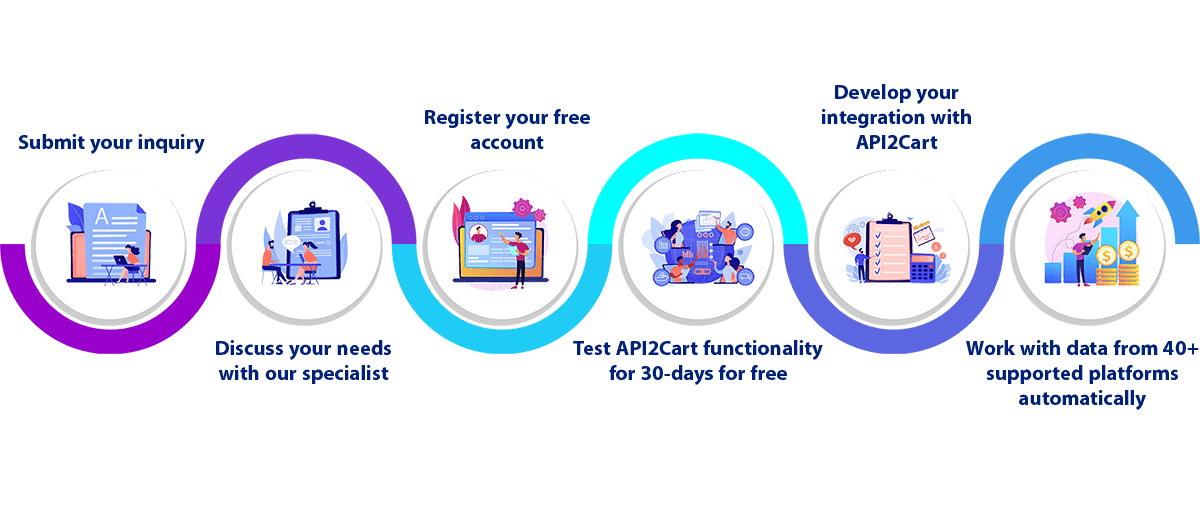
    Ready to connect to WooCommerce and 60+ other eCommerce platforms without the development headaches? With API2Cart, you can integrate once and scale everywhere. Try our unified API with a free 30-day trial and see how quickly you can expand your software's reach.

    Related Articles