



For any B2B SaaS developer in the eCommerce space, the Etsy API is a direct line to millions of creative entrepreneurs. If you're building tools for order management, shipping, or inventory, think of it as the digital handshake connecting your software to a massive, thriving marketplace. This guide is tailored for integration developers, providing actionable insights into leveraging the Etsy API for your software.
Why the Etsy API Is a Goldmine for SaaS Developers
Integrating with Etsy isn't just an option anymore; it's a strategic move for growth. Tapping into this unique ecosystem lets your software serve a vibrant community of sellers who are crying out for better tools to run their businesses. This guide goes beyond the "what" and dives straight into the "how," giving you practical, real-world steps for building a solid connection.
The journey starts with understanding the landscape. For SaaS developers, a key driver for using the Etsy API is the need for robust cloud computing scalability to handle the fluctuating data loads from thousands of independent shops.
The Scale of the Opportunity
The numbers really do speak for themselves. The Etsy API, in its current form since around 2011, has been a game-changer for developers. But its own success created new problems. As Etsy’s gross merchandise sales (GMS) exploded, hitting $1.93 billion by 2015, the API usage went right along with it.
With 86.6 million active buyers and 5.6 million active sellers as of early 2026, the potential user base for your SaaS is enormous.
This growth has some serious implications. In Q3 2025, quarterly GMS reached $2.72 billion, and a massive 46% of that came from their mobile app. For high-volume order management systems (OMS) and product information management (PIM) tools, the API's rate limits—typically 1,000 calls per hour—quickly became a bottleneck, forcing developers to look for more efficient ways to integrate.
We'll set the stage by showing you not just how to connect, but how to sidestep the common pitfalls that trip up even seasoned developers. Understanding these challenges is the first step, and you can explore more about what a full Etsy marketplace integration really involves in our detailed guide. This foundation will make it clear why a simpler, more scalable path forward is essential for any growing SaaS company.
Mastering Etsy API Authentication and Authorization
Getting your application to talk to Etsy all starts with authentication. It can feel a bit like a maze at first, but we’ll break it down for you. Etsy uses the industry-standard OAuth 2.0 framework for secure, delegated access.
Think of it like giving your app a temporary key to a merchant's shop, along with a specific list of what it's allowed to do inside. The best part? Your app gets this access without ever seeing or storing the merchant's actual password.
The flow kicks off by sending the user to an Etsy consent screen, where they officially approve your app's request for access. Once they agree, Etsy sends back a special code. Your app then swaps this code for an access token, which is the key you'll use to authenticate all future API calls for that user.
The OAuth 2.0 Flow Simplified
While the authentication handshake has a few steps, it follows a predictable pattern. The first thing you need to do is register your app with Etsy. This gives you a unique Keystring (which is like a client ID) and a Shared Secret. These are the credentials that identify your application during the whole process.
Etsy's API has come a long way, powering a marketplace that drew in an incredible 459.5 million monthly visits in January 2026. The API first launched back in 2009 using OAuth 1.0a but made the full switch to the more modern and secure OAuth 2.0 by 2023. This move brought it in line with current standards and fueled a boom in third-party app development.
The following diagram shows exactly how a SaaS developer can use the Etsy API to plug their software into the marketplace and open up new growth opportunities.
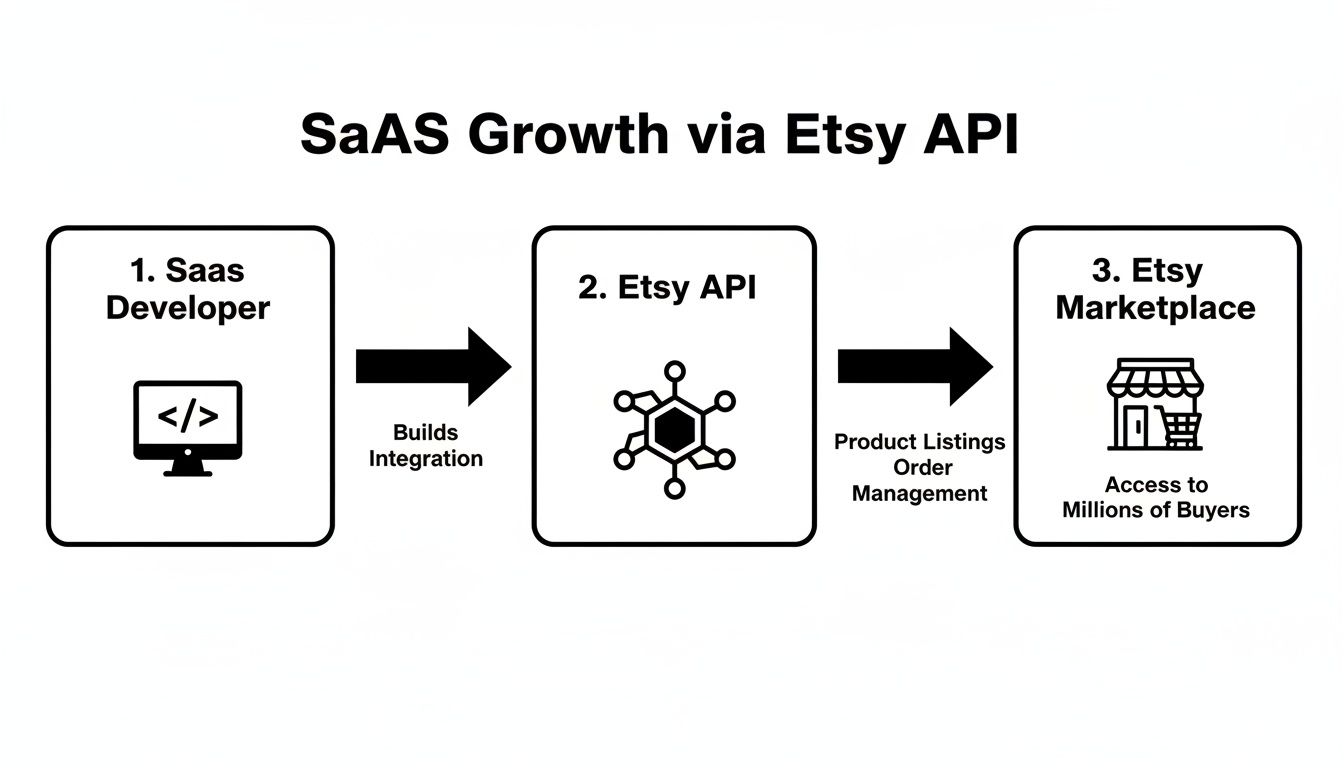
This workflow illustrates the direct line from developer effort to real marketplace functionality, with the API acting as the essential bridge for all data exchange.
Token Scopes and Refresh Cycles
When you ask for an access token, you also have to specify scopes. These define exactly what your app is permitted to do on a user's behalf. For instance, you might request the listings_w scope to create and edit product listings and the transactions_r scope to read order data.
It's a best practice to request only the scopes your application absolutely needs. Over-requesting permissions can scare users away from granting consent and might even get your app rejected during Etsy's review process.
Access tokens don't last forever; they expire. A critical part of maintaining a stable connection is managing the token refresh cycle. When Etsy issues an access token, it also provides a refresh token. You must store this refresh token securely and use it to get a new access token before the old one expires. This ensures your users experience uninterrupted service.
You can learn more about different approaches in our guide on API authentication methods.
Once you’ve nailed authentication, you can get down to the real work: interacting with a seller’s store data. This is where the Etsy API endpoints come into play. Think of them as dedicated doorways into a merchant's shop, with each door leading to specific information like products, orders, or current stock levels.
For any B2B SaaS developer, getting comfortable with these endpoints is the key to building features that sellers will actually pay for. We'll break down the most important ones, turning abstract API calls into a practical toolkit for your integration.

Managing Products with Listings Endpoints
The Listings endpoints are the bedrock for any Product Information Management (PIM) tool or multi-channel listing software. These allow your application to create, read, update, and delete the products available in a seller's shop.
You can use them to pull existing listings into your own system for syncing or push new products directly to Etsy from your platform's dashboard. You'll be working with essential data like titles, descriptions, prices, quantities, images, and product variations such as size and color.
For instance, a simple GET /v3/application/listings/{listing_id} call fetches all the details for one specific product. This is a must-have for keeping product information aligned across every place a merchant sells.
Processing Orders via Receipts Endpoints
Here’s a crucial detail you need to know: what most of the eCommerce world calls "orders," Etsy calls "Receipts." This is a small but vital distinction. The Receipts endpoints are non-negotiable for order management systems (OMS), shipping software, or any app that touches the sales process.
With these endpoints, your software can:
- Fetch new orders: By periodically calling
GET /v3/application/shops/{shop_id}/receipts, you can pull in all recent sales. - Access order details: This gives you the buyer’s info, the items they bought, and the shipping address needed for fulfillment.
- Update order status: While you can’t directly change an order’s status, you can add tracking information to a receipt, which effectively signals to Etsy and the buyer that the order has shipped.
A typical OMS integration would use these endpoints to import new orders, letting sellers manage everything from a single dashboard instead of having to log in and out of their Etsy shop.
A key challenge for developers is the sheer volume of data. High-traffic shops can generate thousands of orders, making efficient data retrieval a top priority. This is where strategies like pagination become non-negotiable.
Synchronizing Stock with Inventory Endpoints
Nothing frustrates a merchant more than overselling a popular item. The Inventory endpoints are your solution, giving your software direct control over product stock levels and other offering details like price and SKU.
By working with the ListingInventory data object, an inventory management system can update a product's quantity on Etsy in near real-time. When an item sells on Shopify or Amazon, your system can instantly decrement the stock on Etsy. This kind of two-way sync is a cornerstone feature for any serious inventory tool.
To help you get started, here's a quick-reference table that summarizes the most critical endpoints for any B2B SaaS integration with Etsy.
Essential Etsy API Endpoints for B2B SaaS
| Functionality | Primary Endpoint(s) | HTTP Method(s) | Use Case Example |
|---|---|---|---|
| Product Management | /listings |
GET, POST, PUT |
A PIM tool updates a product's title and images. |
| Order Processing | /receipts |
GET |
An OMS fetches new orders every 15 minutes to start fulfillment. |
| Inventory Sync | /listing-inventory |
GET, PUT |
Shipping software decrements stock after a label is created. |
These endpoints are the essential building blocks for any powerful Etsy API integration. They give you the access you need to build truly valuable features for sellers.
However, building, testing, and maintaining these connections requires a huge amount of engineering resources. For many SaaS providers, using a unified API solution like API2Cart can slash development time. Instead of coding custom logic for every endpoint, you work with one standardized data model, getting your integration to market much faster.
Working with Rate Limits, Pagination, and Webhooks
Getting a basic Etsy integration up and running is one thing. Building one that can handle the pressure of a high-volume shop without buckling is a completely different ballgame. Here, we'll get into the nitty-gritty operational realities every developer bumps up against when working with the Etsy API. If you want a stable and reliable app, you have to get this part right.
First up: rate limits. Think of them as traffic cops for the API. To keep their platform stable for everyone, Etsy and other marketplaces limit how many requests your app can fire off in a set period. If you ignore these limits, you'll get temporarily blocked, which translates to a broken experience for your users.
To play by the rules, you need to build smart. This means queuing up your requests and implementing an exponential backoff strategy. In simple terms, if a request fails because you hit a rate limit, your app should wait a moment before trying again. If it fails a second time, it waits a little longer, and so on, progressively increasing the delay to give the API some breathing room.
Conquering Large Datasets with Pagination
Next, let's talk about wrangling massive amounts of data. A successful Etsy shop might have tens of thousands of orders or products. You can't just ask the API for all of that in one go—the request would be painfully slow and probably time out. This is where pagination comes in. It’s the technique for retrieving huge datasets in manageable chunks, or "pages."
When you ask the Etsy API for a list of orders, it will send back the first page of results. Crucially, that response will also include the information you need to request the next page. Your application has to be built to loop through these pages, one after another, until it has fetched every last piece of data. For a scalable integration, mastering pagination isn't optional.
The Power of Webhooks Over Polling
Finally, we need to compare two very different ways of getting real-time updates: polling versus webhooks. Polling is like constantly calling a friend to ask, "Anything new?" Your app repeatedly pings the API, asking if there's been a new order or an inventory change. It’s noisy, inefficient, and burns through your API call allowance.
Webhooks flip that model on its head. Instead of your app constantly asking for updates, Etsy tells your app the moment something important happens.
A webhook is an automated message sent from an app when a specific event occurs. For an eCommerce integration, this could be a new order being placed, a product's inventory level changing, or a shipping status update. This real-time data flow is the secret to building responsive features.
Etsy's platform is massive, serving 86.6 million active buyers and fielding traffic from 454 million monthly visitors. This scale makes efficient data handling a top priority. While the Version 3 API, rolled out between 2020-2023, added important new endpoints, some challenges remain. For instance, the lack of bulk historical data access forces developers to find smarter integration patterns. You can dig into more stats about Etsy's platform and its user base on printkk.com.
With webhooks, instead of polling for new orders every five minutes, you can set up a listener that gets a notification the instant a sale is made. Your order management system or shipping software can then kick into gear immediately. This approach not only conserves your API rate limit but also creates a far superior user experience. To get a deeper understanding of this powerful tool, check out our guide on what a webhook is and how it works.
The Hidden Costs of Direct Etsy API Integration
On the surface, a direct integration with the Etsy API looks like a clear path forward. But as many development teams have learned the hard way, what seems simple on paper can quickly become a project that drains engineering budgets and derails product roadmaps. This is something every SaaS vendor needs to consider carefully.
The initial development sprint is just the tip of the iceberg. Building a single, production-ready connector can easily tie up your engineering team for months. This isn’t just about writing code; it's about the extensive testing, debugging, and refinement needed to make it reliable.
The True Development Tax
The real cost, however, comes from what we call the "development tax"—the constant, unending maintenance needed just to keep the integration from breaking. API ecosystems aren't set in stone; they are always changing.
This ongoing burden eats up your resources in a few key ways:
- API Versioning: Etsy updates its API from time to time, phasing out old endpoints and adding new ones. Every time a new version is released, your team has to go back and refactor your code to stay compliant. This can take up to six months for every new integration you support.
- Architectural Quirks: Every platform has its own unique logic, and Etsy is no exception. You'll run into specific data structures and endpoint behaviors that demand custom-coded workarounds.
- Error Handling: You have to anticipate and build logic for a huge range of potential errors from scratch—everything from failed authentications to rate limit exceptions.
This cycle of constant updates and patches pulls your developers away from building the new, revenue-generating features your customers are asking for. Instead of creating what’s next, they get stuck in a reactive loop, just trying to fix what’s broken.
For any SaaS vendor aiming to support dozens of eCommerce platforms, this one-off approach simply doesn't scale. Each new integration becomes another isolated project, compounding your technical debt and creating an expensive, unsustainable bottleneck. The headaches of direct integration make a very strong case for finding a more unified, scalable solution.
The Smarter Way: How API2Cart Unlocks Etsy Integration
After wrestling with the complexities of a direct integration, it becomes pretty clear you need a strategic shortcut. So, what if you could write your code just once against a clean, standardized API and instantly connect not only to the Etsy API but to over 40 other eCommerce platforms at the same time? That’s the core idea behind API2Cart.
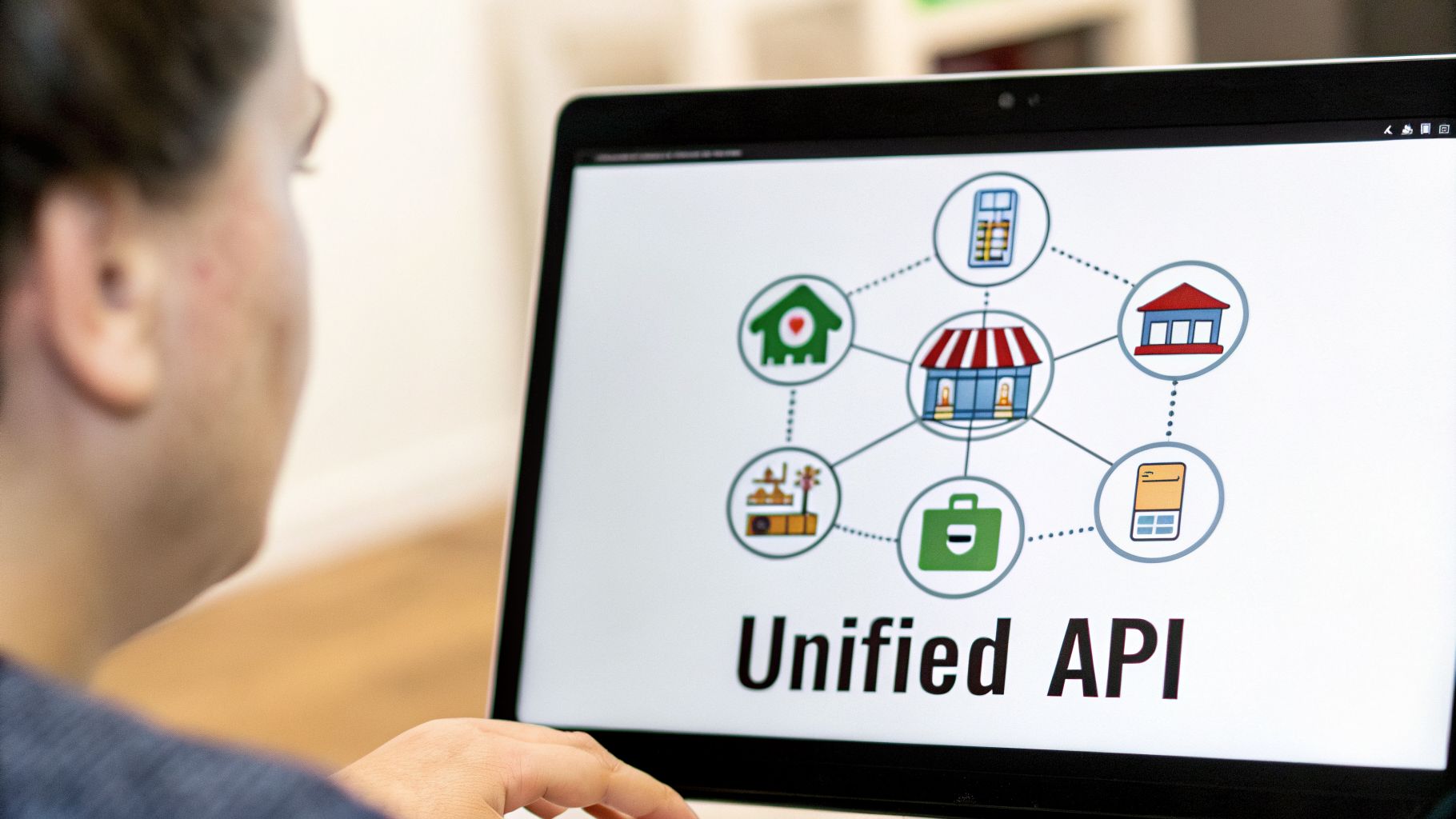
Think of API2Cart as a universal translator for eCommerce data. It takes on all the platform-specific headaches—like tricky authentication flows, rate limit management, unique data structures, and constant API updates—and handles them completely behind the scenes. This frees up your development team from the endless grind of building and maintaining fragile, one-off connectors.
From Months to Days
For any SaaS developer, this is a game-changer. Instead of pouring months of engineering effort into a single Etsy API integration, you can tap into the entire eCommerce ecosystem in a tiny fraction of the time. The development tax of ongoing maintenance simply vanishes, letting you redirect those valuable resources back into innovation.
By abstracting away the backend chaos, a unified API turns a massive engineering problem into a simple, scalable solution. This empowers you to focus on building the features your customers truly need, rather than getting bogged down in connectivity issues.
API2Cart gives you a single, consistent data model. It doesn't matter if you're pulling order details from Etsy, Shopify, or Amazon—the API calls you make and the structure of the data you get back are always the same. This consistency drastically simplifies your application's logic and slashes your time-to-market. While API2Cart presents a streamlined path, exploring the broader landscape of comprehensive API integration solutions can offer deeper insights into connecting diverse systems.
A Toolkit for B2B SaaS Growth
API2Cart is much more than a simple connector; it's a full-fledged integration toolkit built specifically for the needs of B2B software developers. It provides a robust infrastructure for managing all the key eCommerce data points you care about:
- Order Management: Retrieve orders from all connected stores to centralize fulfillment and reporting. A single
order.listcall can retrieve order data from Etsy and any other supported platform, returning it in a standardized format. - Product Synchronization: Create, update, and manage product listings across multiple platforms from one place. Use methods like
product.addandproduct.updateto sync product data without writing platform-specific code. - Inventory Control: Keep stock levels synced up in real-time to eliminate overselling for good. API2Cart allows you to update inventory across all connected sales channels simultaneously.
- Shipment Processing: Add tracking numbers and update shipping statuses on Etsy and other platforms using a single set of API methods like
order.shipment.add.
By going the unified API route, you completely sidestep the individual challenges of each platform's API and gain a major competitive advantage. This approach lets you expand your market reach, onboard new customers faster, and ultimately deliver a more reliable and feature-rich service.
Frequently Asked Questions About the Etsy API
If you're looking at the Etsy API, you’re probably asking the same questions we hear all the time—especially when deciding between building a direct integration and using a unified API. Here are the answers to the most common queries we get from developers.
What Are the Main Limitations of the Etsy API for a Multi-Channel SaaS?
Building directly against the Etsy API can introduce a few major roadblocks, particularly for any SaaS platform that needs to support multiple sellers. The biggest headaches usually come down to:
- One Shop, One Token: Every single shop needs its own separate authentication. This creates a ton of administrative and technical overhead if your SaaS serves dozens or even hundreds of clients.
- Tight Rate Limits: Etsy’s API has a ceiling of around 1,000 calls per hour for each authenticated user. For high-volume tasks like syncing inventory or pulling in a rush of new orders, you can hit that limit fast.
- Patchy Webhook Support: The API doesn’t offer webhooks for all the important data types you'd expect. This often forces you back to the old, inefficient method of constantly polling the API just to check for updates.
On top of all that, the Etsy API has a unique data structure that demands custom mapping for every single feature. That approach just doesn’t scale when you need to plug into dozens of other platforms, because you’re stuck writing custom logic for each one.
How Does a Unified API Handle Etsy-Specific Data Fields?
A unified API service like API2Cart acts as a smart translation layer. It takes all of Etsy's unique data fields—things like listing variations, shop sections, and receipt details—and maps them to a standardized, universal data model.
This means you can pull product data from Etsy, Shopify, and Amazon using the exact same product.list API call. The unified API does all the heavy lifting in the background, transforming the data so your application always gets it in a consistent, predictable format. You never have to write or maintain custom code for each platform again.
Can I Use a Unified API for Full Product and Order Management on Etsy?
Yes, absolutely. A solution like API2Cart gives you a full suite of API methods to manage the entire product and order lifecycle on Etsy. You can use methods like product.add and product.update to create or modify listings and keep inventory levels synced up in real-time.
For order management, you can use order.list to pull new orders from an Etsy shop as they come in and then use order.shipment.add to push tracking information back and update the fulfillment status. All of these actions happen through the same unified API, which radically simplifies your development and long-term maintenance.
Ready to bypass the complexities of direct integration? With API2Cart, you can connect to Etsy and 40+ other platforms through a single API. Sign up for a free 14-day trial and see how quickly you can expand your software's reach.


