
A well-built SDK for API integration is so much more than a simple convenience. For an integration developer, it’s a strategic tool that turns a raw, complex API into a toolkit that feels completely natural. It wraps up messy HTTP requests, authentication flows, and platform-specific quirks into native methods and objects that just feel right in whatever programming language you're using. This single change can massively speed up your development lifecycle and get your integrations to market faster.
Why a Great SDK for API Integration Matters

To an integration developer, a raw API is just a list of endpoints and a rulebook. A Software Development Kit (SDK), on the other hand, is the whole workshop. It comes with all the pre-built parts—code libraries, clear documentation, and practical examples—that transform the painful grind of API integration into a smooth, productive workflow.
The most immediate benefit is a huge drop in integration time. Instead of having to piece together HTTP requests by hand, parse JSON responses, and fight with authentication flows, you can just call a simple method like client.createOrder(orderData). This isn't a small improvement; it can shrink your development timelines from weeks down to just a few days.
Accelerating Development with Unified APIs
This challenge gets a lot harder in fragmented spaces like eCommerce. As an integration developer, you're often tasked with connecting to dozens of different shopping cart APIs—Shopify, Magento, and BigCommerce all do things differently. Each one has its own authentication quirks, data structures, and error-handling logic. Building and maintaining each of these connections one by one is a huge drain on any engineering team.
This is exactly where a unified API service like API2Cart can be a game-changer for your SDK strategy. By building your SDK on top of API2Cart, you effectively hide all that platform-specific complexity.
An SDK built on a unified API lets you write your code once and connect to an entire ecosystem. For instance, if you're building an inventory management solution, a single SDK call to API2Cart can sync product data across 60+ different eCommerce platforms, killing off redundant integration work for good.
This approach gives developers building multi-channel apps some serious advantages:
- Reduced Complexity: You only need to learn one set of methods and data models, not dozens.
- Faster Time-to-Market: A single integration connects your app to the entire eCommerce landscape. This means a shipping management app can support a new customer on a niche platform instantly, without any new code.
- Lower Maintenance Overhead: API2Cart takes care of maintaining, updating, and versioning each shopping cart connection, freeing you up to work on features that matter.
Enhancing the Developer Experience
Beyond just speed, a thoughtfully designed SDK improves your entire developer journey. It offers things like compile-time checks and IDE autocompletion, which helps catch potential bugs before the code even runs. This kind of safety net leads to fewer bugs and a lot less time spent on frustrating debugging sessions.
At the end of the day, an SDK is the primary way you will interact with and experience an API. A great one makes the API feel accessible, reliable, and powerful. It cuts down on support tickets, encourages wider adoption, and empowers you to build incredible things on top of it—faster than you ever could on your own. For your business, that translates directly into a healthier app ecosystem and a platform that customers can't live without.
Designing a Developer-Friendly SDK Foundation
A truly great SDK for API integration isn't just about the code; it's about the thinking that happens before writing that first line. The foundation—choices in language, structure, and authentication handling—will make the difference between an SDK you love and one you grudgingly tolerate. Getting this part right is halfway to building a tool that feels like a natural extension of your own codebase.
The first, and arguably most critical, decision is which programming language to support. The SDK must meet you where you are. It makes zero sense to build a PHP SDK if the core audience is a community of Python-based data science teams. Researching target developers and prioritizing the languages they actually use every day is key. A smart approach is to start with one or two key languages and nail them before branching out.
Choosing the Right Language for Your SDK
Picking the right language is all about understanding your target developer ecosystem. Every language brings its own community, tooling, and set of expectations to the table. What works for a front-end developer building a React app is very different from what an enterprise Java team needs.
Here's a quick breakdown of how some popular languages stack up for SDK development:
| Language | Primary Ecosystem | Strengths | Considerations |
|---|---|---|---|
| Python | Data Science, Backend, Automation | Fantastic for scripting, data work, and getting things done quickly. Modern typing with libraries like Pydantic is a huge win for modeling API responses. | Package management can be a headache for some (e.g., venv vs. Poetry). It's not the go-to for front-end or mobile development. |
| TypeScript/JS | Web Development (Front-end & Node.js) | It's everywhere in the web world. TypeScript's strong typing is a lifesaver for catching errors and enabling killer IDE autocompletion. | The ecosystem moves incredibly fast. Be prepared for frequent updates to dependencies and build tools to stay current. |
| PHP | Web Development (WordPress, Laravel) | Still reigns supreme in the open-source CMS space. Modern PHP is surprisingly fast and capable, backed by the solid Composer package manager. | It sometimes carries a reputation for being outdated, even though modern versions are highly performant. |
| Java/C# | Enterprise, Mobile (Android), Desktop | Built for performance and stability. Their strict typing and extensive tooling make them a perfect fit for large, mission-critical enterprise applications. | The code can be more verbose than dynamic languages, which might feel like overkill for simple API integrations. |
Once you've settled on a language, your next big win is abstracting away the tedious parts of using an API, starting with authentication.
Abstracting Away Authentication Complexity
Authentication is, without a doubt, one of the biggest initial roadblocks for developers. A world-class SDK for API integration makes this entire process invisible. Instead of forcing you to manually juggle OAuth 2.0 token exchanges, refresh tokens, and API keys, it should all be wrapped in a simple, elegant solution.
Imagine you only need to provide credentials once when initializing the client. From that point on, the SDK handles everything—automatically refreshing tokens behind the scenes before they expire. This one feature alone can save you countless hours of writing boilerplate code and debugging auth flows.
This becomes even more powerful when an SDK is built on a unified API service like API2Cart. API2Cart handles the authentication for over 60 different eCommerce platforms. The SDK can expose a single, consistent authenticate() method that just works, whether the end user is connecting to Shopify or Magento. As a developer, you don't have to learn a new auth flow for every single shopping cart, which drastically cuts down integration time.
By handling complex authentication logic internally, an SDK transforms a major integration pain point into a seamless, one-line operation. This is a hallmark of excellent API developer experience patterns and best practises and a key driver of adoption.
Finally, remember that even the best code is useless without clear instructions. A truly developer-friendly SDK is built on solid documentation, so it's essential to follow the latest software documentation best practices. Clear examples and practical guides are just as important as the code itself. By focusing on these foundational pillars—choosing the right language, simplifying authentication, and writing great docs—you set your SDK up for success from day one.
Building Core Mechanics for API Communication

With the foundation in place, it's time to build the engine of your SDK for API integration. This is where the magic happens—the core logic that translates your simple method call into a perfect HTTP request, sends it off to the API, and hands back a clean, predictable result.
Get this part right, and the API will feel less like a remote service and more like a native library in your project.
The first job is to structure requests in a way that feels natural in your target language. You shouldn't be stuck manually building query strings or wrestling with JSON request bodies. A good SDK handles all that behind the scenes, offering clean methods and parameters that hide the messy HTTP details.
This is especially true in a complex space like eCommerce. A single action, like updating product inventory, could involve intricate data structures or even multiple API calls. For the integration developer using the SDK, all that complexity needs to be tucked away.
This is exactly where a unified API service like API2Cart can give you a massive head start. Instead of building unique request logic for 60+ different shopping cart APIs, you just build it once against API2Cart’s unified endpoints. Your SDK can then offer a single, beautiful method like client.product.update() that works everywhere, whether the end user is on Shopify or WooCommerce.
Transforming Responses into Type-Safe Objects
One of the biggest wins a modern SDK can deliver is turning raw JSON responses into strongly-typed objects or classes. Honestly, this is a massive upgrade from forcing developers to parse messy, unpredictable JSON structures on their own.
When you get a real Product object back instead of a generic dictionary, your entire workflow gets better. Suddenly, your IDE offers autocompletion, type-hinting, and compile-time checks that can spot errors long before the code even runs. This makes the integration process faster, more intuitive, and way less prone to bugs from a simple typo in a JSON key.
The goal is to make your API feel as safe and predictable as any other local library in their project. This shift from raw data to smart, usable objects is what separates a decent SDK from a great one. The conversation around API design is always changing, and you can dive deeper into different approaches in our comparison of REST API vs GraphQL.
Implementing Meaningful Error Handling
Great error handling might just be the most critical piece of the puzzle. A generic HTTP 404 Not Found response is basically useless to a developer under pressure. A top-tier SDK translates these vague HTTP status codes into specific, descriptive exceptions you can actually do something with.
Instead of making you write if (response.statusCode === 404), it lets you use clean, predictable try-catch blocks.
A well-designed SDK should throw custom exceptions like
ProductNotFoundExceptionorInvalidApiKeyException. This allows you to handle specific failure scenarios gracefully and makes debugging a thousand times easier.
This level of detail turns an SDK from a simple wrapper into a trusted partner in your development process. As the API economy continues to explode, these developer-focused features are what make an SDK stand out. The API management market is proof of this, valued between USD 5.42 and USD 7.1 billion in 2024 and projected to climb as high as USD 58.7 billion by 2034.
Understanding how APIs are used in the real world, like for automating tasks with APIs in SEO, shows just how valuable this smooth experience is. By building these core mechanics thoughtfully, an SDK won't just be functional—it will be a joy to use.
Implementing Advanced Features Developers Actually Need
Moving beyond a simple API wrapper is what separates a good SDK from a production-grade tool that developers genuinely rely on. Once you've nailed the core mechanics of requests, responses, and errors, it's time to build in the thoughtful, advanced features that solve real-world integration headaches.
These are the details that turn a decent developer experience into a truly great one.
A fantastic place to start is with automatic pagination. APIs often return large datasets in chunks, forcing you to write tedious loops, manage cursors or page tokens, and stitch the results together yourself. A superior sdk for api integration handles this complexity internally, presenting a simple, iterable collection to you.
Instead of forcing you to manage pagination state, the SDK should let you write a simple foreach loop that effortlessly iterates through thousands of records. This small change has a huge impact, saving you from writing repetitive boilerplate and letting you focus on your application's business logic.
Building Resilience with Automatic Retries
Let's be honest: network connections are not always perfect, and APIs have rate limits. A fragile SDK will fall over at the first sign of a transient error, leaving you to build your own retry logic. A robust SDK, however, anticipates these issues and handles them gracefully.
Implementing automatic retries with exponential backoff is a critical feature. When a request fails due to a temporary network hiccup or a rate limit (like a 429 Too Many Requests error), the SDK should automatically wait and try again. The "exponential backoff" part is key: the delay between retries increases with each failure. This clever approach prevents the SDK from hammering a struggling API and making the problem worse.
For even better behavior, the logic should respect the Retry-After header if the API provides one. This header tells the SDK exactly how long to wait before the next attempt, turning it into a well-behaved and considerate API client.
By building in automatic retries, an SDK makes your integrations far more resilient to the unpredictable nature of network communication. This feature alone can prevent countless production incidents caused by temporary service disruptions.
Securing Webhooks with Signature Verification
For any platform that relies on webhooks to send real-time event notifications, security is paramount. A webhook endpoint is a publicly accessible URL, so you absolutely must ensure that incoming requests are legitimate and not from a malicious actor. This is where webhook signature verification becomes essential.
An SDK can provide an invaluable service by including a helper utility to handle this. The process typically involves:
- Receiving a request with a payload and a special signature header.
- Using a shared secret key to compute a signature from the request payload.
- Comparing the computed signature to the one in the header.
If they match, the request is authentic. If not, it should be rejected immediately. Adding a simple Webhook.verify(payload, signature, secret) method to an SDK removes a significant security burden from you as the developer. You can explore a detailed web hook example to see how this crucial security measure works in practice.
The Growing Importance of High-Quality SDKs
These advanced features are no longer just nice-to-haves; they are increasingly expected by developers. The Software Development Kit (SDK) market has seen massive growth, reflecting its central role in modern software development. As of 2024, the SDK market was valued at USD 2,493.14 million and is projected to reach USD 6,453.68 million by 2033.
This growth is fueled by near-universal adoption, with over 92% of mobile apps using at least one third-party SDK. To learn more, you can read the full research about these market trends.
For integration developers working with complex ecosystems like eCommerce, these features are even more critical. Platforms like API2Cart provide a unified API that abstracts away the differences between over 60 shopping carts. When you build an SDK on top of a service like this, features like automatic retries and pagination become incredibly powerful, as they work consistently across every platform. This dramatically speeds up development time, allowing you to build robust, multi-platform integrations with minimal effort.
Tackling Complex eCommerce Integrations
When you start building an SDK for the eCommerce world, you learn one thing very quickly: it’s a whole different beast. The landscape is incredibly fragmented. You’ve got giants like Shopify, BigCommerce, Magento, and WooCommerce, and that's just the tip of the iceberg. Each one comes with its own unique API structure, data models, and authentication quirks.
For an integration developer, this is a real headache. A "product" in Shopify looks nothing like a "product" in Magento. The way you update inventory or pull order details changes dramatically from one platform to the next. Trying to build a separate, custom integration for each one isn't just inefficient—it's a massive, never-ending engineering burden.
Unifying the Chaos of eCommerce APIs
This is where an SDK can become a true superpower, but only if it successfully abstracts away all that underlying complexity. The goal is to design SDK models that create a single, consistent experience for you, no matter which shopping cart you're connecting to. You shouldn't have to know or care if an order came from Shopify or BigCommerce; you should just be able to call client.orders.get(orderId) and get back a standardized Order object, every single time.
This is exactly the kind of problem that a unified API service like API2Cart was built to solve. Instead of pointing your SDK at dozens of messy, individual eCommerce APIs, you can build it on top of API2Cart's clean, consistent API.
By building on a unified API, an SDK can offer you one set of methods to manage products, orders, customers, and inventory across more than 60 different shopping carts. This move completely eliminates the need for platform-specific logic, saving countless hours of development and maintenance down the road.
This strategy elevates an SDK from a simple API wrapper into a powerful, centralized hub for eCommerce integration.
What This Means for the Integration Developer
Let's walk through a real-world scenario. Picture yourself as a developer at a warehouse management system (WMS) company. Your job is to sync inventory levels across a dozen different sales channels for your customers. Without a unified SDK, your workflow is a complete mess:
- Write Shopify-specific code: First, you have to handle Shopify's OAuth, then figure out how to fetch products using its GraphQL API, and finally update inventory using the platform-specific
inventoryLevelsAdjustmutation. - Write Magento-specific code: Next, you tackle Magento's REST API authentication, use totally different endpoints to look up product SKUs, and then post updates to yet another inventory endpoint.
- Write WooCommerce-specific code: You repeat the whole process again, this time for the WordPress REST API, complete with its own unique data formats and authentication flow.
And that's just for three platforms. Imagine the maintenance nightmare of doing this for ten or twenty.
Now, let's give you an SDK built on API2Cart. Your entire workflow gets boiled down to a single, elegant process:
- Authenticate once: You use the SDK's unified authentication method, which API2Cart handles behind the scenes for any connected store.
- Update inventory with one call: You run a single method like
client.products.update({ id: 'product-123', quantity: 99 }).
That’s it. The SDK, powered by API2Cart, translates that one simple call into the correct, platform-specific request for Shopify, Magento, WooCommerce, or any other cart you've connected. You get to write one piece of integration logic that works everywhere. This drastically cuts down your development time and frees you up to focus on building core WMS features. This is how you deliver an sdk for api that solves real, painful business problems and becomes an indispensable tool.
Managing Your SDK Lifecycle Effectively
Once you’ve written the code, the journey of an SDK for API is really just beginning. What comes next—publication, versioning, and ongoing maintenance—is what separates a decent chunk of code from a reliable, long-term tool that developers will actually trust and use. Skip this part, and even the most brilliant SDK can quickly become a source of frustration.
The first order of business is getting the SDK into the hands of developers. That means publishing it to standard package repositories. For TypeScript/JavaScript, that's npm; for Python, it's PyPI; for PHP, it's Packagist. Using these official channels makes installation a simple one-liner, which is exactly what professional developers expect.
Adopting Semantic Versioning
When you release updates, you have to be crystal clear about what’s changing. This is where Semantic Versioning (SemVer) isn't just a good idea—it's essential. The MAJOR.MINOR.PATCH format is a universal language that tells developers exactly what they’re getting into with each new release.
- PATCH (e.g., 1.0.1): For backward-compatible bug fixes. These are the "safe" updates.
- MINOR (e.g., 1.1.0): For new features that are also backward-compatible. Developers can upgrade to get new functionality without breaking their existing code.
- MAJOR (e.g., 2.0.0): This is the big one. It signals breaking changes that will require developers to modify their own implementation.
Sticking to SemVer builds trust. It’s a promise that you won't unexpectedly break someone's application with a minor update.
Great documentation is just as crucial as the code itself. It should include auto-generated API references for quick lookups and practical, copy-pasteable usage guides that solve real-world problems.
An SDK built on a unified API can drastically simplify the entire integration workflow, as you can see below.
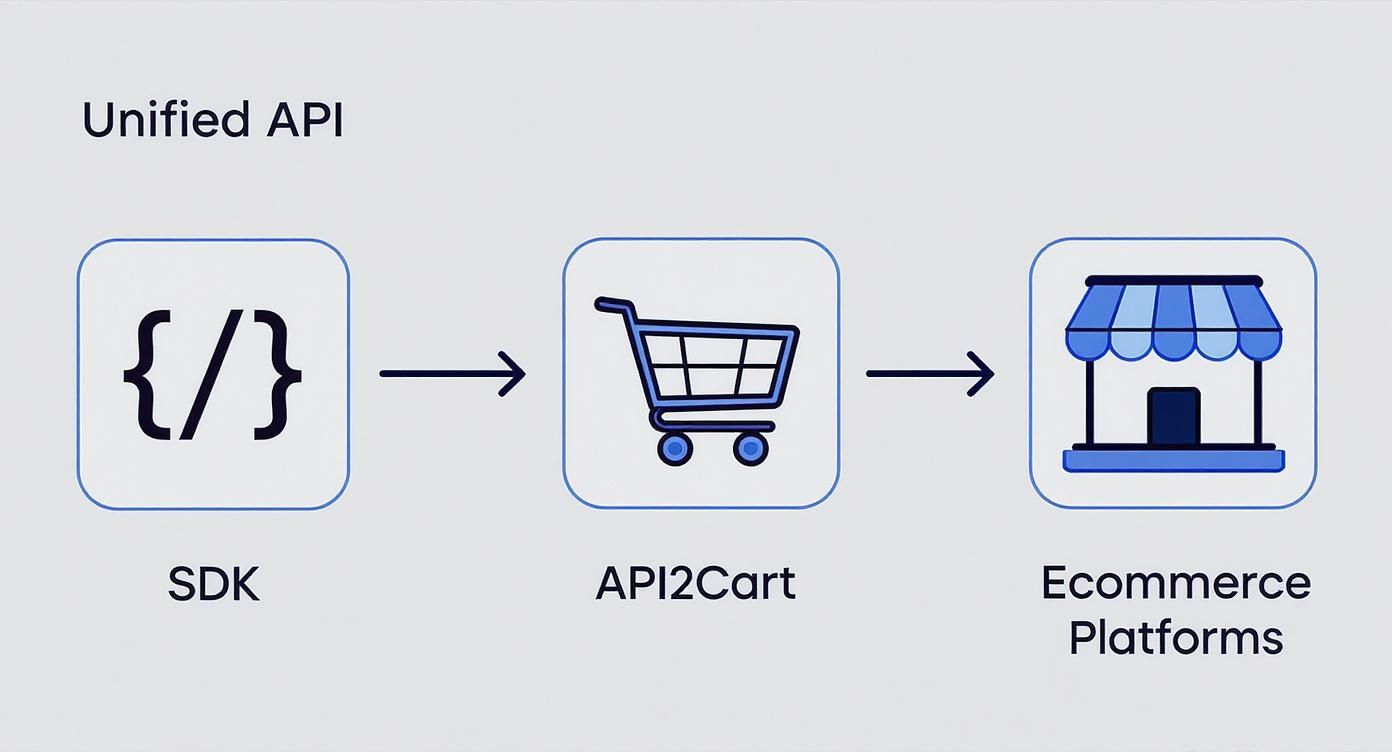
As an integration developer, you only have to worry about one SDK. The unified service behind it handles all the messy, platform-specific logic.
For B2B software vendors, this model is a massive time-saver. Instead of building and maintaining dozens of individual connections, an SDK powered by a service like API2Cart gives you a single point of integration. A developer can write code once to manage orders, products, and customers across over 60 different shopping carts. That’s a huge reduction in time-to-market.
Finally, you need to automate your release process with a CI/CD pipeline. This pipeline should be set up to automatically run tests, build the package, and publish it to the repository every time you tag a new release. Automation is what ensures every version you ship is stable and dependable, which is the key to keeping developers on your side for the long haul.
Common Questions About Building an API SDK
When you're diving into building or even just using an SDK for an API, a few common questions always seem to surface. Getting these sorted out early on can save you a ton of headaches down the road.
What’s the Real Difference Between an API and an SDK?
This one comes up a lot. Think of it this way: an API (Application Programming Interface) is like a restaurant's menu. It tells you what dishes (data/functions) are available and how you need to place your order (the request format). It’s just the list of rules for communication.
An SDK (Software Development Kit), on the other hand, is like getting a meal kit delivered from that same restaurant. It includes the menu, but also gives you pre-measured ingredients, step-by-step recipe cards, and maybe even some specialized cooking tools. It’s the whole package—code libraries, examples, and documentation—that helps you build your application using that API much, much faster.
How Do I Choose Which Programming Languages to Support?
The golden rule here is to follow your developers. Don't guess. Start by looking at who you're building this for. If your main audience is the web development community, a JavaScript/TypeScript SDK isn't just nice to have; it's essential. For anyone working in backend services, automation, or data science, Python is almost always the go-to.
The best approach is to start small. Pick the one or two languages that your most active users are already working with, then let community feedback guide your next move. A quick survey can give you surprisingly clear direction and stop you from sinking resources into a language nobody wants.
If you’re targeting large enterprise clients, you’ll likely find that languages like Java or C# are non-negotiable for integrating with their existing systems.
How Can a Unified API Service Fit into an SDK Strategy?
A unified API service can be a game-changer, especially if you're operating in a fragmented market like eCommerce. For an SDK developer, this is a massive strategic advantage.
Instead of getting bogged down building and maintaining dozens of separate, fragile integrations for platforms like Shopify, Magento, and WooCommerce, you build your sdk for api just once. Your single SDK connects to the unified API, and that service does the heavy lifting of translating your requests for each specific platform.
Take a service like API2Cart, for example. It offers a single, unified API for over 60 different shopping carts. If you build an SDK on top of their service, a simple method like client.getOrders() will work consistently across every single one of those platforms. This approach absolutely slashes development time and cuts your long-term maintenance burden to a fraction of what it would be otherwise.
Building robust, multi-platform eCommerce integrations can be complex and time-consuming. API2Cart simplifies this by offering a unified API to connect with over 60 shopping carts and marketplaces. Start your free 14-day trial today and see how quickly you can expand your app's reach.