At its core, a shopping cart API integration is the technical handshake between your B2B SaaS application and an eCommerce platform's backend. For an integration developer, this is the bridge that lets you access and work with crucial store data like orders, products, and customers on platforms from Shopify to Magento and WooCommerce. This is what makes features like automated order fulfillment, real-time inventory sync, and sharp analytics actually work.
Why Shopping Cart API Integration Is Mission-Critical
If you're a B2B SaaS company in the eCommerce world, integration isn't just another feature—it's the very foundation of your product. Without a solid connection to your clients' stores, your software is dead in the water. A smart integration strategy is what separates a scalable, future-proof solution from a technical dead end that bleeds resources and loses customers. For developers, this is where the real challenge begins.
The Headaches of One-Off Connectors
Going after integrations one by one feels like progress at first, but it quickly creates a tangled mess of technical debt. Each platform throws its own unique curveballs, draining your development team's time and energy.
You'll quickly run into a few common frustrations:
- Fragmented Documentation: You'll find one platform’s API docs are a dream, while another’s are a ghost town—outdated, incomplete, or just plain wrong. This forces your developers into a frustrating cycle of trial and error.
- Inconsistent Authentication: Shopify uses OAuth 2.0, which demands a complex token exchange flow. WooCommerce might use simple API keys. This means you’re forced to build and maintain completely separate authentication handlers for every cart.
- Divergent Data Structures: A product with color and size options is a ‘variant’ in Shopify, but it’s a ‘configurable product’ in Magento. Your code has to constantly translate and normalize these different data models just to present a unified view inside your own app.
As a developer, the core problem isn't just building one connection. It's the relentless, soul-crushing maintenance of dozens of unique connectors, each with its own quirks, bugs, and update schedules. This is exactly where development pipelines grind to a halt.
This constant battle with technical inconsistencies is a massive resource drain. In the fast-moving eCommerce space, smart shopping cart API integration has become the key for B2B SaaS vendors who want to scale without the nightmare of custom coding. The numbers back this up: the API management market is on track to hit $6.89 billion by 2025, a clear sign of the huge demand for seamless connectivity. You can learn more about the rising importance of API connectivity in our deep-dive article.
Direct Integration vs Unified API Approach
When it comes to building these connections, you really have two paths: building each one from scratch or using a unified API service. Each has its own trade-offs in terms of cost, time, and long-term maintenance.
| Factor | Direct (One-by-One) Integration | Unified API (e.g., API2Cart) |
|---|---|---|
| Initial Development Time | Months or even years to support multiple platforms. | Weeks. You integrate with one API to access many. |
| Development Cost | High. Requires dedicated developers for each new platform. | Lower. Predictable subscription costs instead of high salaries. |
| Ongoing Maintenance | Extremely high. Each API update can break your code. | Handled by the provider. No maintenance overhead for your team. |
| Scalability | Slow and expensive. Adding a new platform is a major project. | Fast. New platforms are added by the provider without new coding. |
| Team Focus | Developers spend time on plumbing and maintenance. | Developers focus on building your core product features. |
| Data Normalization | You must build and maintain logic to standardize data. | Data is pre-standardized across all platforms. |
The choice really comes down to where you want your team to spend their time. Building direct integrations gives you total control but at the cost of immense effort. A unified approach, on the other hand, lets you focus on your actual product.
A unified approach, using a service like API2Cart, abstracts all these platform-specific headaches away. Instead of building dozens of individual connectors, your team codes against a single, standardized API.
This lets you sidestep months of development pain, dodge the maintenance nightmares, and get back to building the core features that your customers actually pay for. In a competitive market, that's not just an advantage—it's a necessity.
Designing a Scalable Integration Architecture
Before you write a single line of code, you need a blueprint. A solid architecture is the difference between an integration that scales gracefully and one that crumbles under pressure. From my experience, this initial planning is the most critical part of any shopping cart API integration project.
Your first big decision is how to structure the integration layer. Will you build it directly into your main application (the monolithic approach) or as a collection of independent services (microservices)? A monolith might get you started faster, but a microservices architecture is far more resilient and scalable. It lets you update or fix a single connector without taking down your entire application.
The reality is, without a thoughtful architecture, developers get stuck in a painful loop of coding, watching things break, and then scrambling to fix them.
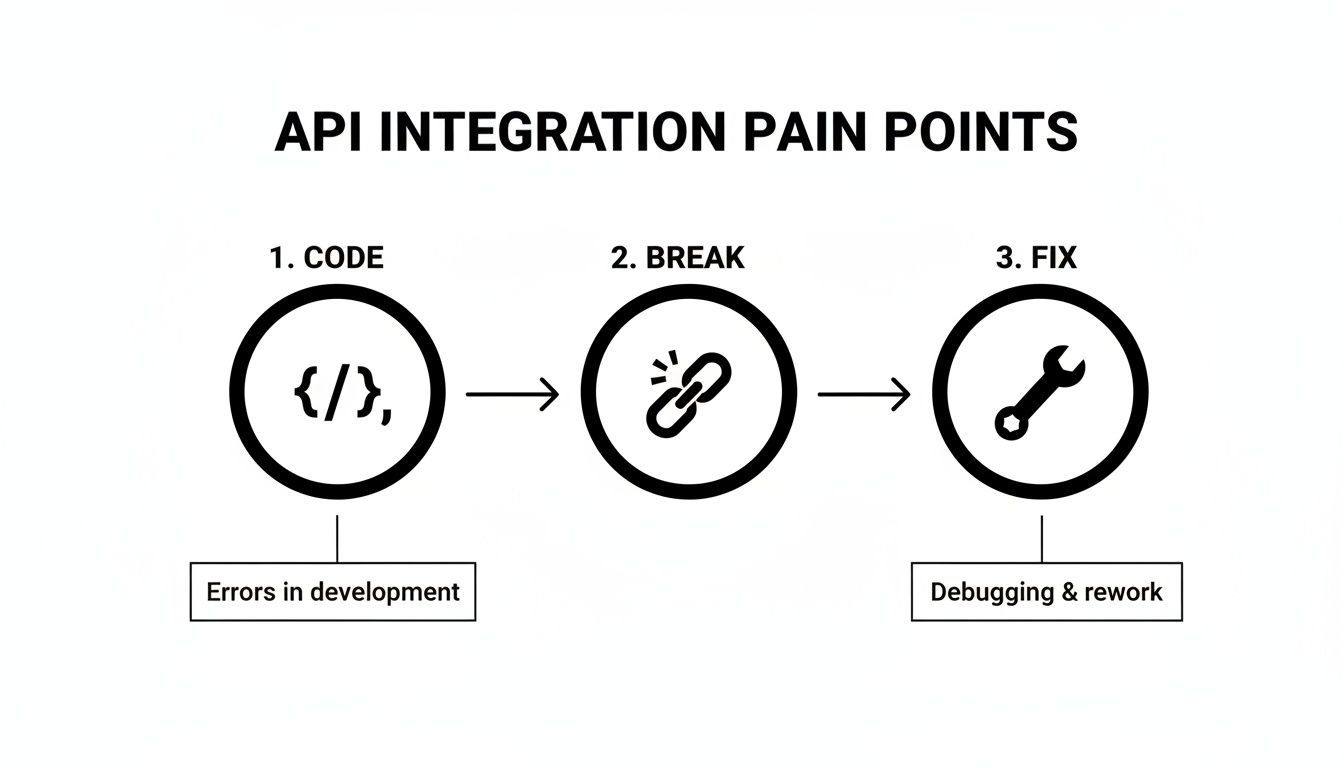
This cycle is frustrating and costly. It turns development into a reactive game of whack-a-mole instead of a proactive effort to build new value for your users.
Creating a Unified Data Model
The biggest architectural headache is data normalization. Every shopping cart speaks its own dialect. What Shopify calls a variant for a product with size and color options, Magento calls a configurable product. These aren't just different labels—they often represent entirely different data structures.
Your architecture has to tame this chaos. The solution is to create a single, standardized "canonical" data model inside your own application. This means defining your own internal structure for core eCommerce data.
- Product Model: Define exactly what a "product" looks like in your system—fields for variants, images, inventory, and any custom attributes you need.
- Order Model: Create a standard for orders that covers line items, customer info, shipping details, and payment status.
- Customer Model: Standardize customer data, including addresses, order history, and contact information.
This process involves meticulously mapping each platform's unique fields to your internal model. You're building a translation layer that shields your core application logic from the wild west of individual APIs.
This abstraction layer is non-negotiable for scalability. It ensures that your primary application logic only ever interacts with one clean, consistent data schema, regardless of whether the data originated from WooCommerce, BigCommerce, or any other platform.
How a Unified API Simplifies Architecture
Now, building that abstraction layer yourself is a massive project. This is precisely where a unified API service like API2Cart offers a huge architectural shortcut. Instead of you building the normalization engine from the ground up, API2Cart has already done the heavy lifting.
API2Cart delivers pre-normalized data models for products, orders, customers, and more. When you request product data, you get it back in a consistent format across all 60+ supported platforms. Shopify’s variants and Magento’s configurable products are both presented through the same unified schema. It solves the data mapping problem right out of the box.
This means you can skip one of the most complex and time-consuming parts of the architectural design. Your team can start building features against a single, predictable API, knowing the data will always be consistent. This doesn't just slash initial development time; it future-proofs your system. Adding a new shopping cart doesn't require an architectural overhaul—you just plug into the existing unified model. It also makes implementing modern development practices, like Continuous Integration principles, much more straightforward.
Furthermore, managing this integration layer efficiently often involves smart request routing. Understanding how a proxy works can offer real insight into managing these connections at scale. You can find a detailed breakdown of how to use an API proxy server to enhance your integration architecture here. By offloading the architectural burden, you free up your team to focus on what really matters: building your core product.
Once your architecture is mapped out, it's time for the digital handshake: authentication. This is where your app proves its identity to a shopping cart’s API before any data can be exchanged. But here's the catch—this process is anything but standard, and it's one of the biggest headaches when you're connecting to more than one platform.
You’ll quickly find that every platform has its own way of doing things. Some, like Shopify, use the modern and secure OAuth 2.0 protocol. This involves bouncing the user over to an authorization screen to grant access, then swapping a temporary code for an access token. It's a solid system, but it means you're on the hook for building a fairly complex, multi-step handler in your application.
Then you have platforms like WooCommerce, which often stick to simpler static API keys and secrets. This is easier to get started with—just pop the key into your request headers—but it shifts the security burden entirely onto you. Now you have to figure out how to store those sensitive credentials safely.
The Challenge of Juggling Different Auth Flows
Trying to manage all these different authentication methods is a huge development bottleneck. Your team is forced to build, test, and maintain separate logic for every single type of connection. And getting this right is non-negotiable, especially when you're handling sensitive data, like when integrating payment solutions like Stripe.
This fragmented landscape creates a few very real problems for integration developers:
- Secure Credential Storage: You need a rock-solid, encrypted database to store a mix of OAuth refresh tokens, API keys, and other secrets. If that database gets breached, all your customers' stores are at risk.
- Token Refresh Logic: For OAuth 2.0, access tokens don't last forever. You have to build reliable background jobs that use a refresh token to get a new one before the old one expires. If you don't, the connection drops.
- User Experience: How do you create a clean UI that guides a merchant through a redirect-based OAuth flow and a simple form for entering API keys, all without causing confusion?
Every new platform you add just makes this problem worse. Supporting ten different shopping carts might mean managing three or four completely different authentication workflows, each with its own quirks and potential points of failure.
The real cost here isn't just the initial development. It's the endless maintenance: keeping up with each platform's security updates, gracefully handling token expirations, and debugging connection issues for individual merchants. It’s a massive drain on engineering resources.
How a Unified API Streamlines Authentication
This is exactly where a unified API service like API2Cart becomes a game-changer. Instead of you having to master every platform's unique authentication dance, API2Cart abstracts that entire mess into a single, consistent flow.
For a developer, this makes life so much easier. You use one standardized method to connect any new store, and it doesn't matter if the platform on the other end uses OAuth 2.0, API keys, or something else entirely.
Here’s how API2Cart speeds things up in the real world:
- Order Management Systems (OMS): An OMS needs a reliable, always-on connection to pull in new orders. API2Cart handles all the complicated token refresh logic for platforms like Shopify and BigCommerce behind the scenes. Your system gets a stable connection without your developers writing a single line of token management code.
- Inventory Synchronization Software: When you’re syncing inventory, dropped connections are a disaster. Because API2Cart standardizes authentication, you know that when you need to push a stock update, the connection is live and ready. No more worrying if a refresh token for a Magento store expired overnight.
- Shipping and Fulfillment Platforms: Generating a shipping label means fetching order details instantly. API2Cart’s managed authentication lets you add a new customer on a platform like Ecwid just as easily as one on WooCommerce, using the exact same connection process on your end.
By using API2Cart, you offload the entire responsibility of building, securing, and maintaining dozens of different authentication handlers. This doesn’t just save hundreds of development hours; it dramatically reduces the security risks that come with storing a diverse set of sensitive credentials. If you want to dive deeper into the technical weeds, check out our guide on the various API authentication methods. Ultimately, this frees up your team to focus on building your core features, not getting bogged down in the plumbing of API connections.
Mastering Real-Time Data Synchronization
Once you’ve nailed the connection, the next big hurdle in any shopping cart API integration is keeping all that data fresh. A static, one-time data pull isn't worth much. What you're really building is a living connection that mirrors store activity the second it happens. For a developer, this means picking the right synchronization strategy.
Your decision really comes down to two paths: real-time updates using webhooks or scheduled checks through polling. Each serves a different purpose, and the one you choose will directly impact how responsive and reliable your application is.
Event-Driven Updates with Webhooks
For instant, event-driven actions, webhooks are your best friend. Instead of your app constantly asking the platform, "Anything new yet?", the shopping cart itself sends a notification to your endpoint the moment something happens. It’s essentially a push notification for your server.
This method is incredibly efficient. It cuts out all the needless API calls and ensures your system reacts immediately when it matters most.
So, where do webhooks shine?
- Order Fulfillment: An
order.createdwebhook can instantly ping your warehouse management system (WMS), kicking off the picking and packing process without a single minute wasted. - Inventory Sync: When a product is sold, a webhook for
order.paidcan trigger an immediate stock level update in your inventory software, which is crucial for preventing overselling on other channels. - Customer Communication: An
order.shippedevent can fire off an automated email to the customer with their tracking info the moment the label is generated.
But webhooks aren't a silver bullet. They can be flaky—a temporary network hiccup could mean a missed notification. On top of that, not every shopping cart platform offers solid webhook support for all the events you might care about.
Reliable Batch Updates with Polling
And that's where polling comes in. Polling is simply having your application make scheduled API requests to check for new or updated data. You might, for example, query for all orders modified since your last check every five minutes.
Yes, polling is more resource-heavy since you’re making calls even when nothing has changed, but it’s far more dependable. It’s the perfect safety net to catch anything that might have slipped through a webhook's cracks. It's also your only choice when a platform’s webhook game is weak.
The trick to effective polling is staying under the API rate limits. Make too many requests too quickly, and you’ll get your access temporarily blocked. Smart logic, like using date filters (modified_from) and only requesting the fields you actually need, is absolutely essential.
A truly bulletproof sync strategy almost always uses both. Use webhooks for the instant, high-priority stuff, but also run a scheduled polling job as a fallback to guarantee data consistency and catch any missed updates. This hybrid approach gives you the best of both worlds: speed and reliability.
The API2Cart Advantage for Data Sync
Now, building and maintaining this kind of complex, hybrid sync logic across dozens of different platforms is a monumental task. This is exactly where a unified API like API2Cart shows its value.
API2Cart essentially standardizes and beefs up the synchronization process for every platform it supports.
- Reliable Webhooks for Every Platform: API2Cart provides webhooks for over 40 different events, like
order.addandproduct.update. The real magic here is that it gives you this functionality even for shopping carts that don't offer reliable native webhooks. Their system uses a mix of techniques behind the scenes to deliver a consistent, event-driven experience for you. - Simplified Logic: Forget building a custom webhook handler for Shopify and a separate polling mechanism for another platform. With API2Cart, you just subscribe to a single, standardized webhook. Your application's logic stays clean and simple.
- No More Fallback Headaches: You don’t have to build out that complex fallback and reconciliation logic yourself. API2Cart's infrastructure is designed to ensure data delivery, giving you all the power of a real-time sync strategy without the usual development nightmare.
For a more technical dive into these methods, check out this great article on webhooks vs. APIs and polling. By offloading the sync complexity to a service built for it, your team can get back to what matters: using the data to build powerful features, not just struggling to get it.
Building Resilient Integrations That Handle Failure
Let's be realistic: even the most carefully built shopping cart API integration is going to fail. It's not a matter of if, but when. APIs will go down, networks will get flaky, and you’ll get data in a format you never expected. A truly resilient system isn't one that never breaks; it's one that expects to break and handles it gracefully without losing data or disrupting service. As a developer, engineering this resilience is just as critical as getting the initial connection to work.

Your game plan for dealing with failure has to start with intelligent retry logic. When an API call fails with a temporary hiccup, like a 503 Service Unavailable, just hammering the server again immediately is a terrible idea. You'll likely just make the problem worse, overwhelm their server, and get your IP address blocked for your trouble.
Implementing Smart Retry Logic
The go-to solution here is exponential backoff. Instead of retrying every second on the dot, you progressively lengthen the wait time between each attempt (think 2s, then 4s, then 8s, 16s, and so on). This simple strategy gives the remote server a chance to recover while making sure your request eventually succeeds once things are stable again.
A good implementation usually involves:
- Initial Wait: Start with a brief delay, maybe 1-2 seconds.
- Multiplier: Double the wait time after each failed attempt.
- Jitter: Add a small, random amount of time to each delay. This is a pro-move that prevents thousands of instances of your app from retrying at the exact same millisecond, which can create a "thundering herd" problem that takes down a recovering server.
- Max Retries: Don't retry forever. Set a hard limit, like 5-7 attempts, before you give up and log the failure for a human to investigate.
This approach shows you're a good citizen of the API ecosystem and dramatically boosts the odds of success during temporary outages.
Proactive Logging and Data Validation
You can't fix a problem you can't see. This is where proactive logging becomes your best friend and early warning system. Don't just log the big, catastrophic failures. You need to capture rich details for every failed API request: the payload you sent, the endpoint you hit, the HTTP status code, and the full error response from their server. That context is pure gold when you're trying to figure out why a specific order sync failed three hours ago.
Data validation is your next line of defense. Before you even think about sending data to a cart's API or saving it in your own database, run it through a strict schema validation. This is how you stop malformed data from one platform from corrupting your entire system. For instance, if you're expecting a product price to be a number but you receive a string with a currency symbol, your validation layer should catch that immediately.
A huge part of resilience is learning to speak the language of HTTP errors. A
401 Unauthorizedmeans your API keys are bad, so retrying is pointless. A429 Too Many Requestsis the API telling you to slow down. But a500 Internal Server Erroris often a temporary server-side issue, making it a perfect candidate for exponential backoff.
As you build out your error-handling logic, you'll start to see common patterns emerge. Here’s a quick-reference table to help diagnose and resolve some of the most frequent issues you'll encounter.
Common Integration Error Patterns and Solutions
| Error Pattern | Common Cause | Recommended Solution |
|---|---|---|
401 Unauthorized |
Invalid or expired API credentials. | Stop retrying. Log the error and alert a user or administrator to update their authentication tokens or keys. |
403 Forbidden |
The API key is valid, but lacks the necessary permissions (scopes) for the requested action. | Verify the app's permission scopes in the shopping cart's admin panel. Do not retry the same request. |
429 Too Many Requests |
The application has exceeded the API's rate limit. | Implement exponential backoff immediately. Check the API documentation for specific rate limit headers (Retry-After). |
503 Service Unavailable |
The remote server is temporarily down for maintenance or is overloaded. | This is the ideal scenario for exponential backoff with jitter. |
400 Bad Request |
The request body is malformed, missing required fields, or contains invalid data types. | Do not retry. Log the entire request payload and the error response for debugging. Fix the data source or mapping logic. |
404 Not Found |
The requested resource (e.g., a specific product ID) does not exist on the shopping cart's platform. | Do not retry. Log the error and investigate why your system is referencing a non-existent entity. |
Knowing these patterns saves countless hours of debugging, helping you build more robust and predictable error-handling routines.
Standardizing Errors with a Unified API
Trying to learn the unique error dictionary for dozens of shopping carts is a massive headache. A 404 Not Found from Shopify might mean something totally different in a specific context than a 404 from WooCommerce. This is where a unified API like API2Cart really shines.
API2Cart's managed infrastructure doesn't just connect you; it handles the messy parts, like retry logic, and normalizes the wildly different error responses from over 60 platforms. Instead of writing custom parsers to decipher dozens of error formats, you get clean, consistent, and actionable feedback through one standardized set of error codes.
Think about this scenario for an inventory management app:
- Direct Integration: An update to a Magento store fails with a confusing XML response. Minutes later, an update to a BigCommerce store fails with a completely different JSON error object. Your error-handling code is now a tangled mess of platform-specific logic.
- With API2Cart: Both of those failures are translated into a single, predictable API2Cart error format. Your code only needs to handle one type of response, making your error logic dramatically simpler and more reliable across every single platform you support. This doesn't just speed up initial development—it makes your integration far more robust and easier to maintain.
Common Integration Questions for Developers
Even with a solid plan, any developer tackling a shopping cart API integration is going to have questions. From my experience, knowing the answers to the common ones upfront helps you scope the project better, sidestep a few landmines, and make smarter architectural choices from day one.
How Long Does a Single Integration Take to Build?
Realistically, building a single, production-ready integration from the ground up will take a developer 4 to 8 weeks. That's not just pure coding time. That estimate includes digging through often-sparse API documentation, getting the authentication flow right, mapping completely different data models, building out the sync logic, and then testing everything until it's bulletproof.
If you're looking at a notoriously complex platform like Magento, with its sprawling architecture, you can expect that timeline to stretch even further. That's a huge chunk of resources to connect to just one platform.
This is exactly where a unified API changes the game.
Using a service like API2Cart cuts this entire process down to a matter of days, not months. The brutal work of building, documenting, and maintaining each connector is already done. Your team just integrates with one clean API and gets instant access to dozens of platforms.
What Is the Biggest Challenge of Integrating with Many Carts?
Hands down, the single biggest challenge is the total lack of standardization. Every platform is its own universe with a unique API structure, a different authentication method, its own quirky data model, and a distinct set of rate limits. As you add more platforms, this chaos doesn't just add to your workload—it multiplies the complexity.
An inventory update that works flawlessly for Shopify will just fail on WooCommerce without custom logic. And every time a platform pushes an update to its API (which happens all the time), your team has to scramble to test and redeploy code just to keep the lights on.
This constant, soul-crushing maintenance is the core problem that unified platforms like API2Cart were built to solve. They abstract away all those differences, turning a many-headed beast into a single, predictable endpoint.
How Should I Handle API Version Changes and Deprecations?
Handling API versioning is a critical, long-term maintenance headache that a lot of teams underestimate. The textbook best practice is to build an abstraction layer that isolates the platform-specific code from your core application. That way, when an API provider announces a breaking change or kills an endpoint, you only have to update that one connector.
The catch? This requires constant vigilance. Your team has to actively monitor the developer changelogs for every single platform you support. If you miss just one deprecation announcement, your integration can suddenly fail in catastrophic ways.
This is another spot where a unified API is a massive relief.
- Proactive Management: The API2Cart team handles all API updates and version changes behind the scenes.
- Integration Stability: Your connection stays stable and consistent, totally shielded from the chaos of the underlying platform changes. You code against one API that doesn't break, even when the platforms it connects to are constantly shifting.
Are Webhooks or Polling Better for Order Synchronization?
Honestly, the best approach depends entirely on what you're trying to do. There’s no single right answer, and the most robust integrations I've seen use a mix of both.
Webhooks are perfect for real-time needs, like zapping a new order over to a fulfillment center the second it's placed. They're event-driven and super efficient. The problem is, not all platforms have reliable webhooks for every event you might need, and network glitches can cause you to miss them entirely.
Polling, where you just ask for new data on a set schedule, is far more dependable for batch processes or as a backup to make sure no data slips through the cracks. It's your safety net.
A service like API2Cart gives you the flexibility to use the best strategy for any situation. It provides reliable webhooks across all its supported platforms—even on carts that don't offer them natively—while also supporting flexible polling methods. This lets you build a sync strategy that's both fast and resilient, without having to write all the complex fallback logic yourself.
Ready to stop wrestling with individual APIs and accelerate your integration roadmap? API2Cart provides a unified API to connect with over 60 shopping carts and marketplaces, saving you months of development time and ongoing maintenance headaches. Start your free 14-day trial and see how quickly you can connect your software to the entire eCommerce ecosystem.