At its core, a webhook is just an automated message sent from one application to another when something specific happens. For an integration developer, the easiest way to think about it is like a push notification for your servers. It delivers data in real-time the moment an event occurs, so you don't have to constantly poll an API for updates.
The Reverse API Explained

For an integration developer, the concept of a "reverse API" is probably the most intuitive way to understand a webhook. With a traditional API call, your application (the client) has to constantly ask a server for new information. You're essentially knocking on the door and asking, "Anything new yet? How about now?" over and over again.
Webhooks flip that model completely on its head.
Instead of your app calling the server, the server calls your app. You give the source application a unique URL (your endpoint) and tell it which events you care about. When one of those events happens—like a new order being placed on an eCommerce store—the source application instantly packages up the relevant data and pushes it to your URL.
This event-driven approach is the bedrock of modern, responsive integrations.
The Core Components of a Webhook
Every webhook conversation, no matter how complex, boils down to three fundamental parts. For an integration developer, mastering these is key to understanding how data actually flows between systems.
To make it crystal clear, here’s a quick breakdown of each component and what it does in a typical eCommerce scenario.
Core Components of a Webhook
| Component | Role | Example in an eCommerce Context |
|---|---|---|
| Event | The specific trigger that kicks off the webhook. | A customer completes a purchase, firing an order.created event in Shopify. |
| Payload | The actual data about the event, usually formatted in JSON. | The JSON data includes the order ID, customer details, products purchased, and total price. |
| Endpoint | The public URL in your application that receives the payload. | A URL like https://yourapp.com/webhooks/shopify-orders that is configured to listen for new orders. |
This push-based mechanism isn't just a niche tool; it’s a fundamental part of modern web architecture. In fact, a 2020 Postman survey revealed that over 60% of developers use webhooks in their integrations, with more than 40% of API workflows relying on them for real-time notifications. You can dive deeper into these trends and their widespread adoption over at The Neo blog.
How Webhooks Simplify Development
For developers building integrations with dozens of platforms, managing all these real-time updates can quickly turn into a nightmare. Every platform has its own event types, payload structures, and security methods. This is exactly where a unified integration platform like API2Cart becomes a lifesaver.
Instead of building and maintaining separate webhook handlers for Shopify, Magento, and BigCommerce, API2Cart gives you a single, standardized set of webhooks. You subscribe to a generic event like order.add just once.
When a new order comes in from any connected store, API2Cart instantly sends a consistently formatted payload to your endpoint. This abstraction layer slashes development time, simplifies maintenance, and lets your application scale effortlessly across over 60 eCommerce platforms.
Webhooks vs. Polling: The Battle for Efficiency

For an integration developer, understanding the difference between webhooks and traditional API polling isn't just an academic exercise. It’s a critical architectural choice that hits your performance, costs, and ability to scale. Both methods solve the same core problem—keeping data in sync—but they go about it in fundamentally different ways.
Think of it this way: API polling is like driving to the post office every five minutes just to see if a package has arrived. You’re burning gas, wasting time, and making countless trips, only to find the mailbox empty most of the time. This is the pull model; your application is constantly asking the server, "Anything new yet? How about now?"
Webhooks, on the other hand, are like a modern package delivery service. The moment a package is ready, it's sent directly to your doorstep. You don’t have to do anything but wait for the doorbell. This is the push model, where the source system notifies your application the instant something important happens.
Comparing Data Sync Models
This difference has massive implications for your system's resources. Polling creates a constant stream of network traffic, putting a heavy, and often wasteful, load on both your server and the API provider's. Most of these calls come back empty, having consumed resources for no good reason.
Webhooks completely sidestep this inefficiency. There are no wasted requests. Every single call is meaningful because it signals that a real event has occurred. This leads to a dramatic drop in server load, network chatter, and ultimately, your infrastructure costs. You can dive deeper into this in our article covering the differences between webhooks and APIs.
The real-world impact is huge. A 2019 study of a large eCommerce platform revealed that switching from polling every 30 seconds to using webhooks slashed their API calls by over 99%. Their monthly requests plummeted from around 2.88 million to just 10,000, cutting their cloud infrastructure costs by an estimated 15–20%.
The Developer's Dilemma
So, why would anyone still choose polling? Let's be fair—it can be simpler to implement for non-critical tasks where you don't need real-time updates. But for any process that depends on fresh data, like inventory synchronization or order fulfillment, polling introduces unacceptable delays and inefficiencies.
For an integration developer, webhooks are not just another tool. They represent a shift from a "check-and-wait" mindset to an "event-driven" architecture that is faster, cheaper, and infinitely more scalable.
To make the choice clearer for your next project, let’s break down the key differences in a direct comparison.
Webhooks (Push) vs API Polling (Pull)
The table below highlights the technical and operational trade-offs between these two data synchronization methods.
| Attribute | Webhooks (Push Model) | API Polling (Pull Model) |
|---|---|---|
| Data Delivery | Instantaneous. Data is pushed in real-time as events occur. | Delayed. Data is only as fresh as the last polling interval. |
| Resource Usage | Highly efficient. Server resources are only used when there's an actual update. | Highly inefficient. Consumes significant resources with constant, often empty, requests. |
| Scalability | Excellent. Scales easily as the number of events grows without a linear increase in server load. | Poor. Can quickly overwhelm servers and hit API rate limits as you add more connections. |
| Complexity | Higher initial setup. Requires a public endpoint and logic to handle incoming requests. | Lower initial setup. Simpler to implement a basic loop to request data periodically. |
Ultimately, for modern, responsive applications, the efficiency and real-time nature of webhooks make them the superior choice for nearly all event-based data synchronization.
The API2Cart Advantage for Developers
When you're integrating with dozens of eCommerce platforms, the efficiency of webhooks is a total game-changer. But managing unique webhook formats for Shopify, Magento, and BigCommerce introduces a whole new layer of complexity.
This is where API2Cart steps in. We solve this problem by providing a unified webhook system. You subscribe to standardized events like order.add just once, and API2Cart handles the translation behind the scenes. We'll send you a clean, consistent payload from any connected store. This approach gives you all the real-time power of webhooks without the maintenance nightmare of building and supporting dozens of custom handlers.
Powerful Webhook Use Cases for eCommerce
For an integration developer, knowing the theory behind webhooks is one thing, but seeing them solve real-world problems is where it all clicks. In eCommerce, timing is everything. Real-time data isn’t a nice-to-have; it's a must. Delays can lead to angry customers, operational chaos, and lost sales.
Let’s get practical and look at a few high-impact scenarios where webhooks are the clear winner. These examples show how a simple, automated push of data can solve complex business challenges—and set the stage for the next problem: how to do this across dozens of unique platforms.
Instantly Sync New Orders to Fulfillment Systems
The moment a customer hits "buy," a clock starts ticking. The business problem is simple but critical: how do you get that order information from the shopping cart to the warehouse management system (WMS) or fulfillment center as fast as humanly possible?
Without webhooks, you’re stuck with polling. Your system might check for new orders every five or ten minutes. During that lag, the order just sits there. This delay can snowball, slowing down picking, packing, and shipping, and ultimately letting down a customer who expects an immediate confirmation and fast delivery.
A webhook solves this instantly. By subscribing to an order.created event, the eCommerce platform sends the complete order payload to your fulfillment system's endpoint the second the transaction is complete.
- Result: The fulfillment process kicks off immediately, slashing handling times.
- Developer Impact: You can ditch the cron jobs and constant API polling for a much cleaner, event-driven workflow.
Keep Inventory Levels Perfectly Synchronized
Overselling is one of the biggest mistakes in eCommerce. It’s what happens when a customer buys an item that's already out of stock, leading to canceled orders and a whole lot of frustration. This is a common nightmare for merchants selling on multiple channels, like a Shopify store, Amazon, and eBay all at once.
The root cause is data latency. If you rely on polling to sync inventory, a sale on one channel might not be reflected on the others for several minutes. In that small window, another customer can purchase the last item, creating a stockout.
A webhook for
product.updateororder.createdevents provides the real-time trigger you need for accurate inventory management. When a product's stock level changes on one platform, a webhook can instantly tell all other connected systems to update.
This ensures inventory counts stay consistent across every sales channel, practically eliminating the risk of overselling popular products.
Automate Price Updates Across Marketplaces
Pricing in eCommerce moves fast. A merchant might need to update a product’s price based on a competitor's move, a flash sale, or changing supplier costs. Trying to update this price manually across multiple marketplaces is slow and a recipe for mistakes.
Using polling to automate this is sluggish and resource-heavy, forcing your system to constantly ask, "Has the price changed yet?" A webhook offers a much smarter solution.
When a price is changed in the main system (like a PIM or ERP), a webhook can instantly push that new price out to all connected shopping carts and marketplaces. This guarantees pricing consistency and enables agile strategies that can react to market conditions in seconds, not minutes.
How API2Cart Speeds Up Webhook Implementation
Implementing these use cases is pretty straightforward for a single platform. But if you're building a solution for hundreds of merchants, the complexity explodes. Every platform—Shopify, BigCommerce, Magento—has its own unique webhook event names, payload structures, and authentication methods.
This is the exact problem API2Cart was built to solve.
Instead of writing custom code to handle dozens of different webhook formats, you use API2Cart's unified API. You subscribe to a single, standard event like order.add or product.update just once. API2Cart then acts as a universal translator. When an event happens on any of the 60+ supported platforms, API2Cart sends a clean, consistently formatted payload to your endpoint.
This approach cuts development time dramatically and makes maintenance a breeze. It lets you build one robust webhook handler that works everywhere, so you can focus on adding value for your users instead of fighting with platform-specific quirks. By providing a perfect supplement to traditional API methods, webhooks managed through a unified platform make real-time integration scalable and efficient. For a deeper look, you can explore why webhooks are a perfect supplement to an API for eCommerce data management.
How to Unify Webhooks Across All eCommerce Platforms
For any integration developer, the power of webhooks is obvious. The real challenge, however, kicks in when you need to build a solution that works for merchants on dozens of different eCommerce platforms. This is where the clean, simple theory of webhooks collides with the messy reality of a fragmented market.
Every platform speaks its own language. Shopify’s webhook for a new order is orders/create, while another platform might use order.created or something completely different. The data payload you receive will have a totally different structure, too—field names, data types, and nesting all vary from one API to the next. Even authentication methods are all over the place, from simple secret keys to complex signature validation.
This fragmentation means you’re forced to build and maintain a separate, custom webhook handler for every single platform you want to support. This isn't just inefficient; it's a direct roadblock to scaling your business.
The Problem of Platform Fragmentation
Let's say your goal is to sync orders in real-time. To connect with just three major platforms, you'd have to:
- Build a unique listener endpoint for Shopify, specifically configured to parse its JSON payload.
- Develop a second handler for BigCommerce, which uses a different event trigger and data structure.
- Create a third piece of logic for Magento, which has its own unique authentication and event system.
Each new platform you add multiplies your development work, your testing, and your long-term maintenance costs. Scaling your solution becomes a slow, expensive process of building one-off connectors, one by one.
This is the core challenge of eCommerce integration. You end up spending more time building plumbing to handle platform-specific quirks than you do building valuable features for your actual product.
Instead of creating one universal solution, you’re stuck managing a collection of isolated, fragile integrations that are a nightmare to update and maintain. This approach just doesn't scale.
A Unified API as the Solution
This is exactly the problem that a unified API like API2Cart was designed to solve for developers. It acts as a universal translator and abstraction layer, shielding you from the headaches of individual platform APIs. Instead of wrestling with dozens of different webhook formats, you work with a single, standardized system.
With API2Cart, you just subscribe to one standard webhook event, like order.add. That's it. You build one webhook consumer in your application, designed to handle API2Cart’s consistent and well-documented data structure.
When an order is placed on any of the 60+ eCommerce platforms a merchant has connected, the process is seamless:
- The event happens on the source platform (e.g., Shopify, WooCommerce, Magento).
- API2Cart instantly catches this platform-specific webhook.
- It translates the messy, inconsistent payload into a standardized, unified format.
- It then sends this clean, predictable payload to your single endpoint.
This means your application gets the exact same structured data for a new order, whether it came from a BigCommerce store or a PrestaShop site. The event name is the same. The data fields are the same. The entire process is standardized.
This unified approach cuts development time from months to weeks. Maintenance becomes a breeze since you only have one webhook handler to support. Most importantly, it allows your integration to scale effortlessly. Adding support for a new eCommerce platform requires zero additional development on your end. You can finally stop building bespoke integrations and start building a truly universal solution.
Building Reliable and Secure Webhook Consumers
Receiving a webhook is just the first step. For an integration developer, the real work starts the moment that payload hits your server. Building a consumer endpoint that can reliably and securely process incoming data is what separates a fragile integration from a production-grade one that won't fail, corrupt data, or open up security holes.
This is your playbook for getting it right.
The flow below shows how a unified API can wrangle messy, inconsistent webhooks from various platforms and turn them into a clean, standardized stream for your application.
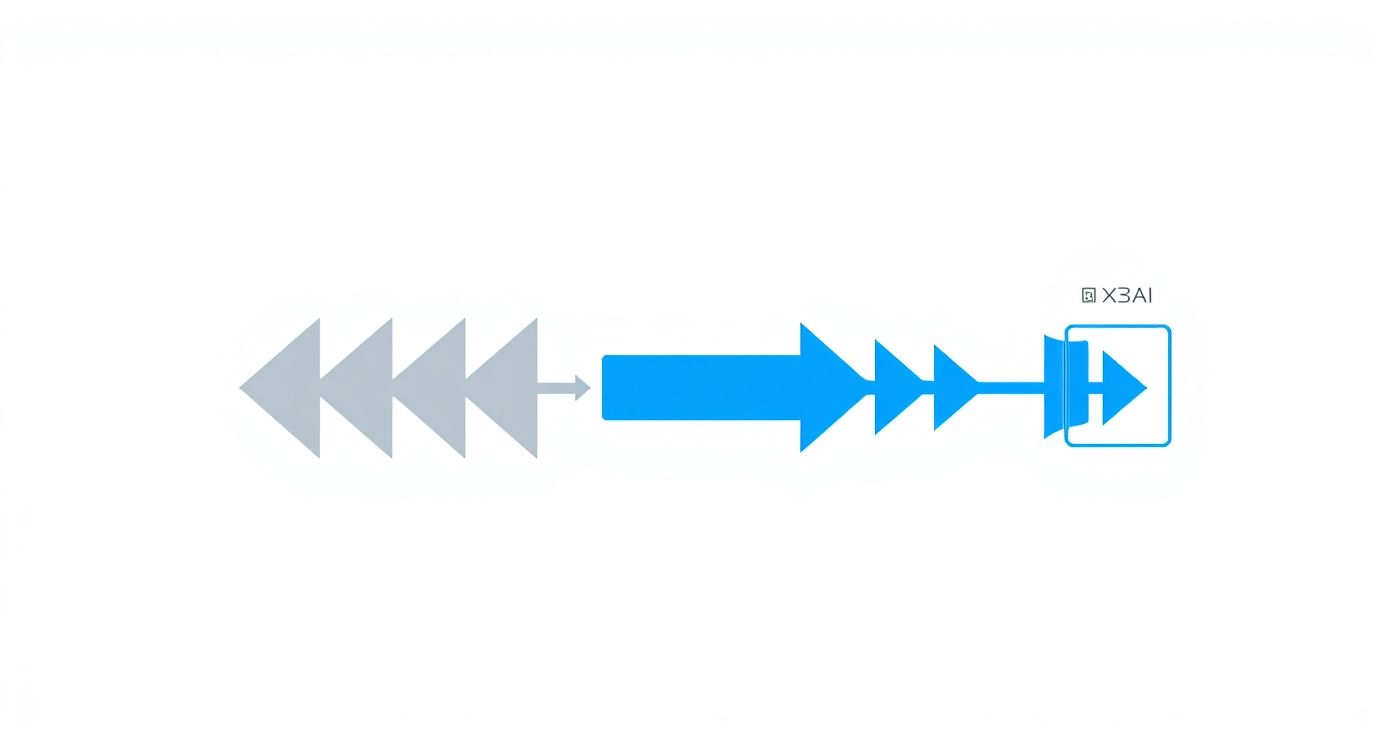
It all comes down to abstraction. By funneling all those different webhook formats through one intelligent layer, you can stop writing platform-specific code and build a single handler that just works.
Validate Every Incoming Request
The first rule of webhook club is to never, ever trust an incoming request until you've verified its source. Your endpoint is a public URL, meaning anyone on the internet can send a POST request to it. Without proper validation, a bad actor could sling fake payloads your way, triggering fraudulent orders or messing with your database.
This is exactly what webhook signatures are for. Most reputable platforms will sign each payload they send using a secret key that only you and the provider know. Your job is to use that same secret to calculate your own signature from the payload you received. If it doesn't match the signature in the request header, you drop the request on the floor. No questions asked.
This isn't optional; it's a critical security measure. A 2022 report that analyzed over 100,000 webhook endpoints found that a shocking 35% were exposed without proper authentication. In response, platforms like Stripe now report that over 80% of their endpoints use signature verification. It's the industry standard for a reason.
Design for Idempotency
In the world of webhooks, you have to assume you'll receive the same event more than once. Network glitches, server timeouts, or the sender's own retry logic can all lead to duplicate deliveries. If your system isn’t ready for that, you might create two orders for one purchase or slash a product's inventory count twice.
That’s why idempotency is a non-negotiable principle for solid webhook design. An idempotent operation is simple: you can run it multiple times, but the result is the same as if you only ran it once.
To make your listener idempotent, you need to check if you've already processed an event before taking action. A common strategy is to grab the unique event ID from the webhook payload and store it in a database or cache. When a new webhook arrives, you check if you’ve seen that ID before.
- If the ID is new: Go ahead and process the event, then save the ID.
- If the ID already exists: Just return a
200 OKstatus to acknowledge the request, but skip the actual processing logic.
This simple check is your safety net against duplicate data, keeping your system consistent even when the network gets weird.
Handle Failures with Retries and Queues
Let's be realistic: your endpoint won't always be available. It might be down for maintenance, hit a temporary snag, or just fail to process a request because of a hiccup. A truly robust consumer needs a plan for these inevitable failures.
Implementing a retry mechanism with exponential backoff is a battle-tested best practice. If processing a webhook fails, don't just hammer the server again. Wait a couple of seconds, then retry. If it fails again, wait a bit longer—say, 4 seconds, then 8, and so on. This gives a struggling server room to breathe instead of getting overwhelmed by your requests.
For high-volume apps, trying to process webhooks synchronously is a recipe for disaster. It creates a bottleneck. A much better approach is to use an asynchronous message queue like Amazon SQS or RabbitMQ.
Here’s the flow:
- Your public endpoint receives the webhook payload.
- It does just two things, and it does them fast: validates the signature and pushes the entire payload onto a queue.
- It immediately returns a
200 OKresponse to the sender.
From there, separate worker processes can pull events from the queue and handle the heavy lifting at their own pace. This completely decouples receiving webhooks from processing them, making your system far more resilient and scalable.
Building robust and maintainable consumers means sticking to sound API development best practices. For a more hands-on look at how this works, check out our guide with a real-world webhook example.
Frequently Asked Questions About Webhooks
Once you start seeing the power of webhooks, a few practical questions always pop up. It’s one thing to build a real-time integration, but it’s another thing entirely to make sure it’s tough, secure, and not a nightmare to fix when something breaks. Let's tackle some of the most common things developers run into when they start working with webhooks.
How Do You Debug Webhooks When They Fail?
Debugging webhooks can feel a bit weird at first. The whole process is asynchronous—you aren't the one making the request, so you can't just see the response directly. When a webhook fails, you need a solid game plan to figure out what went wrong.
One of the most effective methods is to use a webhook testing tool. Services like RequestBin or Pipedream let you create a temporary, public URL. You can point the source platform's webhook at this URL to capture the entire incoming request—headers, payload, everything. This is a lifesaver for spotting malformed JSON or seeing exactly what data your application is actually getting.
Beyond that, good old-fashioned logging on your end is non-negotiable. Log every incoming request's signature, headers, and payload (just be sure to strip out sensitive data first). When something goes wrong, your logs become the breadcrumb trail that tells you whether a signature validation failed, a data parsing error occurred, or the problem was deeper in your business logic.
Are Webhooks Secure Enough for Sensitive Data?
Yes, absolutely—but only if you do it right. An unsecured webhook endpoint is basically an open door for anyone to send malicious data to your system. The golden rule of securing webhooks is to verify every single request before you even think about processing it.
The industry standard here is signature validation. The sending service uses a shared secret key to create a unique signature for each payload and tucks it into the request headers. Your job is to perform the exact same calculation on the payload you receive and check if your result matches the signature in the header. If they don't match, you drop the request immediately. No exceptions.
This simple check accomplishes two critical things:
- Authenticity: You know for sure the request came from the real source, not some impersonator.
- Integrity: You can be confident the data wasn't messed with on its way to you.
And of course, always use HTTPS for your endpoint. This encrypts the data in transit, protecting it from anyone trying to eavesdrop.
What Happens If My Application Is Down When a Webhook Is Sent?
This is a huge concern for any system that needs to be reliable. If your endpoint is offline for a deployment, a network hiccup, or a server crash, you could lose important events. Thankfully, most well-designed webhook providers have already thought of this and have built-in retry mechanisms.
When a provider sends a webhook and doesn't get a successful 200 OK response back quickly, it assumes the delivery failed. It will then automatically try sending the same webhook again after a short delay. This retry logic often uses an exponential backoff strategy, meaning it waits a bit longer between each attempt. This is smart because it avoids hammering a server that might already be struggling to get back on its feet.
But you shouldn't rely only on the provider. For any application that’s mission-critical or handles high volume, the real best practice is to set up an asynchronous queue. Your endpoint should do just two things: validate the webhook and drop it on a queue. Then, it immediately returns a 200 OK. Separate worker processes can pull events off the queue and process them, ensuring that even if your main application logic is down, you never lose an incoming event.
Can a Webhook Send Too Much Data at Once?
While a single webhook payload is usually pretty small, a sudden flood of events can definitely knock an unprepared server over. Imagine a flash sale—if thousands of order.created events fire off in just a few minutes, a system trying to process each one synchronously will run out of resources and crash. Fast.
This is another problem that a good queuing system solves beautifully. By immediately placing incoming webhooks onto a queue like Amazon SQS or RabbitMQ, your endpoint can handle a massive spike in requests without breaking a sweat. The queue acts as a buffer, letting your workers process events at a pace your system can actually handle. This move decouples receiving webhooks from processing them, making your whole architecture dramatically more scalable and resilient.
For B2B software vendors, wrangling the specifics of webhooks across dozens of different eCommerce platforms is a massive headache. API2Cart cuts through that complexity by giving you a unified webhook system. You subscribe to standardized events just once, and we handle delivering clean, consistent data from over 60 shopping carts and marketplaces—with all the security and reliability already built-in. To see how you can speed up your integration timeline, check out API2Cart.