


When you're building an integration, the choice between an API and a webhook really boils down to a simple question: who starts the conversation? An API uses a pull model, which means your application has to actively ask for data. A webhook, on the other hand, uses a push model—the server automatically sends you data the instant a specific event happens.
Understanding the Core Difference Between APIs and Webhooks

Let’s use a real-world analogy. Think of it like waiting for a package delivery.
Using an API is like constantly refreshing the tracking page to see if there's an update. “Has it shipped yet?” “Where is it now?” You're in control of when you check, but it’s inefficient and you only get new information when you actively ask for it. Most of the time, you get the same old status.
A webhook flips that around. It’s like getting a text message from the delivery service the second your package is out for delivery, and another one the moment it's dropped at your door. This "push" approach is event-driven, giving you real-time updates without you having to do anything.
For anyone new to this, understanding what an API is at a fundamental level is the best place to start before comparing these two models.
This distinction is everything when building effective e-commerce integrations. An API is perfect for scheduled, bulk operations like a nightly inventory sync. But for instant notifications like a new order alert, webhooks are essential.
Quick Comparison API Pull vs Webhook Push
For a developer, this choice between pulling and pushing data dictates your entire architecture. It impacts server load, data latency, and how your application is designed to handle incoming information. Let’s break down the key differences at a glance.
| Characteristic | API (Polling) | Webhook (Push) |
|---|---|---|
| Data Flow | Pull - Your application requests data from the server. | Push - The server sends data to your application when an event happens. |
| Initiator | The client application (your code). | The server-side application (e.g., an eCommerce platform). |
| Data Timeliness | Near real-time at best; depends on polling frequency. | Real-time; data is sent instantly upon event trigger. |
| Resource Use | Can be high due to constant, often empty, requests. | Low, as communication only occurs when there is new data. |
| Setup | Simpler to start; manage requests from the client-side. | More complex; requires a public endpoint and security measures. |
This table helps explain why traditional APIs are still so dominant. Recent data shows REST APIs have 93% adoption among developers, a figure that far outpaces webhooks at 50%. APIs provide a stable, predictable foundation for querying data on your own schedule, while webhooks solve the more specific need for real-time, event-driven updates.
For an integration developer, the key takeaway is control versus immediacy. APIs give you control over when you get data. Webhooks give you immediate notifications when data changes.
This is where services like API2Cart can make a huge difference for developers. Instead of building separate polling logic and webhook listeners for over 40 different shopping carts, API2Cart provides a single, unified API. It lets you pull product data when you need it and set up webhooks for critical events like order.add—all through one integration. For a developer, this means saving hundreds of hours of coding and maintenance.
If you want to dive deeper into the push model, our guide on what webhooks are and how they work provides more technical detail.
A Detailed Comparison for Integration Developers
When you move past the simple "pull vs. push" idea, the real choice between an API and a webhook comes down to technical trade-offs. As an integration developer, these decisions directly shape the performance, reliability, and complexity of the system you’re building. Let's break down the practical differences across four critical areas you need to weigh.
Data Latency and Resource Efficiency
The first thing developers notice is the difference in data freshness. If you're using an API polling strategy, your data is only as current as your last request. Polling an orders endpoint every five minutes means you're building in up to a five-minute delay before you can process a new order.
This constant checking also puts a real strain on resources. A huge chunk of your API calls will come back empty, but every single one eats up bandwidth, consumes processing power on both your end and the server's, and ticks down your API rate limits. It's the digital equivalent of constantly asking, "Anything new yet?" when the answer is almost always "Nope."
Webhooks, on the other hand, deliver genuinely real-time updates with incredible efficiency. Communication only happens when something actually occurs—like a new customer signs up or an inventory level changes. This event-driven approach slashes unnecessary network traffic and server load, which paves the way for a more scalable and cost-effective system.
Reliability and Error Handling
While webhooks win on efficiency, their "fire-and-forget" nature can be a headache for reliability. If your webhook listener endpoint goes down for maintenance or hits a bug just as an event is sent, that data might vanish into the ether unless the source system has a solid retry mechanism. It's a single, critical point of failure.
This vulnerability is exactly why so many developers stick with the predictable stability of API polling. An API call puts your application firmly in control. If a request fails, you can build in your own sophisticated retry logic, maybe with exponential backoff. You can also run periodic reconciliation jobs to double-check data integrity. In fact, some reports on carrier integrations have shown a silent failure rate as high as 20% for webhooks during peak demand. You can find more details on this API usage trend and what it means at Unified.to.
A key architectural decision is balancing the immediate data from webhooks against the guaranteed delivery control of API polling. A hybrid model often provides the best of both worlds.
For developers on API2Cart, this complexity is already handled. You can set up webhooks for real-time events like order.add to get instant alerts, but also lean on the reliable order.list method with date filters to periodically sweep for any missed events, making sure no data ever gets lost. This hybrid approach, managed through a single API, provides reliability without the development overhead.
Implementation Complexity
From a pure coding perspective, making a basic API call is usually more straightforward to get started. All you really need is an API key, an endpoint URL, and a simple library like Python's requests to start fetching data. The logic is all contained within your app, and managing the state is pretty simple.
Setting up a webhook listener, however, is a bigger lift. It involves:
- A Publicly Accessible Endpoint: You need to build and expose a URL (like with a Node.js Express server) that the external service can send HTTP POST requests to.
- State Management: Since webhooks are stateless, your listener must be designed to be idempotent—meaning if it receives the same event multiple times, it won't create duplicate data.
- Asynchronous Processing: To prevent timeouts, the best practice is to immediately respond with a
200 OKand then pass the actual payload to a message queue (like RabbitMQ or SQS) for a background worker to process.
This extra architectural overhead is a major factor. Webhooks are powerful, no doubt, but they require a more mature and resilient infrastructure to manage properly.
Security Considerations
Security is another area where the two models are fundamentally different. With APIs, your application is the one initiating the connection. Your main security focus is on protecting your API keys and ensuring data is encrypted in transit with TLS/SSL. The attack surface is relatively small.
Webhooks flip that script entirely, forcing you to expose an endpoint to the public internet. This inherently creates a much larger attack surface. The biggest risk is a malicious actor sending a fake, malicious payload to your listener endpoint.
To defend against this, you absolutely must implement signature verification. The sending service signs the webhook payload with a secret key, and your listener's first job is to verify that signature before it even thinks about processing the data. If you skip this step, you’re leaving your system wide open to data spoofing and other nasty attacks. This makes securing a webhook endpoint a more demanding task than securing a standard API client.
Here's a quick rundown of the technical trade-offs developers face when choosing between these two integration patterns.
Technical Trade-offs API vs Webhook
| Criterion | API (Polling Approach) | Webhook (Event-Driven Approach) | Best For |
|---|---|---|---|
| Data Latency | Near real-time to high latency, depending on poll frequency. | True real-time. Data is pushed instantly when an event occurs. | Use cases requiring immediate action, like fraud detection or order notifications. |
| Resource Efficiency | Lower efficiency. Many calls return no new data, consuming server and network resources. | Highly efficient. Communication only happens when there's new data to send. | High-volume systems where minimizing unnecessary traffic and server load is critical. |
| Reliability | High. The client controls requests and can implement robust retry logic. | Lower. Relies on the source system's retry logic; missed events can be lost if the receiver is down. | Scenarios where guaranteed delivery is paramount, such as financial transactions or critical data sync. |
| Implementation | Simpler to start. Logic is self-contained within the client application. | More complex. Requires a public endpoint, asynchronous processing, and state management. | Mature systems with the infrastructure to handle asynchronous, event-driven workflows. |
| Security | Simpler. Focus is on protecting client-side API keys and ensuring TLS. | More complex. Requires exposing a public endpoint and verifying payload signatures to prevent spoofing. | Applications where the client application has limited control over its own security posture. |
| Scalability | Can be difficult to scale. Polling frequency creates a constant baseline load. | Highly scalable. The event-driven nature handles load spikes more gracefully. | Architectures designed for horizontal scaling and handling unpredictable event volumes. |
Ultimately, the choice isn't about which is "better" in a vacuum, but which is the right tool for the specific job you're tackling. Often, a hybrid approach that leverages the strengths of both gives you the most robust and efficient integration.
Choosing the Right Tool for E-commerce Scenarios
Knowing the technical differences between an API and a webhook is one thing, but the real test for any integration developer is applying that knowledge to real-world e-commerce problems. The choice almost always boils down to a single question: does this process need data right now, or can it handle a bit of a delay?
This simple decision tree gets right to the heart of it. If you need real-time data, a webhook is almost always your best bet.
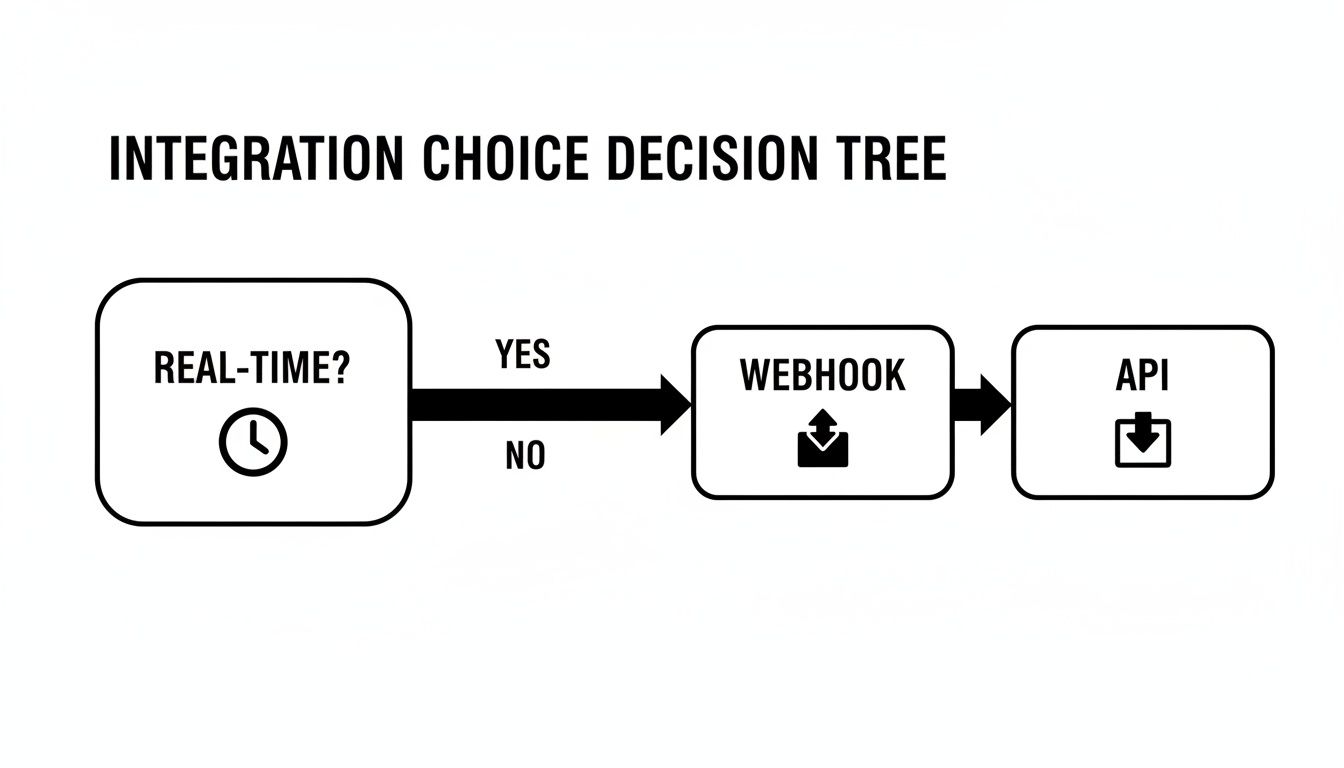
As the visual shows, urgency pushes you toward the event-driven "push" of a webhook. Tasks that aren't time-sensitive, on the other hand, are a much better fit for the controlled "pull" of an API. Let's see how this plays out in a few high-stakes e-commerce situations.
Scenario 1: Initial Bulk Product Import
Imagine you're connecting your software to a merchant's store for the very first time. Your first job is to pull their entire product catalog—we're talking potentially tens of thousands of products with all their images, variants, and descriptions—into your system. This is a textbook bulk data operation.
You need to be in the driver's seat for a job this big. That means controlling the data flow, managing pagination, handling timeouts, and retrying any failed batches. An API is built for exactly this kind of methodical work. You can request product data page by page, giving your system the breathing room it needs to process and store everything without getting overwhelmed.
Decision Rationale: Use an API. A webhook is completely wrong for this job, as it only triggers on new events. The API's 'pull' model gives you the control and reliability needed for a massive, one-time historical data sync.
For developers using API2Cart, this is handled by the product.list method. Instead of building custom logic for every platform's pagination and rate limits, you use one consistent method and simply set parameters like count and start to manage the flow. This speeds up development by abstracting away the platform-specific complexities of bulk data retrieval.
Scenario 2: Real-Time Inventory Synchronization
Now for something much more urgent. A customer just bought the last unit of a hot-selling product. If that inventory level isn't updated instantly across every sales channel—the main website, a marketplace listing, a physical POS system—you're going to oversell. That means canceled orders and frustrated customers.
This is a non-negotiable use case for a webhook. The second that sale is confirmed, the e-commerce platform needs to fire off a webhook that pushes the new inventory count to every connected system. Waiting for the next API poll, even if it runs every minute, is an eternity in e-commerce and introduces a risk you can't afford.
Decision Rationale: Use a Webhook. The need for immediate data propagation to prevent overselling makes the real-time, event-driven model of webhooks the only sensible option. When it comes to inventory, latency is the enemy.
With API2Cart, you can subscribe to the product.update webhook. This event fires the moment any product detail changes, including its quantity. Your application’s listener gets the payload instantly in a standardized format, allowing you to update stock levels in your warehouse management system (WMS) or ERP without having to write custom parsing logic for each platform.
Scenario 3: New Order Notification for Fulfillment
When a new order drops, the fulfillment clock starts ticking immediately. The order details need to hit the warehouse, a shipping label has to be generated, and the customer expects a confirmation email. Any lag here directly hurts the customer experience.
Just like with inventory, this is prime territory for a webhook. The order.add event gives you an instantaneous trigger, pushing the complete order data to your fulfillment software the moment it’s created. This kicks off an automated, lightning-fast fulfillment workflow that a polling API could never match.
Decision Rationale: Use a Webhook. Fulfillment needs to start now, not in 60 seconds. A webhook is essential for triggering an immediate workflow, while an API polling for new orders would just introduce unnecessary delays into the shipping process.
Scenario 4: End-of-Day Sales Reporting
Finally, let's consider a task that's important but not urgent. Your application needs to generate a daily sales report, pulling together total sales, top products, and customer data for an analytics dashboard.
This process runs on a fixed schedule—say, every night at 2 AM—and involves pulling a defined set of historical data. There's zero real-time pressure. An API is the perfect tool for the job. You can set up a scheduled job that calls the API to fetch all orders from the previous 24 hours, processes the data, and builds the report without the added complexity of a webhook listener.
Decision Rationale: Use an API. This is a scheduled, bulk data retrieval task. The control, reliability, and sheer simplicity of API polling are perfectly suited for non-urgent, back-end processes like reporting and analytics.
While these scenarios often point to one clear winner, the most robust e-commerce systems use both. Our article on how webhooks are a perfect supplement to an API digs into this hybrid strategy, which gives you the best of both worlds: API reliability for bulk jobs and webhook speed for critical events.
Speed Up Your Integrations with a Unified API
Wrestling with the unique APIs and webhooks for dozens of different e-commerce platforms is a huge drain on your development resources. Every single shopping cart—from Shopify to Magento to WooCommerce—brings its own quirky authentication methods, data structures, and rate limits to the table. For an integration developer, this means building and maintaining a fragile web of custom polling logic and distinct webhook listeners for each connection.
This is exactly where a unified API comes in, acting as a powerful abstraction layer that smooths out the entire integration process. Instead of managing a tangled mess of individual connections, you can connect to over 40 shopping carts using one consistent set of methods. This approach doesn't just save a little time; it dramatically cuts down development hours and slashes long-term maintenance overhead.
This image shows a conceptual Unified API Hub, where a single integration point connects to multiple diverse e-commerce platforms.

The real takeaway here is the shift from a chaotic one-to-many model to a clean one-to-one integration model. That's the core value for any developer trying to scale their solution efficiently.
The Hybrid Power of a Single Integration
A truly effective unified API doesn't make you choose between APIs and webhooks; it embraces both. It gives you the hybrid power to pull data on demand and receive real-time updates through a consistent framework, freeing you from the nitty-gritty details of each platform. You can learn more about how a unified solution functions as a central hub in this overview of API integration platforms.
Let's break down how this works in practice for a couple of common developer tasks.
1. Pulling Product Data on Demand (API)
When you need to run a bulk sync or a scheduled data check, you want the control of a direct API call. With a unified solution like API2Cart, you use a single method—product.list—to fetch product data from any supported cart.
{
  "method": "product.list",
  "params": {
    "count": 10,
    "start": 0,
    "params": "id,name,price,quantity"
  }
}
This one API call abstracts away all the platform-specific complexities. You don't need to worry about whether you're talking to Shopify's REST API or Magento's GraphQL endpoint; the unified API handles the translation for you.
2. Configuring a Real-Time Order Webhook
For instant updates, nothing beats a webhook. Instead of building separate listeners for each platform's unique event structure, a unified API lets you subscribe to standardized events. To get a notification for every new order, you simply register a webhook for the order.add event.
{
  "method": "webhook.create",
  "params": {
    "callback": "https://yourapp.com/webhooks/orders",
    "action": "order.add",
    "label": "New Order Notification"
  }
}
Now, your application has a single endpoint to handle new order payloads from any connected store. Better yet, each payload arrives in a consistent, predictable JSON format. This completely removes the need to write custom parsing and validation logic for every cart you support.
From Complex to Cohesive Integration
This unified, hybrid approach totally transforms the integration landscape for developers. The benefits aren't just about convenience; they're direct, measurable, and impact the entire development lifecycle.
- Drastically Reduced Development Time: Write your integration logic once and deploy it across dozens of platforms.
- Simplified Maintenance: When a platform like Shopify updates its API, the unified provider handles the changes, so your team doesn't have to scramble.
- Faster Deployment and Scalability: Onboard new customers on different platforms without writing a single line of new code, letting your business scale much faster.
The core advantage is shifting your focus from how to connect with each platform to what you want to do with the data. A unified API manages the complex "how," letting your team concentrate on building the features that add real value to your application.
To get the most out of a unified API and ensure your integrations are built to last, consider adopting an API-first approach to product development. By focusing on a clear, consistent, and well-documented API for both polling and webhooks, you create a system that is not only faster to build but also far more reliable and easier to maintain down the road.
Making Your Integration Bulletproof
Picking between an API and a webhook is just the start. The real work is in building a tough, scalable integration and keeping it that way. Whether you're pulling data with an API or catching events with a webhook, solid best practices are what separate a reliable system from one that falls over under pressure.
An unmanaged integration is a ticking time bomb. Without proper error handling and security, you're looking at lost data, security holes, and system failures that can grind a business to a halt.
Mastering API Polling
If your integration is built on API polling, efficiency and resilience are the name of the game. Get it wrong, and you’ll quickly run into rate-limit penalties or even bring a server to its knees.
- Implement Exponential Backoff: When an API request fails, don't just hammer the server by retrying instantly. Exponential backoff is your best friend here. It's a simple strategy where you progressively increase the wait time between retries (say, 2 seconds, then 4, then 8). This gives a struggling server a chance to breathe and recover.
- Gracefully Handle Rate Limits: Every API has its limits. Your code needs to expect a
429 Too Many RequestsHTTP status code. When it happens, check theRetry-Afterheader and tell your application to take a break for the specified duration. Don’t just guess. - Lock Down Your Credentials: Never, ever hardcode API keys or tokens in your source code. Use environment variables or a real secrets management service like AWS Secrets Manager or HashiCorp Vault to handle credentials securely.
Fortifying Your Webhook Listeners
Webhooks are great for real-time updates, but they come with their own unique weak spots and security risks. A production-ready webhook setup has to be built for resilience from day one.
First, you have to work on the assumption that you will receive duplicate events. It's not a matter of if, but when. Your listeners must be idempotent, which is a fancy way of saying they can safely process the same event multiple times without creating duplicate orders or messing up your data. Usually, this just means checking for a unique event ID before you do anything with the payload.
For any developer building an integration, the single most critical webhook security practice is payload signature verification. Always validate the signature using a shared secret before you even think about processing the data. This is your number one defense against malicious spoofing attacks.
Also, to handle a sudden flood of events without crashing your system, use a message queue like RabbitMQ or Amazon SQS. Your public endpoint should do three things and three things only: verify the signature, drop the payload onto the queue, and immediately return a 200 OK response. This separates the "catching" from the "processing," which is the key to a scalable and much more reliable architecture.
Adopting a Hybrid Model for Maximum Impact
For most complex e-commerce integrations, the best solution isn't a rigid "API vs. webhook" choice. It's a smart combination of both. A hybrid model lets you use the strengths of each method to build a system that’s both rock-solid and responsive.
Use APIs for:
- Initial Bulk Data Syncs: When you need to pull an entire product catalog or years of order history, you need the control that polling provides.
- Scheduled Reconciliation: Run a job every night to audit data and fix any inconsistencies that might have slipped through, like a missed webhook.
- On-Demand Data Retrieval: Fetching specific details exactly when a user clicks a button in your app.
Use Webhooks for:
- Instant Order Notifications: Kick off fulfillment workflows the second a sale happens.
- Real-Time Inventory Updates: Sync stock levels instantly across every channel to stop overselling in its tracks.
- Customer Account Creation: Trigger welcome emails the moment a new user signs up.
This is where a unified API provider like API2Cart really shines. Instead of building and maintaining two separate, complex systems for polling and webhooks across 40+ different platforms, you get a single, cohesive framework. With API2Cart, you can use reliable API methods like order.list for your nightly reconciliation checks while also subscribing to real-time webhooks like order.add for immediate notifications—all through one integration. It massively cuts down development time and simplifies the headache of managing a truly robust hybrid system.
Frequently Asked Questions
Even seasoned developers run into questions when weighing APIs against webhooks. Let's tackle some of the most common ones to help you nail down your architecture and build smarter e-commerce integrations.
Can I Use Both APIs and Webhooks in the Same Application?
Absolutely. In fact, for most complex e-commerce apps, a hybrid approach isn't just possible—it's the best way to go. A very effective pattern is to use an API for the heavy lifting, like an initial bulk import of thousands of products from a new store. Once you're synced up, you can switch to webhooks for real-time updates like new orders or inventory level changes.
This strategy gives you the best of both worlds: the total control and bulk data capabilities of an API for big jobs, plus the instant, low-latency updates of webhooks for everything time-sensitive. The end result is a system that's both powerful and incredibly responsive.
What Are the Biggest Security Risks with Webhooks?
With webhooks, the main dangers are data integrity and endpoint exposure. Since your webhook endpoint is just a public URL, it's a target for fake, malicious payloads (a technique called spoofing). To stop this, you must implement signature verification. The sender signs the payload with a secret key, and your app has to verify that signature before it even thinks about processing the data.
Unsecured webhooks can also be hammered in Denial-of-Service (DoS) attacks. It’s non-negotiable to follow security best practices: use HTTPS, always verify signatures, and consider rate-limiting incoming requests to keep your infrastructure safe.
The most critical takeaway for developers is that a webhook listener without signature validation is an open door for bad actors. Never trust a webhook payload until its signature has been verified.
How Do I Handle Webhook Failures or Downtime?
Handling failures is crucial for keeping your data consistent. A solid implementation needs a few layers of defense. First, your endpoint should immediately fire back a 200 OK status to acknowledge it got the webhook before you actually process the data. The best way to do this is to push the payload into a message queue like RabbitMQ or AWS SQS to process asynchronously, which prevents timeouts and lets you retry safely.
Many services also have built-in retry logic that uses exponential backoff. Finally, you should have a reconciliation process—usually run via an API—to periodically scan for and fix any data gaps caused by missed webhooks. With API2Cart, you can simplify this by using API methods like order.list with date filters to sweep for any orders missed by the order.add webhook, ensuring your data stays 100% accurate.
Juggling the complexities of API polling and webhook listeners across dozens of platforms is a massive development drain. API2Cart cuts through that noise by offering a unified API to connect with 60+ shopping carts through a single integration. Stop wasting development hours and get to market faster. Start your free trial today.


