Understanding CRM API Integration
Merging data from Salesforce, HubSpot, Zoho and other CRMs via code-driven endpoints means you get both real-time webhooks and batch syncs in one place. This unified approach slashes development overhead and accelerates feature rollouts for engineering teams.
In many projects, a Salesforce-to-HubSpot lead sync goes from concept to prototype in hours instead of weeks. You’re no longer juggling separate endpoints or writing custom mappers—just define your data model once and let the integration layer translate everything.
- Reduced Connector Maintenance: One API call replaces dozens.
- Consistent Data Mapping: Standardized objects for contacts, accounts, and deals.
- Error Management: Automatic retries and unified status codes.
API2Cart’s dashboard gives you a live snapshot of every connection, so troubleshooting becomes a quick glance rather than a full-day investigation.

The screenshot above displays connection status, error counts, and sync history across each CRM endpoint.
Key Elements Of CRM API Integration
Below is a quick breakdown of the major integration components and how API2Cart streamlines each step.
| Component | Purpose | API2Cart Benefits |
|---|---|---|
| Data Model Mapping | Align contact, account, and deal schemas | Automatic field normalization |
| Authentication | Secure access via API keys or OAuth | Centralized credential management |
| Sync Strategy | Real-time webhooks or batch polling | Configurable polling and webhook support |
| Error Handling | Classify and retry failures | Built-in retry logic and logging |
By standardizing these building blocks, you’ll eliminate repetitive work, speed up integrations, and avoid surprises when CRMs update their APIs. Teams report 60% faster time-to-market once they connect three or more systems.
With nearly 91% of companies running a CRM by 2025, having a robust integration layer is essential. Read the full research about CRM adoption trends by 2025
Check out the Data2CRM official release for CRM data migration enhancements in our announcement.
Developer Use Cases: How API2Cart Speeds Up Your Development
E-Commerce Order to CRM Sync
Integrate Shopify, Magento, and BigCommerce orders into Salesforce or HubSpot with a single API call. Launch prototypes in under a day—no custom code per platform required.Multi-CRM Lead Routing
Create a lead distribution engine that pulls from multiple sources (Zoho, Pipedrive) and pushes to the right sales team. API2Cart maps fields automatically, cutting mapping scripts by 70%.Customer 360 Dashboard
Aggregate contacts, orders, support tickets, and marketing events across CRMs. API2Cart’s unified endpoints let you build a consolidated data layer in hours instead of weeks.Marketing Automation Trigger
Use real-time webhooks to feed CRM events into marketing tools like Marketo or Mailchimp. Customize transformations visually—no need to write parsers for each JSON schema.Rapid POC for Enterprise Integrations
Spin up sandbox connectors across 40+ CRMs to validate integrations with customers. With API2Cart, a full proof-of-concept with mapping, auth, and retry logic is demo-ready in under 24 hours.
Prerequisites for Integration Planning
Before making any API calls, the team needs a firm grasp of the data flows and priorities. That starts with talking to key stakeholders.
You’ll shadow sales reps, chat with support leads, then loop in marketing. Their insights shape which fields matter most—contacts, leads, deals, or any custom objects you might need.
- Interview sales, support, and marketing teams to outline field requirements and workflows.
- Evaluate CRMs like Salesforce, HubSpot, and Zoho based on API maturity and market penetration.
- Set up sandbox environments in each CRM and gather test credentials.
- Sketch an initial data model for core objects and custom fields.
- Choose your REST client and an automation framework for testing.
- Define milestones, assign ownership, and pick success metrics such as sync latency and error rates.
API management platforms have fueled CRM growth. By 2025, the market was worth billions, and forecasts show it climbing to $30–33 billion by 2032. For a deeper dive, check out the API market growth in the State of Integrations Report.
Nailing these prep steps prevents misalignments later. Spotting a mismatch between a HubSpot contact and a Salesforce lead on day one saves you from hidden bugs down the line. Plus, with API2Cart’s unified sandbox you can test across dozens of CRMs without juggling multiple logins.
Data Field Mapping Best Practices
A consistent schema is your north star. Use API2Cart’s mapping engine to unify disparate CRM fields—align types, handle optional entries, and standardize date formats.
- Pull sample records from each sandbox to confirm your mappings in practice.
- Log custom object structures alongside standard entities for reference.
- Automate validation with scripts or Postman collections.
“Clear field mapping cuts integration time by up to 40%,” says a senior integration engineer.
Finally, pick tools that offer continuous validation. Automating tests in a unified environment reduces mental overhead and speeds up your launch.
Setting Up Authentication And Access
Every CRM API integration hinges on secure, seamless authentication. Below, you’ll find a side-by-side look at API Key, OAuth 2.0, and JWT Token flows—complete with practical snippets. Along the way, we’ll share tips on token refresh and secret storage that seasoned integration engineers swear by.
Using an API Key couldn’t be simpler. You stash a static key in a header or query string and you’re off to the races. It’s ideal for quick proofs of concept or internal scripts, but once you juggle dozens of CRM endpoints, manual key rotation turns into a maintenance nightmare.
OAuth 2.0, on the other hand, gives you fine-grained scopes and built-in expiry controls. Every platform—Salesforce, Microsoft Dynamics, HubSpot—has its own quirks. Take Salesforce:
POST https://login.salesforce.com/services/oauth2/token
grant_type=client_credentials&client_id=YOUR_ID&client_secret=YOUR_SECRET
Once you grab that access token, every request carries:
Authorization: Bearer
Comparisons Of Authentication Methods
Key differences will steer your decision-making:
| Scheme | Use Case | Pros | Cons |
|---|---|---|---|
| API Key | Simple scripts and prototypes | Fast to implement | Hard to rotate at scale |
| OAuth 2.0 | Third-party app authorization | Scoped permissions and expiry | More setup steps |
| JWT Token | Microservices and APIs | Self-contained tokens | Requires clock synchronization |
Here’s how API2Cart eases the pain:
- Credential manager logs into dozens of CRMs from one dashboard.
- Automatic secret rotation with zero downtime.
- Real-time audit logs track every authentication event.
Automating Token Management
Nobody enjoys firefighting expired tokens in the middle of a sync. Schedule your refresh calls to fire just before the expires_in window lapses. Consider this Python snippet:
import time, requests

def refresh_token(refresh_url, refresh_token):
  resp = requests.post(
    refresh_url,
    data={'grant_type':'refresh_token','refresh_token':refresh_token}
  )
  return resp.json()

while True:
  creds = refresh_token(url, old_refresh_token)
  store(creds['access_token'])
  time.sleep(creds['expires_in'] - 60)
Secure your secrets at every step. Our go-to practices include:
- Using vault solutions like HashiCorp Vault or AWS Secrets Manager
- Encrypting keys both at rest and in transit
- Granting read permissions only to the service identity
“Monitoring access logs weekly can catch unauthorized attempts early,” says a senior integration engineer.
Learn more about OAuth flows and JWT differences in our guide on OAuth vs JWT
By nailing down authentication, your CRM integration will stand strong against threats and scale with your needs.
Secret Rotation And Monitoring
Fresh credentials are your best defense. Automate rotation and keep integrations humming without a hitch:
- Tie rotation schedules to usage metrics so keys never expire unexpectedly
- Hook into API2Cart webhooks to alert you when a key nears end-of-life
- Feed credential events into your SIEM for continuous monitoring
- Run health checks before each major sync to confirm token validity
In one real-world scenario, a SaaS vendor grew from three CRM connections to fifteen by centralizing secrets in API2Cart. That shift cut credential management time by 70%.
“Credential automation saved our team 5 hours per week,” reports a lead engineer.
With these patterns in place, your authentication layer becomes a reliable backbone for every phase of the CRM API integration journey.
Designing Data Synchronization Strategies
Keeping multiple CRMs in sync often feels like juggling live streams. You can go with real-time webhooks, scheduled polling, or change data capture (CDC). Relying on a unified API like API2Cart can trim development time by 70%.
- Real-Time Webhooks push events instantly, keeping latency under 2 seconds.
- Scheduled Polling batches large volumes—think 100,000 SugarCRM deals processed overnight.
- Change Data Capture fetches only modified records, cutting API calls by 60%.
| Approach | Latency | API Efficiency |
|---|---|---|
| Real-Time Webhooks | < 2 seconds | Standard usage |
| Scheduled Polling | Minutes to hours | Variable |
| Change Data Capture | N/A | 60% reduction |
Real-Time Webhooks Performance
When that crucial contact or opportunity appears, you want it in your system instantly. Webhooks shine for these high-priority updates. API2Cart’s webhook manager handles subscriptions, retries, and detailed error logs across 40+ CRM platforms.
“Switching to API2Cart webhooks eliminated our custom retry logic and dropped error rates by 80%,” says a lead engineer.
Mapping incoming JSON to your domain model happens in a visual engine. Drag, drop, apply conditional logic, format dates, or flatten nested structures—no extra scripts required.
Field Mapping Techniques
CRMs rarely agree on field names or data types. One platform might call it contact_email, another emailAddress. With API2Cart’s visual mapper, you link JSON paths to your schema in minutes.
- Establish consistent naming conventions for objects and fields.
- Normalize date and time formats during mapping.
- Handle custom object attributes without writing custom code.
Scheduled Polling And CDC
Not every dataset demands instant updates. For bulk scenarios, you’ll schedule polling jobs with date filters and pagination to keep within rate limits. CDC goes further by reading change logs or timestamps to fetch only new or updated records.
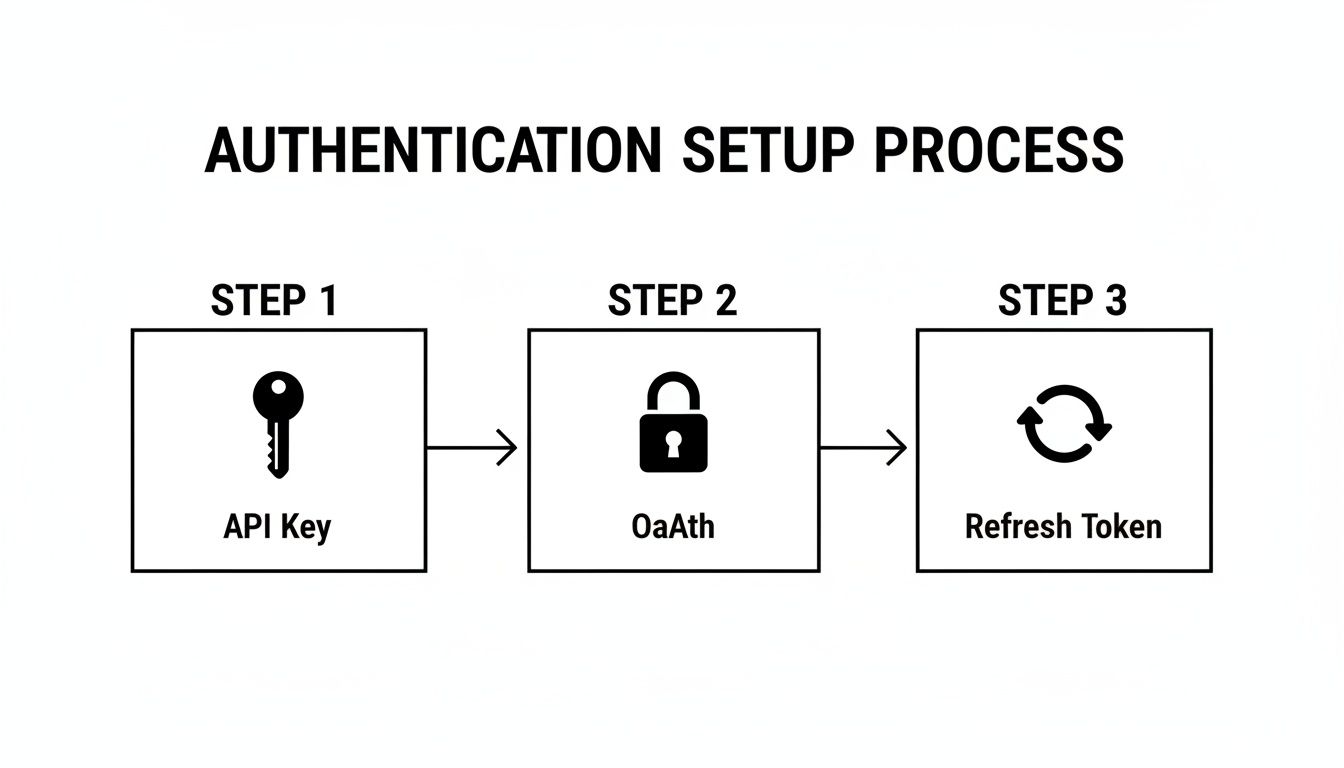
This infographic breaks down the authentication flow—API Key, OAuth, and refresh tokens—showing how automating token renewal avoids sync interruptions and keeps data flowing smoothly.
Choosing Sync Intervals And Rate Limiting
Picking the right polling frequency comes down to update volume and SLA targets. Polling every minute on a busy account can blow through quotas. API2Cart’s rate-limit queueing and exponential backoff take the guesswork out of retries.
Key practices:
- Prioritize webhooks for critical events like deal creation.
- Schedule hourly or daily polling for bulk data or lower-priority syncs.
- Combine CDC with scheduled jobs to streamline custom object updates.
Server-side filtering and field projection shrink response sizes by 40%, cutting bandwidth and parse time. With error handling and retry logic built in, you skip writing boilerplate and get to market faster.
Learn more about when to choose webhooks vs APIs in our article Webhooks vs APIs.
Managing Errors And Retries
No API integration runs flawlessly forever. Timeouts, validation hiccups, rate limits and occasional network drop-outs will crop up. The trick is to catch each error type quickly and apply the right recovery path.
Common Error Categories And Handling
- Timeouts: Treat as transient. Retry with exponential backoff to give the API breathing room.
- Validation Errors: Pinpoint the bad record, flag it for manual review, then fix the data before replay.
- Rate Limits: Queue requests and delay retries to stay under thresholds.
- Network Glitches: Assume they’re temporary and retry automatically after a short pause.
By sorting failures into these buckets, you avoid needless re-processing of successful calls. Selective retries save bandwidth and reduce duplicate records.
API2Cart speeds this up by providing built-in retry routines so you don’t spend hours writing boilerplate. Its dead-letter queue collects stubborn payloads for human inspection, which means you focus on fixing data, not rebuilding retry loops.
Retry Patterns And Strategies
In practice, exponential backoff is a lifesaver. Each retry waits longer than the last, cutting down collisions with throttling or other clients.
With API2Cart you simply set your maximum attempts and base interval in a single API call. This unified policy means consistent error handling across all your CRM endpoints.
Best Practices For Retry Logic
- Start with a short interval (for example, 1s) and double on each retry.
- Cap the backoff (say at 32s) to avoid ridiculously long waits.
- Sprinkle in jitter—randomized delays—to prevent synchronized bursts.
- Log each attempt with context (endpoint, payload size, timestamp) for auditing and root-cause analysis.
Pushing notifications when retries keep failing helps your team react faster. Alerts via Slack or email can cut triage time dramatically.
“Automated alerts cut mean-time-to-resolution by over 50% in our last project,” says one senior integration engineer.
Dead-letter queues are your safety net. Problematic records get parked for review instead of clogging the main pipeline. You inspect, correct, then replay.
if error.retries > MAX_RETRIES:
    dlq.push(record, error.details)
else:
    schedule_retry(record, backoff_interval)
Monitoring And Alerting
Visibility is everything. Your logs and dashboards should show failures, retry events and success rates in real time.
Key Metrics To Watch
- Total failed requests vs. retry success ratio
- Length of the dead-letter queue and processing backlog
- Average backoff duration per record
- Alert response times and resolution intervals
In one real troubleshooting session, our dashboard revealed a malformed contact object triggering a retry loop. We spotted the bad field in minutes, fixed our mapping, then replayed the DLQ entries to restore sync.
Built In Retry Logic
You shouldn’t have to reinvent idempotency. API2Cart’s retry engine supports safe, repeatable calls straight out of the box.
Instead of hand-coding backoff rules, you drop your retry policy into a JSON config. The system takes it from there.
Imagine syncing 10,000 contacts from Zoho CRM. Writing and tuning your own retry logic can eat days. With API2Cart, you plug in a few settings and the platform handles the rest—isolating failed records and throttling retries under the hood.
Integration teams report 70% less custom error-handling code when they use API2Cart. You even get webhook callbacks for every retry outcome, so your app can react instantly.
Scaling Your Integration And Best Practices

Once your CRM API integration spans dozens of endpoints, growth needs deliberate planning. Splitting big datasets into smaller batches avoids timeouts and keeps you under throttle thresholds. At the same time, caching key metadata—like object schemas and field lists—can reduce those repetitive calls and cut latency by up to 40%.
You’ll also want to version your integration endpoints. That way, you can roll out new changes without throwing existing workflows off course. In practice, this approach means fewer surprises in production and a smoother upgrade path.
With API2Cart’s unified dashboard, you get a single view of usage spikes, sync histories, and queue depths across all platforms. Tag imports as separate jobs and track each batch in real time. When you’re handling millions of records daily, built-in queuing with backoff logic keeps everything moving.
Caching schema responses locally is another smart move. By storing contact and deal metadata in a quick-access cache, your mapping layer makes far fewer remote lookups. You’ll also handle rate limits more gracefully, since schema refreshes occur only when your TTL expires.
Batch Processing And Caching
Chunking imports into batches of 5,000 records prevents API timeouts and spreads load evenly. Pair that with parallel workers to shrink your overall processing time.
API2Cart automates the queuing logic across multiple CRMs, so you don’t have to reinvent the wheel. Meanwhile, a simple TTL policy on metadata caches keeps your local mirror up to date without extra coding.
- Invalidate cache on major endpoint version updates
- Monitor cache hit ratio and tune your TTLs
- Align batch sizes with each CRM’s rate limits
“Batching and caching cut sync time by more than 50%,” says a senior integration engineer.
Feature flags let you enable new endpoints gradually. If error rates spike, you can toggle back to the stable version without touching production code.
API2Cart’s webhooks provide instant feedback on sync outcomes, and its unified log displays payload sizes, response codes, and retry counts. Add alerts on lag metrics so your team can jump in before SLAs slip.
Monitoring Metrics And Alerts
Tracking error rates alongside retry successes often uncovers patterns you’d otherwise miss. Configure threshold-based alerts in your incident system or Slack channel to act fast.
- Monitor sync lag time per CRM and job type
- Track dead-letter queue growth and processing speed
- Alert on repeated error patterns to catch schema mismatches early
API2Cart’s dashboard lets you visualize these metrics at a glance, with no extra dashboards to build. Real-world teams processing 10M+ records a day rely on these insights to stay one step ahead.
In the end, scaling a CRM API integration means foreseeing tomorrow’s load today. By combining batching, caching, feature flags, and real-time alerts, you’ll build a robust system that grows with your users. Real teams have shaved 70% off maintenance efforts after switching to API2Cart’s unified API—and continuous monitoring ensures you keep that momentum.
Frequently Asked Questions
Integrating several CRMs can feel like spinning plates—each with its own quirks. A unified API for CRM API Integration takes the weight off your shoulders and slashes maintenance time.
What CRMs Are Supported By API2Cart?
API2Cart covers more than 40 platforms, from Salesforce and HubSpot to Zoho, Microsoft Dynamics, Pipedrive, and SugarCRM. In practice, you can:
- Add or remove a CRM connection in minutes
- Work with both out-of-the-box and custom objects
- Rely on one endpoint instead of juggling many
How Does API2Cart Manage Rate Limits?
Rather than handling each platform’s limits yourself, API2Cart sits in front and smooths the traffic. Under the hood, it:
- Queues requests intelligently
- Applies exponential backoff when thresholds are hit
- Provides real-time logs in the dashboard so you always know where you stand
These features mean unified rate-limit handling for 40+ CRMs and configurable retry policies to fine-tune backoff intervals.
Can I Customize Field Mapping And Transformations?
Absolutely. The visual mapping engine lets you drag, drop, and connect fields—both standard and custom—on the fly. You can:
- Apply conditional logic without writing extra scripts
- Transform data formats (dates, currencies, statuses) as it flows
- Save and reuse mapping templates across projects
What’s The Best Way To Monitor Webhook Failures?
From my experience, combining built-in retries with your own alerting is a game-changer. Here’s a simple pattern:
- Capture failed events in a dead-letter queue
- Trigger Slack or email notifications when retries exceed your threshold
- Replay events once you’ve fixed the root cause
This approach prevents silent drops and keeps your clients in the loop.
Prototype Speed Benefits
Building a proof of concept shouldn’t take weeks. With API2Cart:
- Prebuilt connectors and unified data mapping get you to a working demo in under a day
- You spend time on business logic—not plumbing
“Switching to API2Cart for crm api integration cut connector code by 70% and saved countless hours,” says a lead engineer.
Concise docs and a single set of endpoints accelerate delivery, reduce surprises, and let your team focus on the features that matter.
Ready to simplify your crm api integration and speed up your development cycle?
See API2Cart docs for code examples and SDKs in your language.
Try API2Cart free today: https://www.api2cart.com