At its core, the Zoho CRM API is a powerful RESTful interface that gives integration developers programmatic access to manipulate data inside Zoho's customer relationship management platform. It's the key to building custom applications, creating seamless data syncs between different systems, and automating complex business workflows. For any developer building a serious integration, this API is your primary tool.
Understanding the Zoho CRM API Fundamentals
For any integration developer, getting a solid handle on the Zoho CRM API is the first critical step toward building robust applications that can talk to customer data. The API acts as a bridge, letting your software interact with core CRM functions—from managing leads and contacts to updating deals and pulling custom reports. It’s what turns Zoho CRM from a standalone tool into a deeply integrated piece of your business's tech stack.
The impact of using this API is huge. It has become a cornerstone for developers, with 90% of businesses using its capabilities to build out custom applications. The result? A reported 25% increase in sales productivity.
Key Concepts for Developers
Before you start writing code, it’s important to grasp the foundational structure. The API organizes data into logical blocks that directly mirror what you see in the CRM's user interface:
- Modules: These are the main data categories, like Leads, Contacts, or Deals. You can think of them as database tables.
- Records: This is just a single entry within a module, like one specific contact or a particular sales deal.
- API Names: These are the unique, stable identifiers for both modules and fields. Using these is crucial for writing integration code that won't break later on.
This screenshot from the official documentation shows how the various modules are laid out.
As you can see, each module has its own set of endpoints, which is where every developer's integration journey begins.
Zoho CRM API Quick Reference for Developers
To get you started, here’s a quick summary of the most important aspects of the Zoho CRM API. This table breaks down the essentials for an integration developer, from API versions to the data you'll be working with.
| Aspect | Details | Recommendation for New Integrations |
|---|---|---|
| API Versions | Zoho CRM has multiple API versions (v2, v2.1, v3, etc.). Newer versions add more modules and features. | Always start with the latest stable version (e.g., v6 as of late 2024) to ensure access to all features and longer-term support. |
| Authentication | Primarily uses OAuth 2.0 for secure, token-based access. Older methods like AuthTokens are deprecated. | Use OAuth 2.0. It's the standard for secure API access and is required for all new applications. |
| Data Format | The API exclusively uses JSON for both request bodies and responses. | Structure all your API calls and data parsing around the JSON format. |
| Core Modules | Key data entities include Leads, Contacts, Accounts, Deals (Potentials), Tasks, and Events. | Identify the core modules that map to your application's data flow. Most eCommerce integrations start with Contacts, Leads, and Deals. |
This reference should give you a clear starting point. Keep these details in mind as you plan your integration to avoid common pitfalls and build on a solid foundation.
While building a direct integration is powerful, it often means you have to build and maintain separate connections for every single platform you need to support. For developers working with multiple eCommerce systems, this quickly becomes a major bottleneck.
This is where services like API2Cart come in. They offer a unified API, letting you connect to Zoho CRM and dozens of shopping carts through a single integration point. This can drastically cut down your development time. For example, a developer building a sync tool can use API2Cart to retrieve customer and order data from 40+ platforms with one set of API methods, instead of writing 40 different connectors. You can learn more about the specifics of the Zoho API integration and see how it can simplify your projects.
Getting Connected with OAuth 2.0 Authentication
Before you can make a single API call, you need to get connected. For the Zoho CRM API, that means handling OAuth 2.0, which is the standard protocol for secure authorization. It’s designed so your app can access a user's Zoho data without ever seeing or storing their password. If you’ve worked with modern APIs, you’ll be familiar with the flow, but it's worth noting that Zoho has fully deprecated its old AuthToken method, so OAuth 2.0 is the only way forward for developers.
The process is a classic three-way handshake between your app, Zoho’s authorization server, and the user. You'll start by registering your application in the Zoho Developer Console. This is where you'll get your Client ID and Client Secret—the two keys that identify your application. From there, you'll use these credentials to get an authorization code, which you then swap for an access token. That token is your ticket to making authenticated API requests. If you're looking for a wider perspective on how this stacks up against other methods, it's helpful to review some common API authentication methods and their trade-offs.
Managing the Token Lifecycle
Your access token is temporary and usually expires after just one hour. For any real-world application, like a background data sync, you need a way to stay connected. This is where the refresh token comes in. You get one during the initial authorization, and it allows your application to request a new access token without forcing the user to log in all over again.
Getting this right means building logic to manage the entire token lifecycle. Your app will need to securely store the refresh tokens, keep an eye on when access tokens expire, and have a system in place to automatically refresh them before they do. This also involves handling errors gracefully, especially when a token becomes invalid, to ensure your application always holds a valid key to the Zoho CRM API.
The diagram below gives you a good look at the Zoho CRM data structures you'll be working with once you're authenticated.
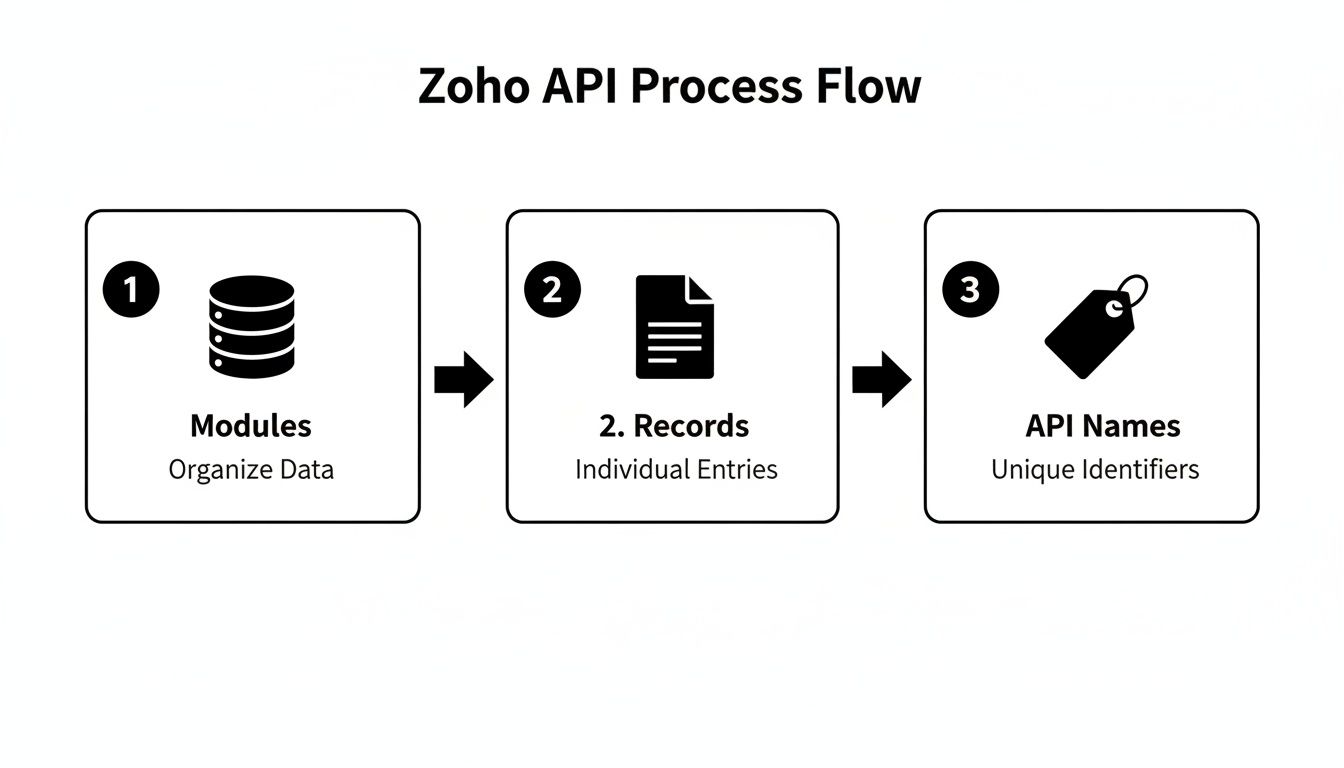
It shows how modules are organized into records, which are then targeted using unique API names—this is the exact data you'll be fetching and updating with your authenticated calls.
A Faster Path for Integration Developers with a Unified API
Now, imagine you're building an integration that connects not just to Zoho, but to a dozen other eCommerce platforms. Suddenly, you're not just managing one OAuth 2.0 flow; you're juggling multiple, each with its own specific implementation details, token endpoints, and quirks. This is a massive time-drain for an integration developer, forcing you to write and maintain custom code for every single connection.
This is exactly the problem a unified API like API2Cart is built to solve. Instead of you building out and debugging separate authentication handlers for every platform, you authenticate just once with API2Cart. Our single API connection handles all that complexity under the hood. For a developer, this means you get access to data from over 40 different shopping carts through one consistent authentication model. This approach cuts down development time dramatically and simplifies maintenance, freeing you up to focus on building your application's features instead of getting bogged down in authentication protocols.
Working with Core API Endpoints and Modules
Once you’re authenticated, the next step is actually manipulating data through the Zoho CRM API's core endpoints. These endpoints map directly to the modules you see every day in the CRM interface—think Leads, Contacts, Accounts, and Deals. For any integration developer, getting a handle on these is fundamental for building a meaningful integration, as they're the foundation for every data operation you'll perform.
The API supports all the standard CRUD (Create, Read, Update, Delete) operations you'd expect, giving you complete programmatic control over your CRM data. Whether you're trying to sync customer data from an eCommerce store or automate lead creation from a web form, you'll be hitting these core endpoints.

A Developer-Focused View on CRUD Operations
Each module follows a predictable endpoint structure. For instance, to get a list of records from the Leads module, you’d make a GET request to /Leads. Need a specific lead? Just use /Leads/{record_id}. This consistency makes the API much easier to learn and use across different data types.
But the real challenge for developers isn't just making the calls; it's building a system that can handle the volume and complexity of a real-world application. This involves a lot more than just hitting an endpoint.
You have to consider:
- Data Mapping: How do you translate fields from your source system (like an eCommerce platform) to the right fields inside Zoho CRM?
- Synchronization Logic: When and how should data be synced? Is it real-time via webhooks or in periodic batch updates?
- Error Handling: You need a solid plan for managing API responses, especially when a record fails to create or update.
Building this logic from scratch for every single connection is incredibly time-consuming and repetitive. It’s a common bottleneck that slows down projects and blows up maintenance overhead.
Accelerating Integration with API2Cart
This is where a tool like API2Cart becomes a powerful accelerator for developers building integrations between eCommerce platforms and Zoho CRM. Instead of writing custom CRUD logic for every shopping cart API, you interact with a single, unified API.
API2Cart simplifies this entire process. A developer can use one method, like
order.list, to retrieve orders from over 40 different platforms. That one call replaces the need to learn and implement dozens of unique API endpoints, authentication schemes, and data structures. For example, to sync new orders as Deals in Zoho, a developer can set up a webhook via API2Cart. This webhook fires for any new order on any connected store, delivering a standardized JSON payload that can be easily mapped to the Zoho Deals module. This is a huge time-saver.
This unified approach dramatically speeds up development time. You get to focus on how the data should behave inside Zoho CRM rather than getting bogged down in the complexities of just retrieving it. API2Cart provides a consistent data structure for customers, orders, and products, making the mapping process to Zoho CRM modules like Contacts, Deals, and Products far more straightforward and scalable.
The Zoho CRM API powers a massive ecosystem. With over 250,000 businesses actively using the platform, the need for robust, developer-friendly integrations is obvious. You can find more insights on Zoho CRM's growth and API usage to see why efficient integration is so important.
By using API2Cart, you offload the maintenance of every individual connection. When a platform like Shopify updates its API, our team handles the changes. This ensures your integration with Zoho CRM keeps running smoothly without forcing you to rewrite any code, allowing you to build a more resilient and future-proof solution.
Handling API Limits and Error Responses
Any seasoned integration developer knows that building a stable integration isn't just about making successful API calls—it's about how your application behaves when things go wrong. When working with the Zoho CRM API, this means designing your code to respect its rate limits and handle errors gracefully. If you don't, you're setting yourself up for failed requests, temporary blocks, and a frustrating user experience.
Zoho CRM uses both daily and per-minute thresholds to keep the platform running smoothly for everyone. For developers, this is a big deal. High-volume jobs, like an initial data sync from an eCommerce store, have to be managed carefully to avoid hitting those ceilings.
Designing for API Efficiency
The best approach is to be proactive. Instead of just reacting to "limit exceeded" errors after they happen, a well-built integration anticipates them and works to minimize its request footprint from the get-go.
Here are a few key strategies to build into your logic:
- Implement Exponential Backoff: When you get a rate limit error (usually an HTTP 429 response), don't just hammer the API again. An exponential backoff strategy tells your app to wait for a progressively longer period before each retry. This is the professional way for a developer to handle throttling.
- Use Bulk Endpoints: Why make a hundred separate calls when you can make one? Instead of creating or updating records one by one, use Zoho’s bulk endpoints. You can process up to 100 records in a single API request, which dramatically cuts down your call volume.
- Cache Frequently Accessed Data: Don't waste API calls fetching the same information over and over. Store static or slow-moving data, like user lists or custom field definitions, in a local cache.
Speeding Up Development with a Unified Solution
Figuring out the rate limits, error handling, and retry logic for Zoho is already a significant task. But what happens when your integration also needs to talk to Shopify, Magento, or BigCommerce? That complexity explodes. Each platform has its own unique API limits, error codes, and architectural quirks. You're suddenly forced to build and maintain custom logic for every single connection.
This is where development grinds to a halt. Instead of writing custom error-handling code for dozens of different APIs, a unified solution like API2Cart abstracts all that complexity away.
With API2Cart, you only have to work with one consistent API structure. Our platform handles the messy part—intelligently managing the rate limits and error responses from over 40 different shopping carts behind the scenes. For a developer, this means you can build your integration logic once, and it just works, reliably, across every platform you connect to. Think of the development and maintenance time you get back.
This approach lets you stop debugging platform-specific API behavior and start focusing on your core application features. You end up with a more scalable and resilient integration from day one, without the headache of managing dozens of individual API connections just to get the data you need into Zoho CRM.
Building Seamless eCommerce Integrations
Connecting an eCommerce platform to the Zoho CRM API is a project many integration developers tackle, but it’s rarely straightforward. The real challenge isn't just about making API calls; it's about translating the entire data model of a shopping cart like Shopify, Magento, or WooCommerce into a structure Zoho CRM can understand. You need a solid blueprint for mapping customers, orders, and products to their equivalents in Zoho—like Contacts, Deals, and Products.
This mapping process is everything. When a new customer signs up on your store, they should instantly appear as a Contact in Zoho. When they make a purchase, that action should trigger a new Deal. Get this wrong, and you end up with data silos and a completely fragmented view of your customer's journey.
If you want to get a better handle on how different software applications are wired together for smooth operations, it’s worth reading up on what is system integration. Understanding this is key to building systems where your online store and CRM can actually talk to each other effectively.
Simplifying Complex eCommerce Data Syncs
For any developer building these connections from scratch, the work quickly gets repetitive. You're not just writing custom logic for one platform; you're doing it for every single shopping cart you need to support. Each one has its own API, its own data structures, and its own authentication headaches. Your development and maintenance workload doesn't just add up—it multiplies.
This is exactly where a unified API solution can make a huge difference.
Services like API2Cart offer a single, unified API that connects to over 40 different shopping cart platforms. Instead of building and maintaining dozens of individual integrations to sync data with Zoho CRM, you just build one. As a developer, this means you can pull order, customer, and product data from any supported platform using a consistent set of API methods and a standardized data format. No more juggling different API docs and authentication flows.
This approach cuts through the complexity. A practical use case is inventory synchronization: a developer can write a single script that uses API2Cart's product.update method to update stock levels across all connected eCommerce stores based on data from Zoho CRM. This avoids building separate inventory management logic for Shopify, WooCommerce, and others.

This setup shows how a single API can abstract away the pain of connecting to dozens of unique eCommerce systems. For developers, this means you can skip the tedious, time-consuming work of building individual connectors and focus on the business logic that actually matters: how the data should work inside Zoho CRM. The result is a faster launch, a more scalable solution, and a lot less maintenance down the road.
Mapping eCommerce Data to Zoho CRM Modules
To get a practical sense of how this works, you need to map the data points from your eCommerce platform to the right modules and fields in Zoho CRM. This is the foundation of a successful sync for any integration developer.
The table below breaks down the most common mappings, giving you a clear starting point for your integration logic.
| eCommerce Entity | Zoho CRM Module | Key Field Mappings | Integration Notes for Developers |
|---|---|---|---|
| Customer | Contacts | first_name -> First Name, email -> Email, billing_address -> Mailing Street, shipping_address -> Other Street |
Check for existing contacts by email to avoid duplicates. Store the eCommerce customer ID in a custom Zoho field for easy cross-referencing. |
| Order | Deals (Potentials) | order_total -> Amount, order_date -> Closing Date, order_status -> Stage |
Create a new Deal for each new order and associate it with the corresponding Contact. Map order statuses (e.g., 'Processing', 'Shipped') to your custom Deal stages. |
| Product | Products | product_name -> Product Name, sku -> Product Code, price -> Unit Price |
Sync your product catalog to Zoho's Products module first. This allows you to associate line items from an eCommerce order with existing Zoho Products when creating a Deal. |
| Order Line Item | Deal Line Item | product_id -> Product, quantity -> Quantity, price -> List Price |
When creating a Deal, iterate through the order's line items and add each one as a related product in Zoho. This provides a granular view of what was purchased. |
Having a clear mapping strategy like this is non-negotiable. It ensures data consistency and makes your integration robust enough to handle real-world sales operations without creating a mess in your CRM.
Accelerating Development with a Unified API
If you're an integration developer building connections between various eCommerce platforms and the Zoho CRM API, you know the workflow can hit a serious bottleneck. The real headache isn't connecting to just one API; it's the tedious, repetitive grind of developing and maintaining dozens of separate connections. Every platform, from Shopify to Magento, has its own unique authentication, data models, and update cycles, causing your development complexity to skyrocket.
This is a massive hurdle in a world where speed and efficiency are everything. Zoho CRM's API supports a huge developer community—in fact, 60% of its users are developers. To stay competitive, developers need a much smarter strategy than just building one-off connectors.
The Unified API Advantage for Developers
Instead of wrestling with countless different APIs, a unified integration platform like API2Cart provides a powerful shortcut. It gives you a single, consistent API that plugs into more than 40 different eCommerce platforms. That means you write your integration logic just once to handle customers, products, and orders, and it works everywhere.
This model completely transforms the development lifecycle. Here are some specific use cases for a developer:
- Synchronizing Customer Data: Use a single
customer.listmethod to pull customer info from any connected store and map it directly to Zoho CRM Contacts, all without writing a line of platform-specific code. This is ideal for building a unified customer view. - Automating Order-to-Deal Creation: Use a unified
order.addwebhook to grab new orders from multiple storefronts and automatically create corresponding Deals in Zoho CRM through one central process. This automates the sales pipeline without custom code for each cart. - Centralizing Product Catalog Syncs: Manage product data across all your supported platforms with consistent methods like
product.update, making sure the Products module in Zoho CRM always stays up-to-date. This is critical for inventory management and order accuracy.
Streamlining Integration and Maintenance
This approach drastically cuts down your initial development time and makes ongoing maintenance much simpler. When a shopping cart's API changes—and they always do—the API2Cart team handles the updates, protecting your integration from breaking. This frees up your developers to build core features for your app instead of constantly chasing API changes. For more ideas on improving your CRM workflows, you can explore methods for automating CRM data input.
By using a unified API, your application is scalable right from the start. Adding support for a new eCommerce platform is no longer a multi-week project. It becomes a simple configuration change, letting your integration grow as fast as your business does. To get a better sense of the technical differences, check out our guide on Unified API vs Embedded iPaaS to see which approach is the right fit for your architecture.
Zoho CRM API Frequently Asked Questions
When you're building an integration with the Zoho CRM API, you'll run into a few common roadblocks, especially if you're a developer trying to build a scalable solution that works with more than one eCommerce platform. Here are some of the typical questions we see and how to get past those hurdles faster.
How Can I Handle Custom Fields From Multiple Platforms?
This is a classic developer headache. You've got data coming in from various shopping carts, and each one has its own set of standard fields—plus a bunch of custom ones. Trying to map all that data into Zoho CRM manually means writing platform-specific logic for every single cart just to find, translate, and post the data to the right custom field.
That kind of manual mapping quickly turns into a massive time sink. This is where a unified API like API2Cart really helps. It normalizes data from over 40 different platforms into a consistent JSON format. Suddenly, mapping fields from any source into your Zoho custom fields becomes straightforward, and you don't have to write unique code for every connection.
What Is the Best Way to Manage Different API Limits?
When your app connects Zoho CRM to multiple eCommerce platforms, you're not just dealing with Zoho's API rate limits. You're juggling the limits of every single shopping cart API, too. Each platform has its own rules, thresholds, and reset periods. Building custom rate-limiting logic for each one is not just complex; it's a recipe for errors and a major distraction for a developer.
API2Cart takes care of managing all those different API limits behind the scenes. Our platform is built to work within each platform's specific rules, so you can stop worrying about throttling and focus on your integration's core logic. It just works, ensuring your data syncs reliably without you having to build and maintain dozens of rate-limiting mechanisms.
How Can I Accelerate Integration Development Across Carts?
If you decide to build individual integrations for Shopify, WooCommerce, and Magento, you’re signing up for a slow, resource-heavy process. The authentication, data mapping, and ongoing maintenance for each connection add up, pushing your time-to-market way out.
This is exactly where API2Cart delivers the biggest advantage for an integration developer. Instead of building one integration at a time, you connect to our single API and get immediate access to over 40 eCommerce platforms. You only have to build your integration to Zoho CRM once. From that single connection, you can pull customer, product, and order data from any cart we support, cutting development cycles from months down to weeks.
Ready to speed up your Zoho CRM integrations and connect to over 40 eCommerce platforms at once? See what API2Cart can do for your development team and start your free trial today.