
The Webasyst API is a RESTful interface that gives integration developers a direct line into the data stored within the Webasyst framework and its apps, like Shop-Script. For a developer, this is a unified gateway. It allows your external systems to communicate with core eCommerce data—products, orders, customers, and inventory—all through a single, consistent endpoint.
Getting to Know the Webasyst API Framework
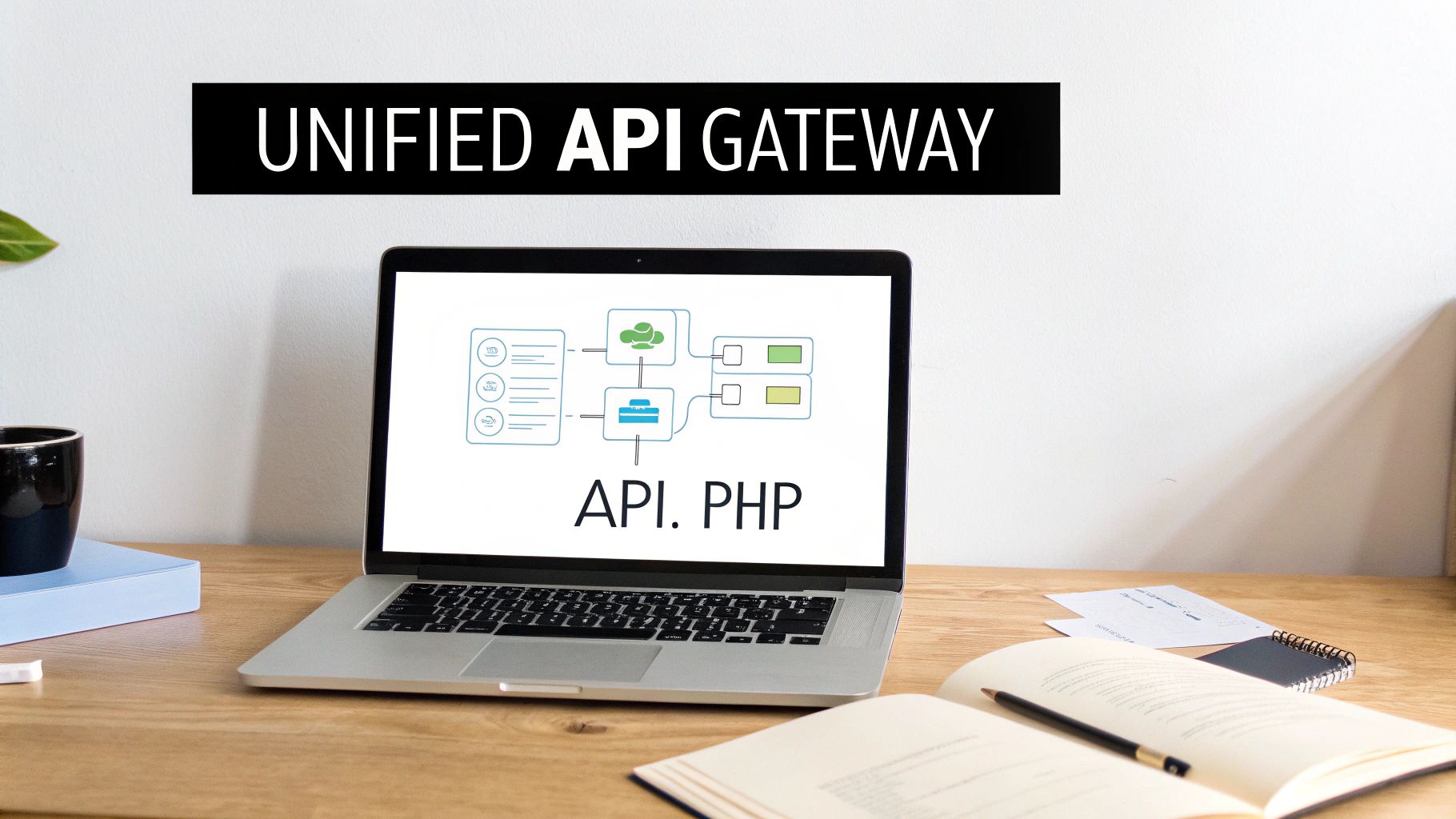
For an integration developer building B2B SaaS solutions, the Webasyst API is a stable and mature ecosystem. The platform’s architecture routes every API request through a single api.php endpoint. From there, the request is directed to the appropriate application, whether it's Shop-Script for handling sales or the CRM app for customer data.
This centralized structure simplifies the initial development work for an integration. You don't have to learn multiple APIs for different functions; instead, you work with one consistent structure.
This isn't a new or untested platform. Founded in 1992, Webasyst has grown to power around 15,563 active websites globally. This longevity speaks to its reliability, making it a dependable choice for businesses and the developers integrating with them.
Key Data and Common Use Cases
Before starting an integration project, an integration developer must know what data is accessible. The API provides access to the essentials:
- Products: Create, retrieve, and update product information, including pricing, stock levels, and variants.
- Orders: Manage the entire order lifecycle, from fetching new orders to pushing fulfillment status updates.
- Customers: Sync customer profiles with a CRM or marketing automation tool.
- Inventory: Keep stock levels synchronized between a Webasyst store and an external Warehouse Management System (WMS).
Of course, building and maintaining these connections requires specialized expertise. Understanding the role of a dedicated Mid-Level API Software Engineer provides insight into the skills needed for such projects.
This is also where a unified API solution like API2Cart significantly speeds up the process, especially for SaaS companies needing to connect with more than just one platform. Instead of building a custom connector just for the Webasyst API, an integration developer can connect once with API2Cart. This single integration provides access to Webasyst and 60+ other platforms. It's a massive shortcut that reduces development time, slashes maintenance overhead, and frees up your team to focus on core product features instead of wrestling with platform-specific integration logic.
API Authentication and Your First Request
To begin working with the Webasyst API, your application must first authenticate itself. This process verifies your app's identity before it can access any store data. Webasyst uses the industry-standard OAuth 2.0 protocol, a secure and trusted authorization framework you'll find on major platforms everywhere.
This approach is solid because it prevents direct exposure of user credentials. For developers new to this, it's beneficial to get familiar with different API authentication methods to understand why OAuth 2.0 is the standard for modern applications.
The first step for any developer is obtaining API credentials. For Webasyst, this involves generating a client_id and client_secret from within the store’s backend. These serve as your app's unique username and password and are essential for initiating the authentication process.
Obtaining Your Access Token
Once you have your client_id and client_secret, the next step is to exchange them for an access token. This token is the key that unlocks the API. You must include it in the header of every subsequent request. Obtaining the token involves making a simple POST request to Webasyst's dedicated token endpoint.
A standout feature of the Webasyst API for integration developers is its use of non-expiring access tokens. For developers building integrations for Order Management Systems (OMS), Warehouse Management Systems (WMS), or Product Information Management (PIM) tools, this is a significant advantage. It completely eliminates the need to build and maintain the complex token refresh logic that many other platforms require.
This design choice makes a real difference for long-running synchronization jobs. Your application can maintain a persistent connection without the constant worry of its token becoming invalid, which cuts down on both development complexity and a common point of failure in any integration.
This setup is particularly beneficial for B2B applications that rely on constant, uninterrupted data syncs. For a SaaS provider like API2Cart, which needs to maintain stable, long-term connections to thousands of stores, this is a game-changer. We manage all these authentication complexities behind our unified API, letting developers focus on building features instead of wrestling with each platform's unique token lifecycle.
Making an Authenticated API Call
With a valid access token, you are ready to make your first authenticated API call. The token must be sent in the Authorization header of your request, using the "Bearer" scheme. This is the standard method to inform the Webasyst API that your request is authorized.
Here’s a quick look at what a basic, authenticated request to fetch a list of products would look like:
GET /api.php/shop.products.getList
Host: your-store.host.com
Authorization: Bearer YOUR_ACCESS_TOKEN
If everything is configured correctly, you’ll receive a successful response with a JSON object containing the requested product data. This simple check is a critical first milestone; it confirms your authentication is working and that you're ready to start building your Webasyst integration.
Managing Products Through the API

For any integration developer building for eCommerce, product management is a foundational element. The Webasyst API provides a complete toolkit of endpoints to handle every aspect of a product catalog, offering full programmatic control over product data.
This control is critical for B2B SaaS applications, such as inventory management systems, multi-channel listing tools, or any software needing to synchronize product information with a Webasyst store. In this section, we'll dive into the specifics of the CRUD (Create, Retrieve, Update, Delete) operations available for products, examining the exact endpoints and request structures an integration developer will use.
Core Product Operations via the API
The Webasyst API provides dedicated methods specifically for managing products within the Shop-Script application. For developers, this means you can build features to create new products with all their attributes, pull existing product data to display in an external app, or update details like pricing and stock levels on the fly.
Let’s take an inventory management system as a practical example. A developer could use the shop.products.getList method to fetch a complete list of products and their current stock. Then, to prevent overselling, they would use the shop.products.update method to push updated inventory counts back into Webasyst.
To give you a clearer picture, here's a quick rundown of the essential endpoints you'll be working with.
Essential Webasyst Product API Endpoints
| Functionality | HTTP Method | Endpoint Path | Primary Use Case |
|---|---|---|---|
| Get Product List | GET |
shop.products.getList |
Fetching a collection of products with filtering and sorting options. |
| Get Product Details | GET |
shop.products.get |
Retrieving detailed information for a single product by its ID. |
| Create New Product | POST |
shop.products.add |
Adding a new product to the store's catalog. |
| Update Product | POST |
shop.products.update |
Modifying existing product data like price, name, or stock. |
| Delete Product | POST |
shop.products.delete |
Permanently removing a product from the store. |
This table covers the primary actions for product catalog management, forming the basis for most inventory and listing-related integrations.
While building these integrations directly is certainly powerful, it also consumes significant development resources just to handle the nuances of the Webasyst API. This is where a unified API solution can make a world of difference by speeding up the entire process.
Instead of writing, testing, and maintaining code just for Webasyst's product endpoints, integration developers can integrate once with API2Cart. A single connection unlocks standardized methods like
product.add,product.update, andproduct.listthat work across Webasyst and over 60 other eCommerce platforms, slashing development time and maintenance headaches.
Speeding Up Development With API2Cart
For any SaaS provider, connecting with as many platforms as possible is key to growth. Building and maintaining a separate integration for the Webasyst API, then another for Shopify, and a third for Magento, is both inefficient and expensive. That's the exact problem API2Cart was built to solve.
API2Cart serves as an abstraction layer. An integration developer writes code against a single, unified API, and API2Cart handles all the platform-specific translations behind the scenes. This gives developers working with product data a few major advantages:
- Faster Integration: Use one set of API methods to manage products on Webasyst and dozens of other platforms. This can turn an integration timeline of months into just a few weeks.
- Simplified Maintenance: API2Cart manages all the updates and changes to the underlying platform APIs, freeing up your team from that constant chore.
- Broader Market Reach: Instantly expand your app's compatibility, making your software a much easier choice for a wider range of merchants.
For instance, to update product stock, a developer would simply call product.update through API2Cart with a standard request body. API2Cart then translates that call into the specific format the Webasyst API expects, handling all the authentication and endpoint details for you. This lets your team focus on building great features instead of getting tangled in the complexities of individual platform APIs.
Working with Orders and Customer Data
If you’re an integration developer building an Order Management System (OMS) or a Customer Relationship Management (CRM) tool, your world revolves around order and customer data. The Webasyst API provides a solid set of endpoints designed specifically for these workflows, letting your application manage the entire order lifecycle and keep customer profiles perfectly in sync. This is the backbone for any software that touches order fulfillment, shipping automation, or customer service for Webasyst merchants.
A typical integration flow involves fetching new orders as they come in, retrieving the specifics needed for fulfillment, and then updating the order status programmatically once it's handled. Imagine an OMS pulling a list of paid orders, accessing all the line items and shipping addresses, and then pushing back a tracking number as soon as the package is shipped. The API has dedicated endpoints to make this whole process seamless.
Retrieving and Managing Order Information
The first step in any order-related integration is getting the order data. The shop.orders.getList method lets you pull a collection of orders, which you can filter by status, creation date, or other useful parameters. This is key for grabbing only what’s new or updated.
Once you have a specific order ID, shop.orders.get is your go-to for retrieving all associated details, including:
- Line items: What specific products were ordered, in what quantities, and at what price.
- Customer information: The customer's name, email, and where to ship the goods.
- Payment and shipping status: Absolutely critical for knowing when to kick off fulfillment.
- Order totals: The breakdown of subtotal, tax, shipping costs, and any discounts applied.
After your system has processed the order—for example, by processing the shipment—you can use methods like shop.orders.update to change its status right inside Webasyst. This keeps the merchant informed without requiring manual intervention.
Handling Customer Data Effectively
Working with orders is only half the battle; managing customer data is equally important for a complete operational picture. The API provides endpoints to retrieve, create, and update customer profiles. This allows a CRM to sync contact details or an analytics platform to build a rich purchase history.
By linking order data back to specific customer records, developers can build powerful features that track metrics like customer lifetime value and purchasing habits.
The real challenge for SaaS developers isn't just hooking into the Webasyst API. It's doing that efficiently while also connecting to dozens of other platforms your customers use. Building out and maintaining separate integrations for each shopping cart's unique order and customer endpoints is a massive drain on resources.
This is exactly where API2Cart comes in. Instead of wrestling with custom logic for Webasyst’s specific order and customer methods, an integration developer can integrate just once with API2Cart’s unified API. A single call to a method like order.list or customer.add works seamlessly across Webasyst and over 60 other eCommerce platforms. This approach shaves months off development time, slashes maintenance overhead, and frees up your team to focus on building your core product features instead of getting bogged down in the weeds of individual API integrations. For any OMS or CRM provider, this translates directly to a faster time-to-market and a much wider potential customer base.
Controlling Inventory and Shipments Programmatically
For an integration developer building a warehouse management (WMS), inventory, or shipping solution, precise control over stock levels and shipment data is non-negotiable. The Webasyst API provides the endpoints to manage these critical eCommerce workflows programmatically, which is essential for merchants looking to prevent overselling and automate their fulfillment. This API control is vital for keeping data synchronized between a Webasyst store and any external systems.
A common workflow for an inventory solution is to fetch product stock levels and then push updates back as quantities change, ensuring the storefront always reflects what's available in the warehouse. Similarly, a shipping platform would pull new order details, process the shipment, and then update the order in Webasyst with a tracking number and a new status, which can automatically trigger customer notifications.
This diagram breaks down the basic flow of order management, connecting the customer all the way through to their order history.
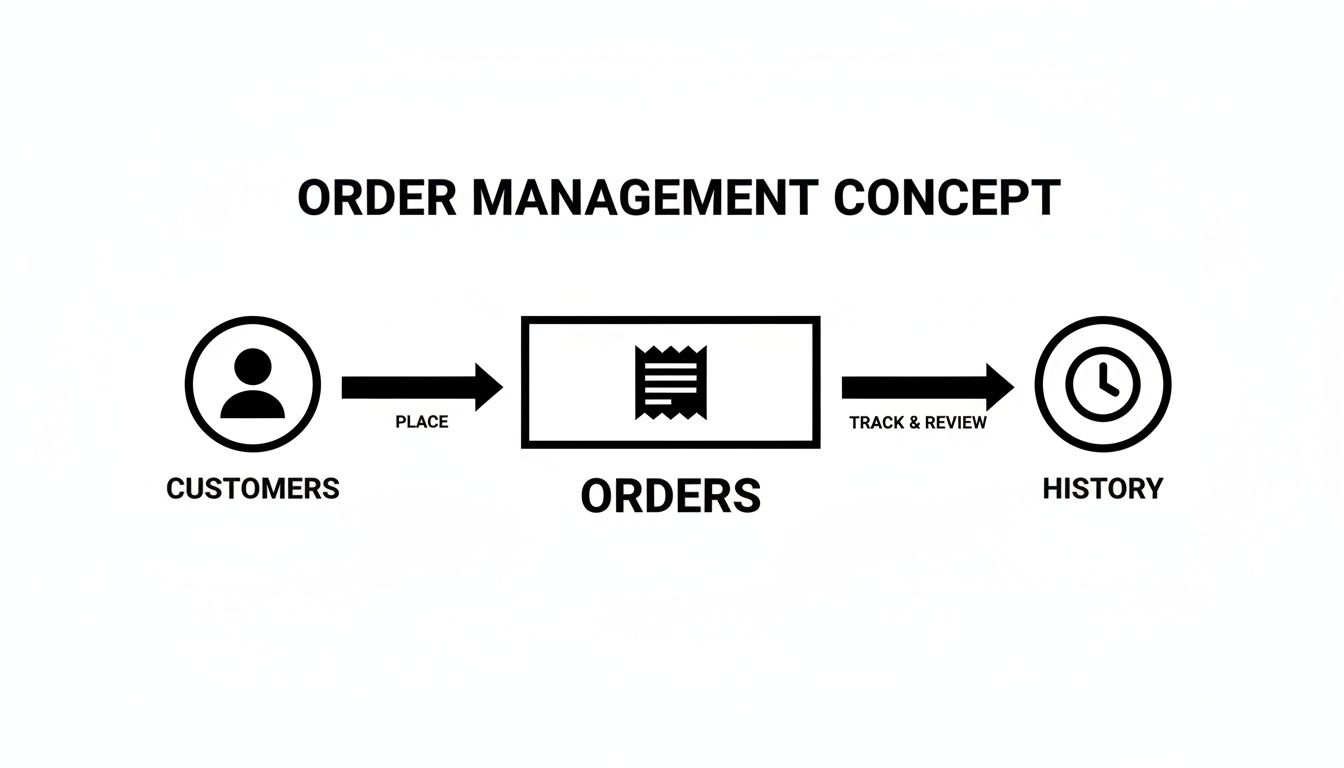
As you can see, the data for customers, orders, and history are all interconnected, forming the backbone of the entire fulfillment lifecycle.
Integrating with a Unified API
While the Webasyst API offers direct access, building and maintaining individual integrations is a significant undertaking. For SaaS providers, this problem multiplies with every new platform you need to support. This is where a unified API like API2Cart offers a major advantage for developers in the inventory and shipping space.
Instead of coding a unique connector just for Webasyst, an integration developer can connect once with API2Cart. That single connection opens up access to Webasyst and over 60 other eCommerce platforms, all through a standardized set of API methods.
This approach cuts down the complexity dramatically. A developer can use a single method like
product.updateto sync stock levels across Webasyst, Shopify, and Magento, rather than coding to three separate APIs. This really speeds up your time-to-market and slashes ongoing maintenance costs.
For SaaS companies working on WMS or shipping software, this unified model is a powerful accelerator. It lets your team focus on your core product features instead of the constant upkeep of dozens of API integrations. You can dive deeper into how this works by exploring a dedicated inventory management API.
Simplifying Complex Integrations
Webasyst's framework helps by standardizing common business objects. Its pre-built entities for contacts, users, files, and workflows standardize around 7-10 common data types across all its applications. This structure definitely reduces some of the integration complexity that vendors like API2Cart's customers often run into when building connectors from scratch.
Ultimately, a unified solution builds on top of this foundation. API2Cart manages the specific authentication, endpoints, and data structures for each platform, including Webasyst. This means your application works with a clean, consistent data model, no matter the underlying shopping cart. This abstraction is key to scaling your software’s reach efficiently and cost-effectively.
Speeding Up Your Integrations with a Unified API

While building a direct integration with the Webasyst API is possible, it presents a significant scaling challenge for B2B SaaS vendors. Each new platform support requirement means another deep dive into a new API, multiplying development costs and turning integrations into a major operational bottleneck.
For any integration developer, this means learning the specific authentication protocols, data structures, and endpoint quirks of every single platform. The Webasyst API has its own way of handling products and orders, which differs from how Shopify, Magento, or WooCommerce do things. This forces your development team to write, test, and maintain a completely separate codebase for every new connection.
This is precisely the problem a unified API solution like API2Cart was built to solve. Instead of coding a custom integration just for Webasyst, you integrate once with API2Cart’s single, standardized API. That one connection gives you immediate access to Webasyst and over 60 other top eCommerce platforms and marketplaces.
The Strategic Advantage for SaaS Developers
The real value of a unified API for an integration developer comes down to efficiency. It shifts your integration strategy from a constant resource drain to a powerful way to gain a competitive edge. By handling the complexities of each platform behind the scenes, API2Cart frees up your team to work on your core product features, not a portfolio of fragile connectors.
Consider a typical Order Management System (OMS). Without a unified API, your developers must write specific logic to pull orders from Webasyst, then more custom code for Shopify, and so on. With API2Cart, a single call to the order.list method fetches order data from any connected store, regardless of its platform. You can learn more about how this works in our guide on how to get order data from various platforms via one API.
This approach brings major benefits for SaaS vendors:
- Slash Development Time: Building individual integrations can take months. With a unified API, an integration developer can get it done in a matter of weeks.
- Cut Maintenance Costs: API2Cart handles all platform-specific updates and API changes, so your engineers don't have to.
- Get to Market Faster: Launching your service to merchants on dozens of platforms at once becomes a realistic goal, not a distant item on your roadmap.
Comparing Integration Approaches
To truly see the difference, it helps to put the two approaches side-by-side. Building directly requires a huge, ongoing commitment for every single platform, while a unified API centralizes all that work.
Here's a quick comparison to illustrate the differences in development effort, maintenance, and scalability when building a direct Webasyst integration versus using API2Cart.
Direct Integration vs API2Cart Unified API
| Aspect | Direct Webasyst API Integration | Integration via API2Cart |
|---|---|---|
| Development Effort | High; requires dedicated coding, testing, and documentation specifically for the Webasyst API. | Low; integrate once with a single, standardized API for all supported platforms. |
| Maintenance | Continuous; developers must monitor and adapt to every Webasyst API update or change. | Minimal; API2Cart manages all platform-side updates, ensuring consistent API behavior. |
| Scalability | Poor; adding each new platform (e.g., Magento, BigCommerce) requires a full development cycle. | Excellent; gain immediate access to 60+ platforms through the initial integration. |
| Time to Market | Slow; market expansion is limited by how fast your team can build new connectors. | Fast; connect with a wide range of merchant platforms from day one. |
Ultimately, whether your B2B SaaS is in order management, inventory control, or shipping automation, adopting a unified API is a smart, strategic move for any integration developer. It lets you offer the robust, scalable integrations your customers need without draining your development resources.
Webasyst API Best Practices and Error Handling
For an integration developer, building a reliable integration with the Webasyst API goes beyond making successful calls. The real difference between a fragile connector and a resilient, scalable application is a rock-solid strategy for error handling and adherence to best practices. This is what lets you build an app that users can truly depend on.
A huge part of this is understanding and reacting to standard HTTP status codes. When your app receives a 401 Unauthorized, 429 Too Many Requests, or a 500-series server error, it needs to respond intelligently, not just crash. Digging into the error messages in the API response is your first step to debugging and building a more robust integration.
To keep your operations with the Webasyst API both efficient and secure, it's also a good idea to follow essential API management best practices. This covers everything from securing your API keys and logging requests properly to monitoring performance so you can spot trouble before your users do.
Navigating Rate Limits and Efficient Synchronization
One of the first challenges developers encounter is the API rate limit. Push too many requests in a short period, and Webasyst will respond with a 429 Too Many Requests error. A poorly designed integration will fail here, but a smart one implements an exponential backoff strategy. This means that when a rate limit error is received, your application pauses and retries after a slightly longer delay each time, preventing a total service meltdown.
Another key tactic is to be smart about data synchronization. Instead of trying to pull every single record on every sync cycle, use filters to request only what's new or what's changed. For instance, you can use date-based filters to grab only the orders modified since your last check. This dramatically reduces your API call volume, keeps your integration efficient, and makes you far less likely to encounter rate limits.
The complexity of managing rate limits, error handling, and efficient polling for dozens of different platforms is a major challenge. This is where a unified API like API2Cart simplifies the entire process. API2Cart automatically handles rate-limiting logic like exponential backoff and provides standardized error responses, freeing developers from building this complex, repetitive infrastructure for each platform.
Maintaining a Secure and Updated Integration
Finally, keeping your integration secure is non-negotiable. Webasyst is consistent with its release schedule and documented updates, showing a commitment to refining the product and patching security vulnerabilities. This is especially critical for any API that handles sensitive commerce data like orders, customers, and payments.
An integration developer can stay on top of these changes by checking the official Webasyst developer resources. Regularly reviewing what's new ensures your application remains compatible and protected against emerging threats, giving your integration the stable foundation it needs.
Frequently Asked Questions
When you're diving into a new API, you're bound to have questions. This section cuts straight to the chase, answering the most common queries we see from integration developers working with the Webasyst API, from managing core data to handling authentication and scaling your integrations.
What Core Data Can I Manage with the Webasyst API?
The Webasyst REST API gives integration developers deep, granular control over all essential eCommerce data. You can perform full CRUD (Create, Retrieve, Update, Delete) operations on products, including managing their variants, images, and category assignments.
This level of control also covers the entire order lifecycle. You can pull in new orders, monitor their payment and fulfillment status, and update them programmatically as they progress through your system. Additionally, the API provides direct access to manage customer profiles, inventory levels, and shipment data—the building blocks for any serious integration with external OMS, WMS, or shipping automation tools.
How Does Webasyst API Authentication Work?
Webasyst ensures security and simplicity by using the industry-standard OAuth 2.0 protocol. To connect your application, you'll exchange a client_id and client_secret for a persistent access token.
A major advantage for developers is that these access tokens do not expire. This unlimited lifetime drastically simplifies building B2B applications that require a long-running, stable connection for continuous data syncs. It means you can skip implementing complex and often brittle token refresh logic, making your integration more robust from the start.
Why Use a Unified API like API2Cart for Webasyst?
While integrating directly with the Webasyst API is a solid option, it creates a scalability problem for any SaaS vendor aiming to support more than one platform. This is where a unified API solution like API2Cart comes in, abstracting away the headache of building and maintaining dozens of separate connectors.
Instead of building from scratch, an integration developer connects once with API2Cart's standardized API and gets immediate access to Webasyst and over 60 other eCommerce platforms. This approach absolutely slashes your initial development time and eliminates the ongoing maintenance burden. Your team can use a single set of API methods to manage data across multiple platforms, helping you scale your service offerings much faster. It turns what could be a costly integration bottleneck into a real competitive advantage.
How Should I Handle Webasyst API Rate Limits?
To maintain platform stability and ensure fair usage, the Webasyst API enforces rate limits on incoming requests. If your application sends too many requests in a short period, the API will return a 429 Too Many Requests error.
The best practice for handling this is to build an exponential backoff strategy directly into your application's logic. When you hit a 429 error, your code should automatically pause for a short, incrementally increasing interval before retrying the request. It’s a simple but incredibly effective technique that prevents you from hammering the API and ensures your integration remains reliable, especially during high-traffic periods or large data synchronization jobs.
Ready to bypass the complexities of individual eCommerce integrations? With API2Cart, you can connect to Webasyst and over 60 other shopping platforms through a single, unified API. Save months of development time and reduce maintenance costs by letting us handle the infrastructure. Start your free 14-day trial and accelerate your integration roadmap today.