Editorial update (August 2026): Universal chatbot outcomes were qualified, privacy and payment safeguards were added, and the heading hierarchy was corrected.
eCommerce businesses use chatbots for selected support, product-discovery, and service workflows. Capabilities vary widely by platform, model, connected data, and configuration.
A chatbot is software that responds to user input through text or voice. In eCommerce, it may help shoppers find products, answer supported questions, or check order information when the required store data and permissions are available.
A chatbot can support parts of the buying journey, but customer satisfaction depends on answer quality, escalation to a person, response latency, accessibility, and transparent use of automated assistance.
Chatbot providers should differentiate through reliable workflows, clear limitations, security, privacy controls, integration coverage, and measurable service quality.
The checklist below covers ten capabilities to evaluate. Not every chatbot needs all ten, and none guarantees higher conversion or customer satisfaction on its own.
Top 10 Important Features of Chatbots for eCommerce Businesses
- Lead Qualification
- Subscription Option
- Analysis of Customer's Needs
- Giving Recommendations for Customers
- Integration with CRM
- Multi-lingual Communication
- Run Analytics for eCommerce Businesses
- Availability of Payment Plugin
- Ease of Implementation and Usage
- Social Media and eCommerce Chatbot Integration
A configured chatbot can ask qualifying questions and route responses to sales or support. It should not claim to know a visitor's intent with certainty, and users should be able to reach a person when needed.
A chatbot may offer subscriptions for product or brand updates. Collect explicit consent, record preferences, provide an unsubscribe path, and follow applicable messaging and privacy rules.
Chatbots can collect information users choose to provide. Limit collection to a defined purpose, explain how data will be used, secure it, and avoid collecting sensitive information that the workflow does not require.
A chatbot can recommend products when it has permitted access to suitable catalog and customer-context data plus a tested recommendation strategy. Recommendations should remain relevant, explainable where possible, and easy to dismiss.
CRM integration can reduce duplicate data entry and give authorized teams a shared record of selected conversations, preferences, and service activity. Conversion impact depends on the workflow and should be measured rather than assumed.
Multilingual support can broaden access, but language quality varies. Test supported languages, preserve context, disclose automated translation where relevant, and provide a fallback when the chatbot cannot respond accurately.
Chatbots can run surveys and collect voluntary feedback. Avoid requesting demographic or other personal data unless it is necessary, lawful, and covered by clear consent and retention rules.
Some chatbots can hand users off to a secure checkout or payment provider. Payment details should be handled only by an appropriate, compliant payment flow; a chatbot interface does not remove checkout, fraud, or security requirements.
Evaluate setup effort, administration, testing, accessibility, analytics, escalation, and ongoing maintenance. Configuration should match the retailer's workflows without hiding important technical or operational constraints.
Social-channel integration can let a chatbot answer supported questions where customers already communicate. Available messaging, commerce, and automation features depend on each platform's current APIs and policies.
eCommerce integration can provide permitted product, inventory, order, delivery, and tracking data. Coverage is platform- and method-specific; the chatbot should handle missing or delayed data instead of implying universal real-time access.
Conclusion
Shopping-platform integration can support product lookup, order status, abandoned-cart workflows, and tracking where the relevant data and methods are available. Each workflow requires authorization, privacy controls, error handling, and a human-support fallback. See related eCommerce chatbot integration scenarios.
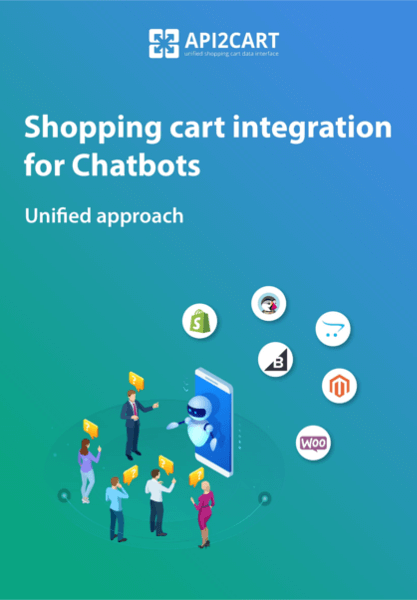
Shopping platform integration for chatbot software
Evaluate the platforms, methods, permissions, and service levels required for your chatbot integration.
Connecting a chatbot to multiple eCommerce platforms requires authentication, data mapping, testing, monitoring, and maintenance. AI-agent use cases add further requirements for scoped permissions, tool controls, audit logs, and safe failure behavior.
API2Cart provides one API for 80+ supported shopping platforms. Method and field coverage varies by platform. AI-agent developers can also evaluate the API2Cart MCP Server, while keeping permissions and approval boundaries appropriate to each workflow.