Quick Answer: The top Zapier competitors for developers in 2026 include n8n, Pipedream, Make, Tray.io, and Workato. n8n offers self-hosting options, Pipedream focuses on code-driven automation, and Make provides visual workflow design. Meanwhile, Tray.io and Workato support complex enterprise integration and automation needs.
Choosing among Zapier competitors depends on your team's API requirements, workflow complexity, and deployment preferences. While Zapier simplifies no-code automation, developers may need greater control over custom scripts, data transformations, error handling, and integration architecture.
Therefore, SaaS teams often evaluate Zapier alternatives that offer more flexible development tools, advanced workflow orchestration, or greater infrastructure control. However, the right platform depends on whether the team needs internal automation, developer-focused workflows, or enterprise-scale integrations.
This guide compares five Zapier competitors, their key features, technical strengths, limitations, and ideal use cases. It also explains how API2Cart complements workflow automation platforms for B2B SaaS companies that need unified eCommerce integrations.
What Is Zapier?
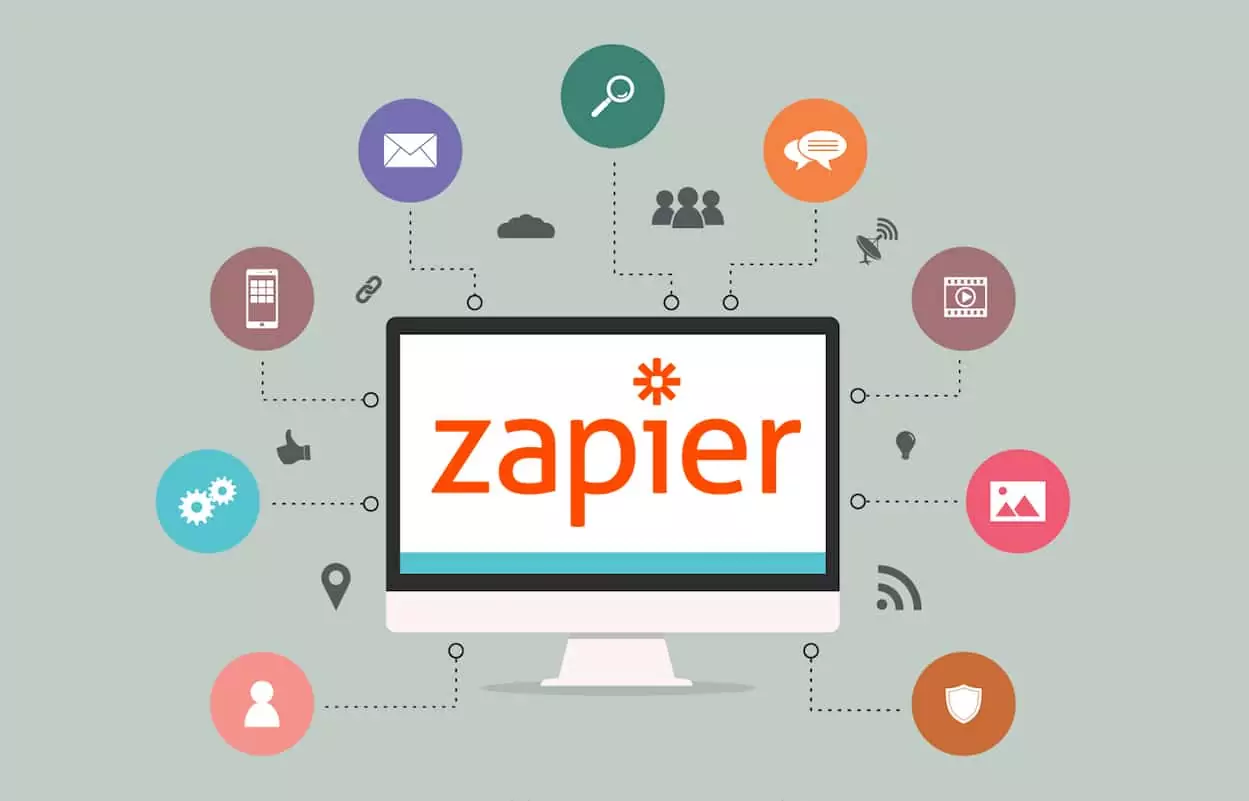
Zapier is a workflow automation platform that connects applications and automates repetitive tasks. Users create automated workflows, called Zaps, by combining triggers and actions across connected services.
Zapier supports no-code automation alongside developer-oriented features such as webhooks, API requests, and custom JavaScript or Python steps. Therefore, SaaS teams can automate business processes without building every integration from scratch.
Software developers commonly use Zapier for:
- API integrations: Connecting third-party applications and automating actions between supported services.
- Webhooks and custom code: Triggering workflows through webhooks and processing data with JavaScript or Python.
- DevOps automation: Connecting development tools to automate notifications, issue tracking, and operational workflows.
- Data synchronization: Transferring and updating information between cloud applications, databases, and SaaS platforms.
However, Zapier may not suit every integration architecture. Teams requiring self-hosted deployment, specialized API operations, or extensive workflow customization may also evaluate Zapier competitors.
Technical Limitations That Push Teams to Zapier Competitors
Zapier supports custom code, API requests, webhooks, and advanced workflow automation. However, its execution limits, pricing model, and managed infrastructure may not suit every development team. Therefore, developers often compare Zapier competitors based on six technical considerations.
1. Custom Code Execution Limits
Code by Zapier supports JavaScript and Python, including extended runtimes on eligible paid plans. However, execution time, memory, and request limits still apply.
- Runtime restrictions: Code steps have plan-dependent execution limits, even when extended runtimes are enabled.
- Memory constraints: Data-heavy scripts must operate within the platform's available memory.
- Managed execution: Developers cannot configure the underlying runtime as freely as a self-managed application environment.
For current limits, see the official Code by Zapier documentation.
2. API Customization Requirements
Zapier provides several ways to send custom API requests, including Webhooks by Zapier and API by Zapier. However, their authentication options, availability, and configuration requirements differ.
- Authentication: Available authentication methods depend on the selected API integration feature.
- Feature availability: Some API request capabilities require paid plans or supported app connections.
- Custom processing: Complex API responses may require additional transformation and validation steps.
Developers should review Zapier's API request options before choosing an integration approach.
3. Complex Workflow Maintenance
Zapier supports branching, filters, and multi-step automation. However, workflows with numerous dependencies can become harder to maintain as their complexity increases.
- Workflow visibility: Large automation systems may span multiple Zaps, making dependencies harder to track.
- Error handling: Complex recovery scenarios require careful configuration and testing.
- Business logic: Specialized processing rules may be easier to maintain in dedicated application code.
4. High-Volume Automation and Scalability
High-volume workflows require careful planning around execution limits, API rate limits, and data processing. Although Zapier supports scalable automation, its managed environment introduces operational constraints.
- Rate limits: Code steps and connected APIs may restrict request frequency.
- Large datasets: Bulk operations may require batching, filtering, or additional processing steps.
- Infrastructure control: Teams cannot manage Zapier's underlying execution infrastructure directly.
For example, Zapier documents plan-specific rate limits for Code steps.
5. Platform-Specific Integration Depth
Zapier connects many applications through predefined and custom API actions. However, complex SaaS workflows may require operations beyond those available in a particular connector.
- Data coverage: Supported fields and operations vary between application integrations.
- Platform-specific workflows: Advanced order, inventory, or fulfillment processes may require additional API calls.
- Integration maintenance: Custom API requests may need updates when external platforms change their APIs.
For eCommerce SaaS vendors, a unified API can provide a separate integration layer for standardized store data access.
6. Automation Costs at Scale
Zapier's task-based pricing can influence costs as workflow activity increases. Therefore, developers should estimate expected task usage before selecting an automation platform.
- Task volume: Frequent automation runs can increase monthly task consumption.
- Advanced execution: Extended code runtimes may consume additional tasks.
- Predictability: Teams should compare estimated usage, plan limits, and total operating costs.
According to Zapier's 2026 Code usage documentation, extended runtimes can increase task consumption.
Ultimately, the best Zapier competitors depend on the level of customization, deployment control, and integration depth a team requires. The following platforms offer different approaches to these requirements.

Top 5 Zapier Competitors for Software Developers in 2026
The best Zapier competitors offer different strengths in API customization, workflow automation, and infrastructure management. For example, n8n supports self-hosting, while Pipedream focuses on code-driven workflows. Meanwhile, Make emphasizes visual automation, and Tray.ai and Workato target enterprise integration requirements.
Here are five Zapier alternatives worth evaluating for developer-focused automation projects.
1. n8n
n8n is a source-available workflow automation platform with cloud and self-hosted deployment options. It combines a visual workflow editor with custom code and API integrations.
Key features:
- Self-hosting: Run workflows on your own infrastructure with greater control over deployment and data.
- Custom code: Use JavaScript or Python in supported workflow environments.
- API connectivity: Connect external services through HTTP requests, webhooks, and integration nodes.
- Visual workflows: Build conditional automation flows with data transformations and reusable components.
Best for: Development teams that prioritize infrastructure control, self-hosting, and customizable automation workflows.
Considerations: n8n uses a fair-code licensing model rather than a conventional open-source license. SaaS vendors should review commercial licensing requirements before embedding customer-facing automation features.
2. Pipedream
Pipedream is a developer-focused integration and automation platform for event-driven workflows. It combines managed execution with custom code and prebuilt API integrations.
Key features:
- Custom scripting: Run JavaScript, Python, Go, or Bash code inside supported workflows.
- Event-driven triggers: Start workflows through HTTP requests, schedules, and connected application events.
- API integrations: Combine prebuilt actions with custom requests to external APIs.
- Managed execution: Build automation workflows without maintaining dedicated execution servers.
Best for: Developers building event-driven integrations, custom API workflows, and technical automation prototypes.
Considerations: Pipedream uses managed infrastructure. Teams requiring full control over workflow hosting should evaluate its deployment model and execution limits.
3. Make
Make is a visual workflow automation platform for connecting applications and managing multi-step processes. Its scenario builder helps teams design data transformations and conditional workflows.
Key features:
- Visual scenario builder: Design workflows using connected modules and graphical data flows.
- HTTP integrations: Send API requests and process responses using HTTP modules.
- Conditional routing: Use routers and filters to manage different workflow paths.
- Error handling: Configure error-handling routes and recovery behavior within scenarios.
Best for: Technical and semi-technical teams that prefer visual automation with advanced data mapping and conditional logic.
Considerations: Large scenarios can become difficult to maintain. Teams should also evaluate operation usage and execution requirements as automation volume increases.
4. Tray.ai (formerly Tray.io)
Tray.ai is an enterprise integration and automation platform that combines workflow orchestration, API connectivity, and governance. It also provides tools for building AI-driven automation.
Key features:
- Enterprise integrations: Connect business applications through managed connectors and custom APIs.
- Workflow orchestration: Coordinate complex business processes and data transformations.
- Governance: Manage access controls, credentials, monitoring, and audit requirements.
- AI orchestration: Build AI-enabled workflows using Merlin Agent Builder and related platform capabilities.
Best for: Enterprise integration teams that need governed automation across business systems, APIs, and AI workflows.
Considerations: Tray.ai targets enterprise use cases. Teams should evaluate implementation complexity, commercial terms, and feature availability before adoption.
5. Workato
Workato is an enterprise automation and integration platform for orchestrating workflows across applications, data, and business processes. It supports both visual automation and developer-oriented integration tools.
Key features:
- Workflow recipes: Build multi-step automations with triggers, actions, and conditional logic.
- Enterprise connectivity: Integrate SaaS applications and business systems using prebuilt connectors.
- Developer tools: Use APIs, connector development tools, and CLI-based workflows.
- Process orchestration: Coordinate data transformations, error handling, and cross-system operations.
Best for: Enterprises and SaaS integration teams managing complex business processes across multiple applications.
Considerations: Workato's enterprise-oriented capabilities may exceed the requirements of smaller automation projects. Teams should assess implementation effort and commercial terms.
These Zapier competitors serve different technical needs. n8n emphasizes hosting control, Pipedream offers code-driven automation, and Make focuses on visual workflow design. Meanwhile, Tray.ai and Workato provide enterprise-oriented integration and orchestration capabilities.

How API2Cart Complements Zapier Competitors for eCommerce Integrations
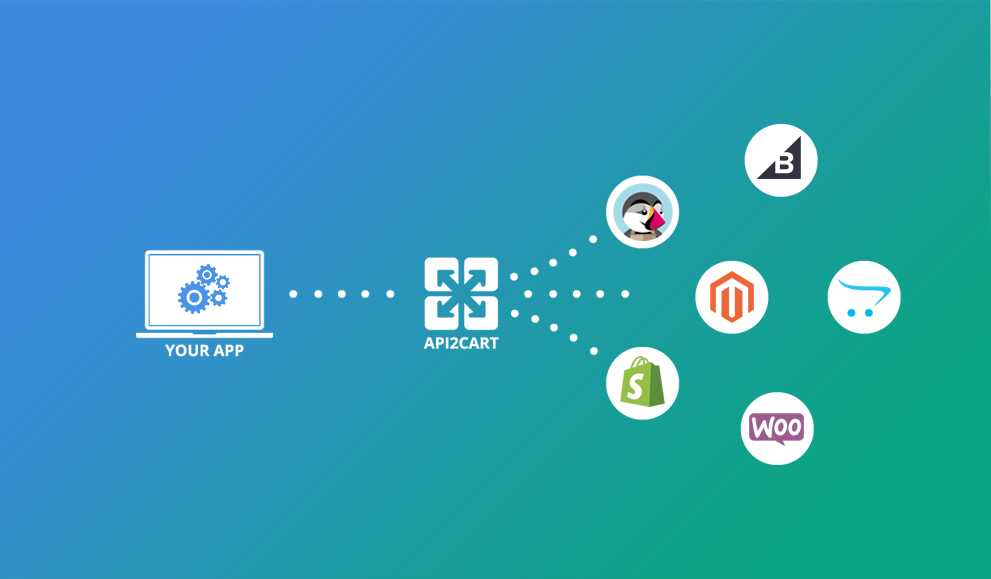
API2Cart complements Zapier competitors by providing standardized access to eCommerce platform data. While workflow automation tools orchestrate tasks between applications, API2Cart helps SaaS developers connect to shopping platforms through one unified API.
API2Cart supports integrations with 80+ eCommerce platforms and marketplaces, including Shopify, Magento, WooCommerce, BigCommerce, PrestaShop, OpenCart, and Amazon. Developers can access supported products, orders, inventory, shipments, and customer data through a consistent API interface.
As a result, OMS, ERP, WMS, shipping, and inventory management software vendors can simplify eCommerce connectivity. They can also use workflow automation tools to process the data retrieved through API2Cart.
Why API2Cart Works Well for Technical Teams
API2Cart reduces the development effort required to build and maintain multiple eCommerce integrations. Its unified API provides several advantages for SaaS development teams:
- Unified API architecture: Access supported eCommerce platforms through a consistent set of API methods and data structures.
- eCommerce data access: Retrieve and manage supported orders, products, inventory, categories, shipments, and customer information.
- Flexible integration workflows: Combine API2Cart methods with application logic, webhooks, and external automation tools.
- Reduced maintenance effort: Minimize the need to develop and maintain separate connectors for every supported platform.
Example: Retrieving Orders Across Multiple eCommerce Platforms
An order management system can use API2Cart's order.list method to retrieve orders from connected eCommerce stores. Each request targets a specific store connection using its connection key.
For example, an OMS can request orders from a Shopify store and then repeat the same API method for a WooCommerce store. Although each connection requires a separate request, developers can reuse the same integration logic across supported platforms.
The order.list method retrieves order records and supported details, including customer information, order statuses, totals, and line items. Available fields may vary by platform. See the API2Cart order.list documentation for supported parameters and response fields.
{
  "return_code": 0,
  "return_message": "string",
  "pagination": {
    "previous": "string",
    "next": "string",
    "additional_fields": {},
    "custom_fields": {}
  },
  "result": {
    "orders_count": 0,
    "order": [
      {
        "id": "string",
        "order_id": "string",
        "basket_id": "string",
        "channel_id": "string",
        "customer": {
          "id": "string",
          "email": "string",
          "first_name": "string",
          "last_name": "string",
          "phone": "string",
          "additional_fields": {},
          "custom_fields": {}
        },
        "create_at": {
          "value": "string",
          "format": "string",
          "additional_fields": {},
          "custom_fields": {}
        },
        "currency": {
          "id": "string",
          "name": "string",
          "iso3": "string",
          "symbol_left": "string",
          "symbol_right": "string",
          "rate": 0,
          "avail": true,
          "default": true,
          "additional_fields": {},
          "custom_fields": {}
        },
        "shipping_address": {
          "id": "string",
          "type": "string",
          "first_name": "string",
          "last_name": "string",
          "postcode": "string",
          "address1": "string",
          "address2": "string",
          "phone": "string",
          "phone_mobile": "string",
          "city": "string",
          "country": {
            "code2": "string",
            "code3": "string",
            "name": "string",
            "additional_fields": {},
            "custom_fields": {}
          },
          "state": {
            "code": "string",
            "name": "string",
            "additional_fields": {},
            "custom_fields": {}
          },
          "company": "string",
          "fax": "string",
          "website": "string",
          "gender": "string",
          "region": "string",
          "default": true,
          "tax_id": "string",
          "identification_number": "string",
          "alias": "string",
          "additional_fields": {},
          "custom_fields": {}
        },
        "billing_address": {
          "id": "string",
          "type": "string",
          "first_name": "string",
          "last_name": "string",
          "postcode": "string",
          "address1": "string",
          "address2": "string",
          "phone": "string",
          "phone_mobile": "string",
          "city": "string",
          "country": {
            "code2": "string",
            "code3": "string",
            "name": "string",
            "additional_fields": {},
            "custom_fields": {}
          },
          "state": {
            "code": "string",
            "name": "string",
            "additional_fields": {},
            "custom_fields": {}
          },
          "company": "string",
          "fax": "string",
          "website": "string",
          "gender": "string",
          "region": "string",
          "default": true,
          "tax_id": "string",
          "identification_number": "string",
          "alias": "string",
          "additional_fields": {},
          "custom_fields": {}
        },
        "payment_method": {
          "name": "string",
          "additional_fields": {},
          "custom_fields": {}
        },
        "shipping_method": {
          "name": "string",
          "additional_fields": {},
          "custom_fields": {}
        },
        "shipping_methods": [
          {
            "name": "string",
            "additional_fields": {},
            "custom_fields": {}
          }
        ],
        "status": {
          "id": "string",
          "name": "string",
          "history": [
            {
              "id": "string",
              "name": "string",
              "modified_time": {
                "value": "string",
                "format": "string",
                "additional_fields": {},
                "custom_fields": {}
              },
              "notify": true,
              "comment": "string",
              "additional_fields": {},
              "custom_fields": {}
            }
          ],
          "refund_info": {
            "shipping": 0,
            "fee": 0,
            "tax": 0,
            "total_refunded": 0,
            "time": {
              "value": "string",
              "format": "string",
              "additional_fields": {},
              "custom_fields": {}
            },
            "comment": "string",
            "refunded_items": [
              {
                "product_id": "string",
                "variant_id": "string",
                "order_product_id": "string",
                "qty": 0,
                "refund": 0,
                "additional_fields": {},
                "custom_fields": {}
              }
            ],
            "additional_fields": {},
            "custom_fields": {}
          },
          "additional_fields": {},
          "custom_fields": {}
        },
        "totals": {
          "total": 0,
          "subtotal": 0,
          "shipping": 0,
          "tax": 0,
          "discount": 0,
          "additional_fields": {},
          "custom_fields": {}
        },
        "total": {
          "subtotal_ex_tax": 0,
          "wrapping_ex_tax": 0,
          "shipping_ex_tax": 0,
          "total_discount": 0,
          "total_tax": 0,
          "total": 0,
          "total_paid": 0,
          "additional_fields": {},
          "custom_fields": {}
        },
        "discounts": [
          {
            "code": "string",
            "value": 0,
            "type": "string",
            "additional_fields": {},
            "custom_fields": {}
          }
        ],
        "order_products": [
          {
            "product_id": "string",
            "order_product_id": "string",
            "model": "string",
            "name": "string",
            "price": 0,
            "price_inc_tax": 0,
            "quantity": 0,
            "discount_amount": 0,
            "total_price": 0,
            "tax_percent": 0,
            "tax_value": 0,
            "tax_value_after_discount": 0,
            "options": [
              {
                "option_id": "string",
                "name": "string",
                "value": "string",
                "price": 0,
                "weight": 0,
                "type": "string",
                "product_option_value_id": "string",
                "additional_fields": {},
                "custom_fields": {}
              }
            ],
            "variant_id": "string",
            "weight_unit": "string",
            "weight": 0,
            "barcode": "string",
            "parent_order_product_id": "string",
            "additional_fields": {},
            "custom_fields": {}
          }
        ],
        "bundles": [
          {
            "product_id": "string",
            "order_product_id": "string",
            "model": "string",
            "name": "string",
            "price": 0,
            "price_inc_tax": 0,
            "quantity": 0,
            "discount_amount": 0,
            "total_price": 0,
            "tax_percent": 0,
            "tax_value": 0,
            "tax_value_after_discount": 0,
            "options": [
              {
                "option_id": "string",
                "name": "string",
                "value": "string",
                "price": 0,
                "weight": 0,
                "type": "string",
                "product_option_value_id": "string",
                "additional_fields": {},
                "custom_fields": {}
              }
            ],
            "variant_id": "string",
            "weight_unit": "string",
            "weight": 0,
            "barcode": "string",
            "parent_order_product_id": "string",
            "additional_fields": {},
            "custom_fields": {}
          }
        ],
        "modified_at": {
          "value": "string",
          "format": "string",
          "additional_fields": {},
          "custom_fields": {}
        },
        "finished_time": {
          "value": "string",
          "format": "string",
          "additional_fields": {},
          "custom_fields": {}
        },
        "comment": "string",
        "store_id": "string",
        "warehouses_ids": [
          "string"
        ],
        "refunds": [
          {
            "id": "string",
            "shipping": 0,
            "fee": 0,
            "tax": 0,
            "total": 0,
            "modified_time": {
              "value": "string",
              "format": "string",
              "additional_fields": {},
              "custom_fields": {}
            },
            "comment": "string",
            "items": [
              {
                "product_id": "string",
                "variant_id": "string",
                "order_product_id": "string",
                "qty": 0,
                "refund": 0,
                "additional_fields": {},
                "custom_fields": {}
              }
            ],
            "additional_fields": {},
            "custom_fields": {}
          }
        ],
        "gift_message": "string",
        "order_details_url": "string",
        "additional_fields": {},
        "custom_fields": {}
      }
    ],
    "additional_fields": {},
    "custom_fields": {}
  },
  "additional_fields": {},
  "custom_fields": {}
}
By using the same API2Cart method across supported eCommerce platforms, SaaS developers can simplify order synchronization and reduce platform-specific integration maintenance. Moreover, they can combine API2Cart with workflow automation tools to support custom order processing and fulfillment workflows.
Ready to simplify eCommerce integrations? Start a 14-day free API2Cart trial and test unified API connectivity for your SaaS application.
Conclusion
Choosing the right Zapier competitor depends on your integration requirements, technical expertise, and automation scale. n8n suits teams that need self-hosting, while Pipedream offers code-driven workflows. Meanwhile, Make focuses on visual automation, and Tray.ai and Workato address enterprise integration needs.
However, workflow automation and eCommerce API integration solve different challenges. While Zapier alternatives orchestrate tasks between applications, SaaS developers also need reliable access to orders, products, inventory, and fulfillment data across shopping platforms.
For eCommerce software vendors, API2Cart complements these automation tools through a unified API supporting 80+ eCommerce platforms and marketplaces. This approach helps OMS, ERP, WMS, and shipping software providers reduce integration maintenance and simplify cross-platform data synchronization.
FAQs
What are the best Zapier competitors for developers in 2026?
The leading Zapier competitors for developers include n8n, Pipedream, Make, Tray.ai, and Workato. Each platform offers different capabilities for API integration, workflow automation, and customization.
For example, n8n supports self-hosting, while Pipedream focuses on code-driven automation. Meanwhile, Make provides visual workflow design, and Tray.ai and Workato target enterprise integration requirements.
Which Zapier alternatives support self-hosting?
n8n is a popular Zapier alternative that supports self-hosted deployment. Developers can run workflows on their own infrastructure and manage deployment configurations.
However, n8n uses a fair-code licensing model. Therefore, SaaS companies should review its licensing terms before embedding automation functionality into commercial products.
Can Zapier competitors handle complex eCommerce integrations?
Yes, Zapier competitors can automate eCommerce workflows such as order processing, inventory updates, and shipment notifications. However, available operations depend on the integrations and APIs each platform supports.
For deeper eCommerce connectivity, SaaS developers can combine workflow automation tools with unified APIs such as API2Cart. This approach provides standardized access to supported store data and operations.
How is API2Cart different from Zapier competitors?
Zapier competitors primarily automate workflows between applications. In contrast, API2Cart provides a unified API for connecting SaaS products with 80+ eCommerce platforms and marketplaces.
Therefore, developers can use API2Cart to access supported orders, products, inventory, and customer data. They can also combine it with automation platforms to orchestrate workflows across connected systems.