Salesforce Commerce Cloud, formerly Demandware, is an enterprise commerce platform. Supporting it can help eCommerce SaaS providers serve merchants that need their stores connected to order, product, customer, shipment, or other operational workflows.
This guide explains the business case for the integration, the maintenance challenges of building platform connectors, and how API2Cart provides access through a unified API.
Why Salesforce Commerce Cloud Integration is Worth Considering
For a SaaS vendor, the value of an integration depends on the workflows it unlocks. A reliable connection can let customers move commerce data between Salesforce Commerce Cloud and systems for inventory, shipping, analytics, product information, or other operations.
Explore how Salesforce Commerce Cloud integration can help your business become more competitive.
Challenges You May Face During Shopping Cart Integrations
Integration with shopping platforms is one of the most challenging tasks for every eCommerce SaaS App provider. Here are the main reasons why:
- Integration is complex and requires the expertise of highly skilled technicians
- Getting integration right is costly
- Developers have to constantly maintain and upgrade the integration
Building and maintaining a direct connector requires specialized development and ongoing compatibility work. A unified integration service can reduce that burden when a product must support Salesforce Commerce Cloud alongside other platforms.
Salesforce Commerce Cloud Integration via API2Cart
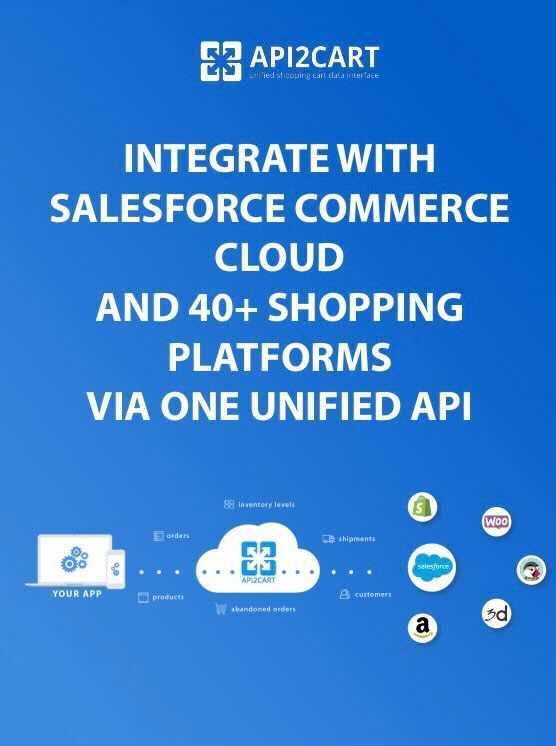
API2Cart is a unified API that makes integration with marketplaces and shopping carts much easier. Through a single API, you can perform integration with over 80 shopping carts and marketplaces, including platforms like Magento, WooCommerce, BigCommerce, PrestaShop, OpenCart, and many others, as well as Salesforce Commerce Cloud (Demandware).

Here is the list of methods supported for Salesforce Commerce Cloud (Demandware) integration:
- for working with products
- product.list - get list of products from stores
- product.count - count products in store
- product.info - get product info
- product.fields - retrieve all available fields for product in the store
- product.update - update price and quantity for a specific product
- product.child_item.list - get child items list of the specific product(s)
- for working with orders
- order.count - count orders in store
- order.list - get list of orders from store
- order.info - info about a specific order by ID
- order.add - add a new order to the cart
- order.update - update existing order
- order.status.list - retrieve list of statuses
- order.abandoned.list - get list of orders that were left by customers before completing the order
- order.shipment.list - get list of shipments by orders, enabling demandware shipping integration scenarios such as order tracking and fulfillment sync
- for working with customers
- customer.list - get list of customers from store
- customer.count - get number of customers from store
- customer.info - get customers’ details from store
- customer.find - find customers in store
Find all supported methods here or in our documentation.
With API2Cart, your application uses one integration to work with supported store data across Salesforce Commerce Cloud and other platforms. Available entities and operations depend on the platform and API method, so review the supported-methods page and documentation before planning a workflow.
API2Cart also maintains platform connectors as supported versions change, reducing the amount of platform-specific maintenance your team has to own.
To evaluate the integration, create an account and review the current trial terms, or contact API2Cart for implementation details.