
How to connect Salesforce Commerce Cloud using Salesforce B2C Commerce API (SCAPI) to API2Cart?
This guide shows you how to connect Salesforce Commerce Cloud using Salesforce B2C Commerce API (SCAPI) to API2Cart in just a few simple steps. First, you create an API client. Then, you configure the required credentials and complete the integration.
Step 1: Create an API Client
First, open the Commerce Cloud Account Manager and create a new API Client.
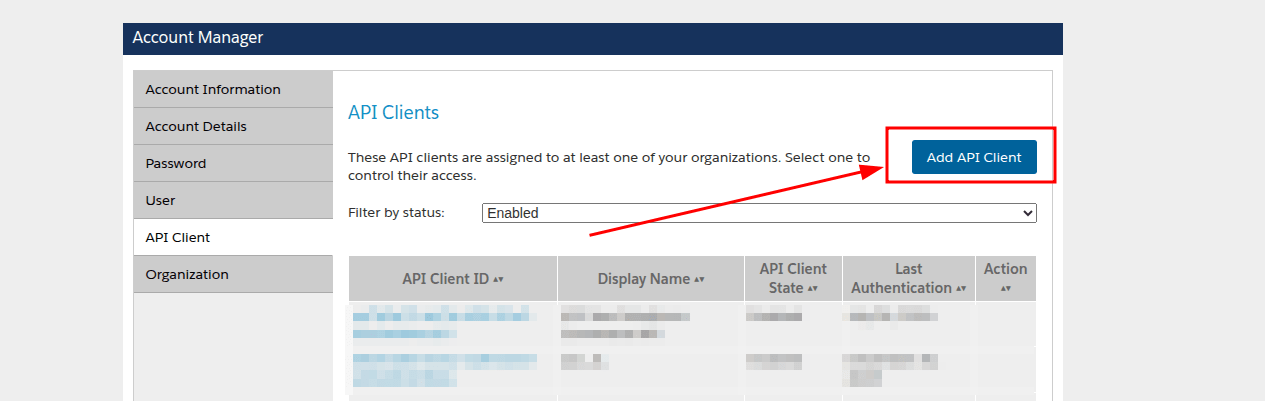
Next, fill in all required fields in the API Client creation form.
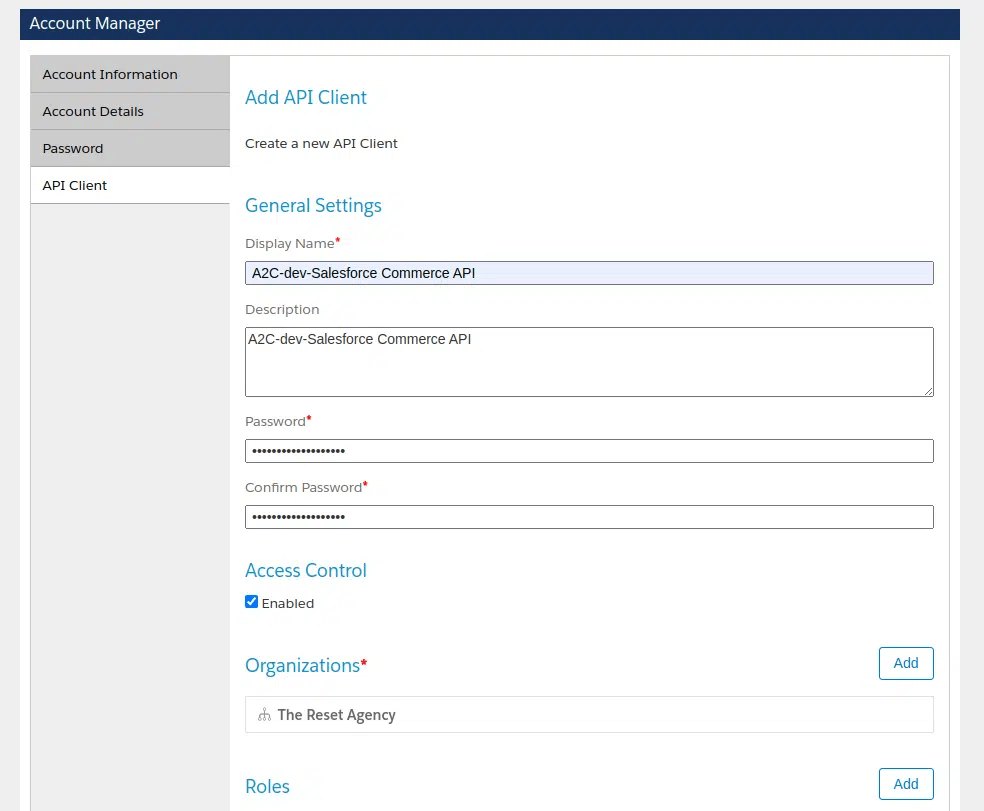
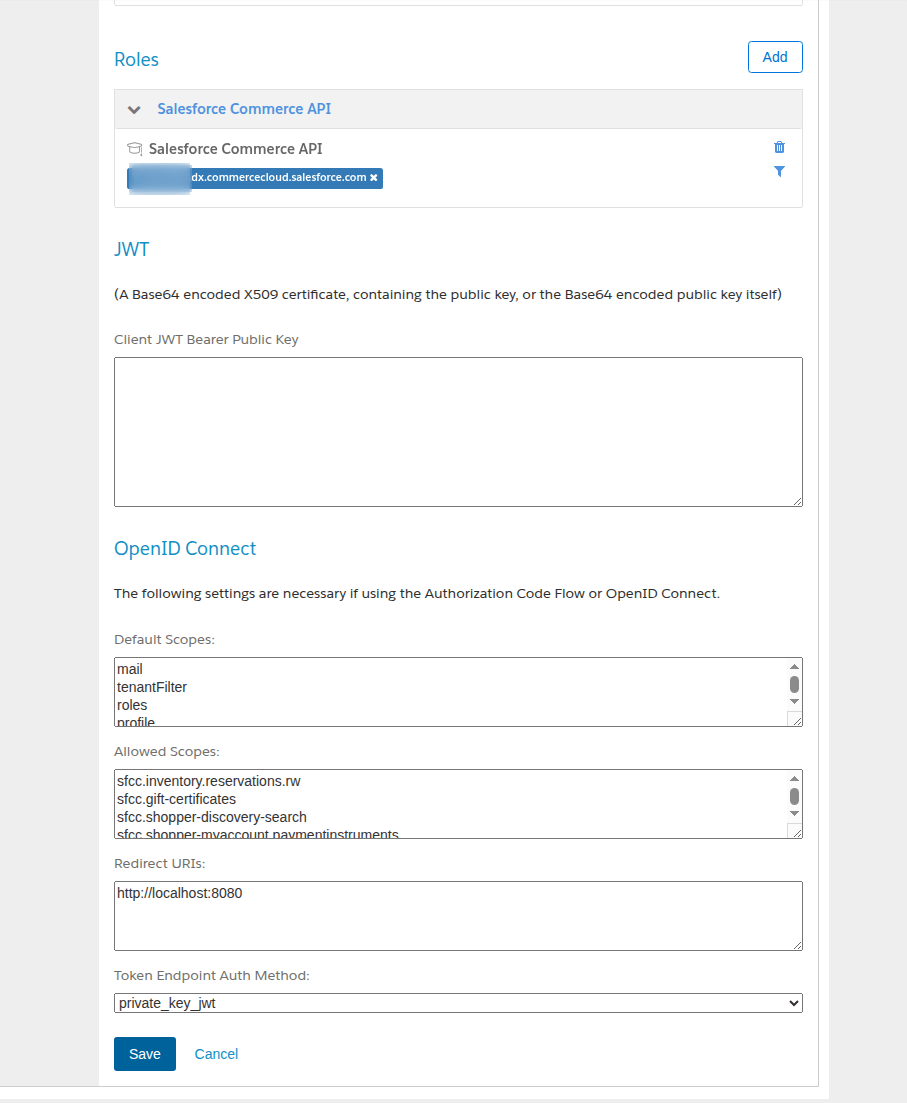
Additionally, configure the following mandatory fields:
- Roles – Salesforce Commerce API
-
OpenID Connect:
-
Default Scopes:
- tenantFilter
- roles
- profile
- openId
-
Allowed Scopes – you can find the full list of required values in the table
at the end of this guide.
Please note that you must specify the same scopes (comma-separated) when you add the platform in API2Cart.
- Redirect URIs –
http://localhost:8080 - Token Endpoint Auth Method –
private_key_jwt
-
Default Scopes:
If you encounter any issues during API Client creation or notice differences between the screenshots and the actual interface, refer to the official Salesforce documentation .
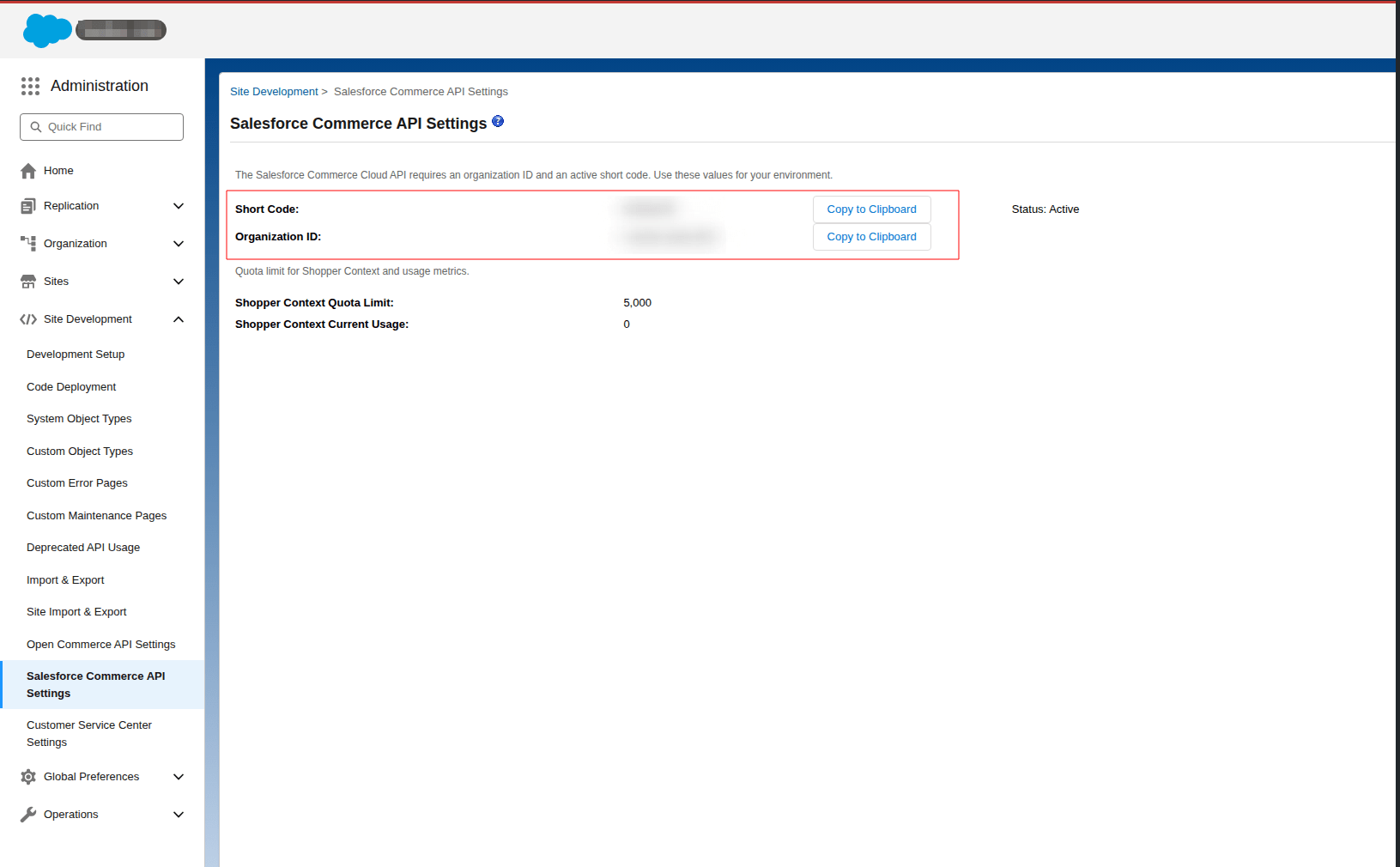
Step 2: Obtain Short Code and Organization ID
After you create the API Client, obtain the Short Code and Organization ID. To do this, open Business Manager and navigate to Administration → Site Development → Salesforce Commerce API Settings.
Step 3: Connect Salesforce Commerce Cloud to API2Cart
Finally, enter all required credentials in the API2Cart admin panel to complete the Salesforce Commerce Cloud SCAPI integration.
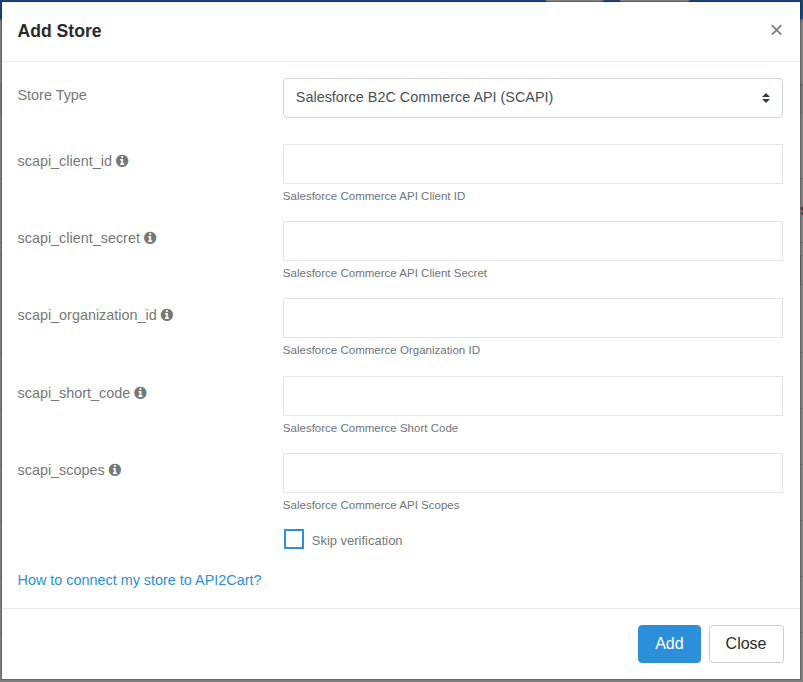
Table of Required SCAPI Scopes for API2Cart Methods
Below, you can find the required SCAPI scopes for each API2Cart method. Configure these scopes in Commerce Cloud Account Manager and use the same values when adding the platform in API2Cart.
| Method | Scopes |
|---|---|
| cart.info | sfcc.catalogs |
| product.count | sfcc.catalogs,sfcc.products |
| product.list | sfcc.catalogs,sfcc.products |
| product.info | sfcc.catalogs,sfcc.products |
| product.add | sfcc.catalogs.rw,sfcc.products.rw |
| product.update | sfcc.catalogs.rw,sfcc.products.rw |
| product.delete | sfcc.catalogs.rw,sfcc.products.rw |
| product.child_item.list | sfcc.catalogs,sfcc.products |
| product.child_item.info | sfcc.catalogs,sfcc.products |
| product.variant.add | sfcc.catalogs,sfcc.products.rw |
| product.variant.update | sfcc.catalogs,sfcc.products.rw |
| product.variant.delete | sfcc.catalogs,sfcc.products.rw |
| category.count | sfcc.catalogs |
| category.list | sfcc.catalogs |
| category.info | sfcc.catalogs |
| order.count | sfcc.catalogs,sfcc.orders |
| order.list | sfcc.catalogs,sfcc.orders |
| order.info | sfcc.catalogs,sfcc.orders |
| customer.count | sfcc.catalogs,sfcc.customerlists |
| customer.list | sfcc.catalogs,sfcc.customerlists |
| customer.info | sfcc.catalogs,sfcc.customerlists |
SCAPI vs Demandware (OCAPI) Comparison
SCAPI is a relatively new API. As a result, it currently provides fewer features than OCAPI, which Demandware integrations use. Therefore, the differences described below are expected.
Products (product.list/info, product.variant.add/update)
-
SCAPI does not populate the following fields:
advanced_price,inventory,backorders,manage_stock,is_stock_managed,additional_fields->backorderable_qty,additional_fields->min_order_quantity,additional_fields->step_quantity,additional_fields->price_books. - SCAPI does not return product variants.
- SCAPI uses the same hardcoded store URL for both sandbox and production.
- SCAPI returns all dates in the GMT timezone.
- SCAPI returns default values for multilingual fields instead of language-specific values.
- SCAPI does not support the
lang_idandcurrency_idfilters. - SCAPI requires the
categories_idsparameter forproduct.add.
Child Items and Variants (product.child_item.list/info)
-
SCAPI does not populate the following fields:
allow_backorders,manage_stock,inventory,min_quantity,additional_fields->price_books,additional_fields->backorderable_qty,additional_fields->step_quantity. - SCAPI does not support filters such as
lang_id,currency_id,quantity,warehouse_id, andtype. - SCAPI does not support stock management or multilingual data for variants.
Customers (customer.list/info)
- SCAPI does not return the
orders_countandlast_order_idfields. - SCAPI does not support filters for creation or modification dates.
Orders (order.list/info)
- SCAPI supports only the following order statuses:
New,Completed,Cancelled. - SCAPI does not return orders with unsupported statuses. It returns orders with the
Openstatus asNew. - SCAPI does not support the
since_id,customer_id, andcustomer_emailfilters.
