
How to connect Etsy APIv3 to API2Cart?
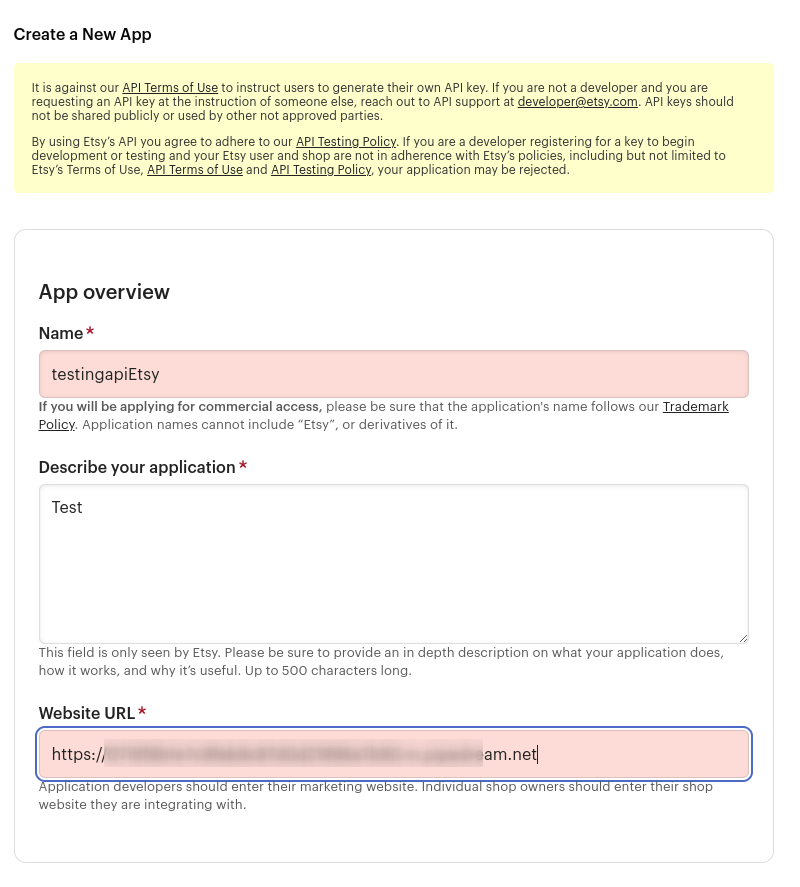
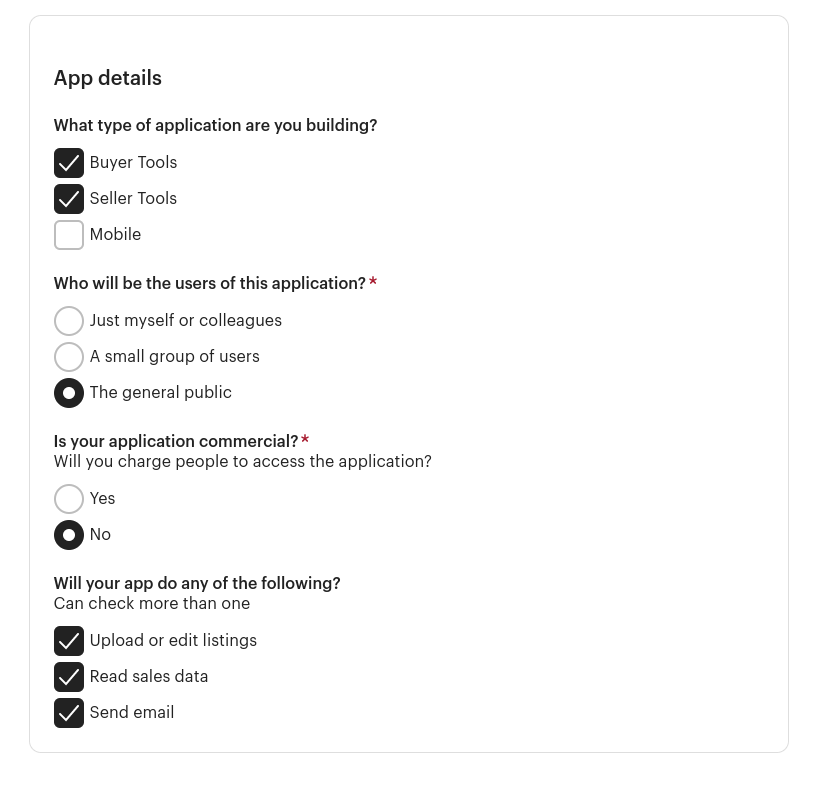
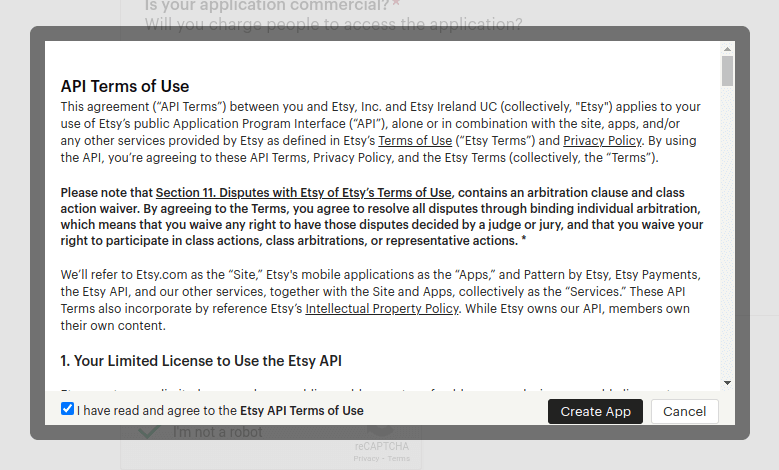
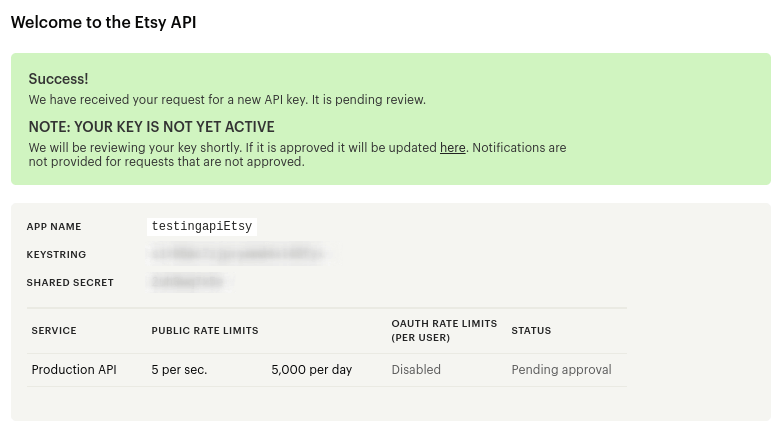
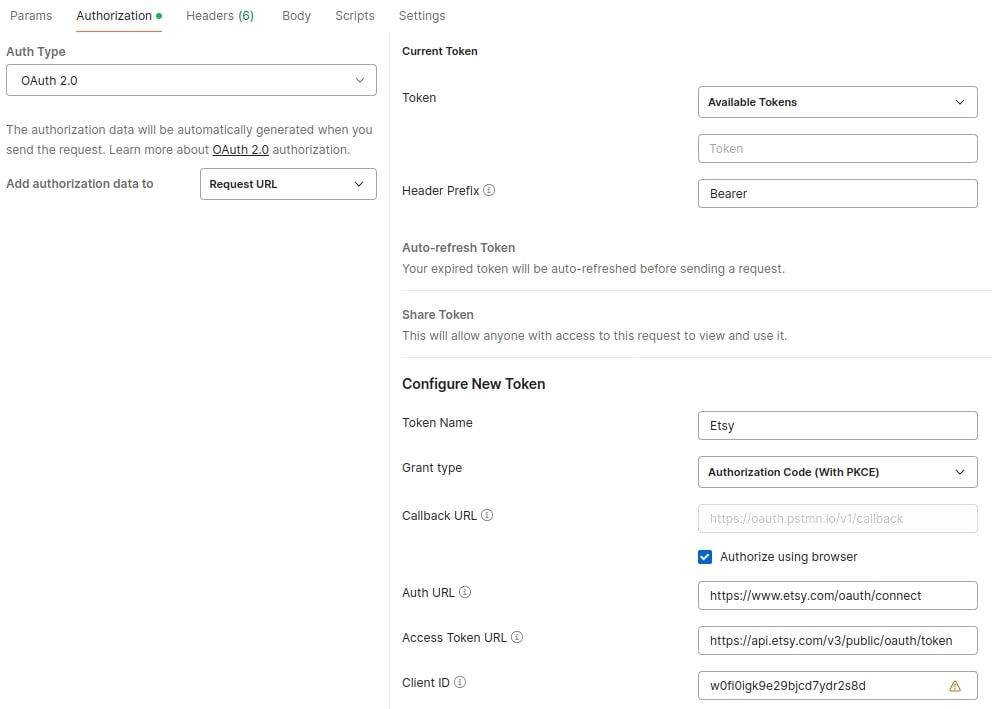
- Token Name - an arbitrary name for the token to be used in Postman
- Grant Type - Authorization Code (With PKCE)
- Callback URL - callback_url, which is registered for this application
- Auth URL - https://www.etsy.com/oauth/connect</a >
- Access Token URL - https://api.etsy.com/v3/public/oauth/token</span >
- Client ID - keystring of created application (parameter etsy_client_id)
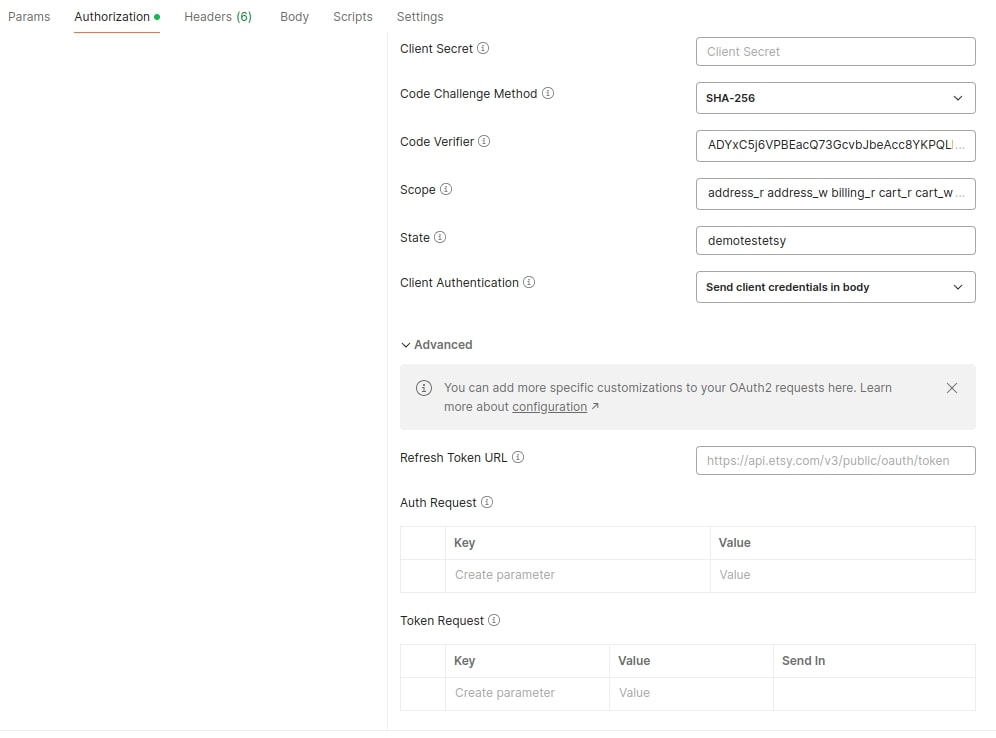
- Code Challenge Method - SHA-256
- Code Verifier - A random, 43–128 character string used to connect the authorization request to the token request. Uses the following characters: [A-Z] / [a-z] / [0-9] / “-” / “.” / “_” / “~”.
- Scope - following scopes can be used for the application: address_r address_w billing_r cart_r cart_w email_r favorites_r favorites_w feedback_r listings_d listings_r listings_w profile_r profile_w recommend_r recommend_w shops_r shops_w transactions_r transactions_w shops_r
- https://developer.etsy.com/documentation/essentials/authentication/</a > - here you can find the information about scopes
- State - a one-time marker created specifically for this request. An arbitrary set of symbols and numbers.
- Client Authentication - Send client credentials in body
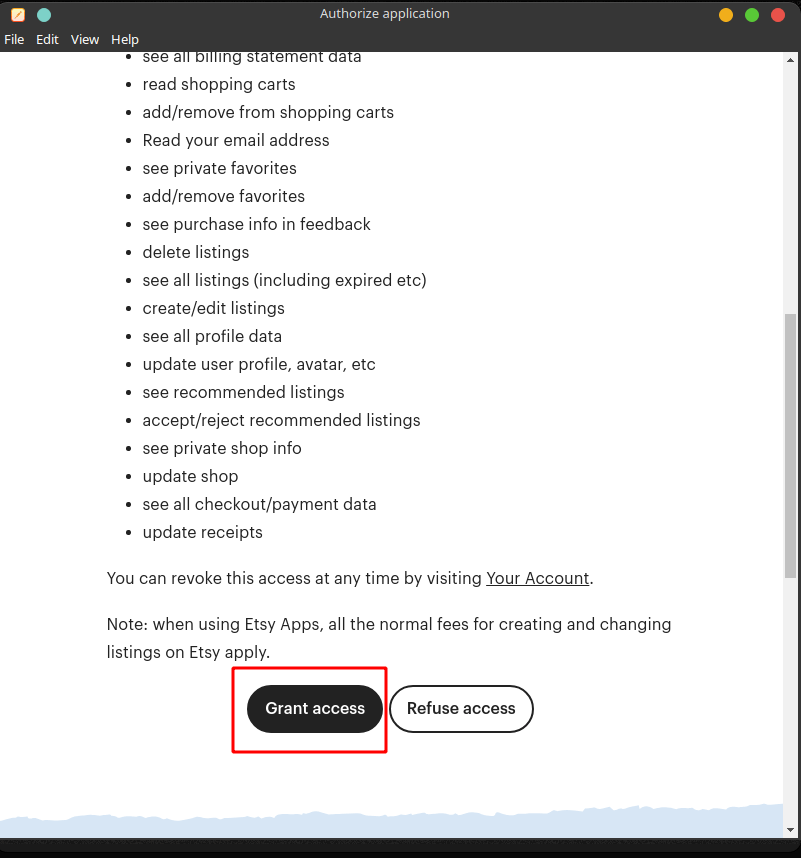
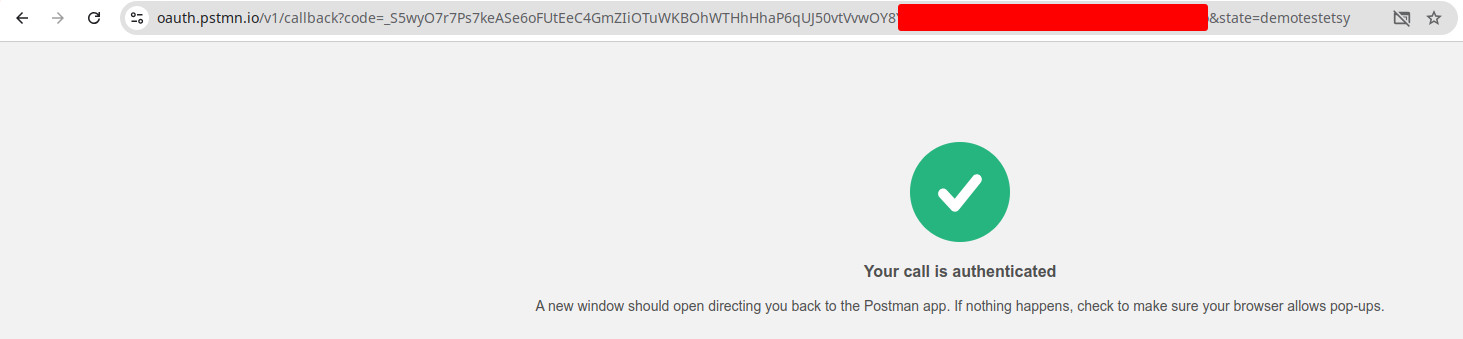
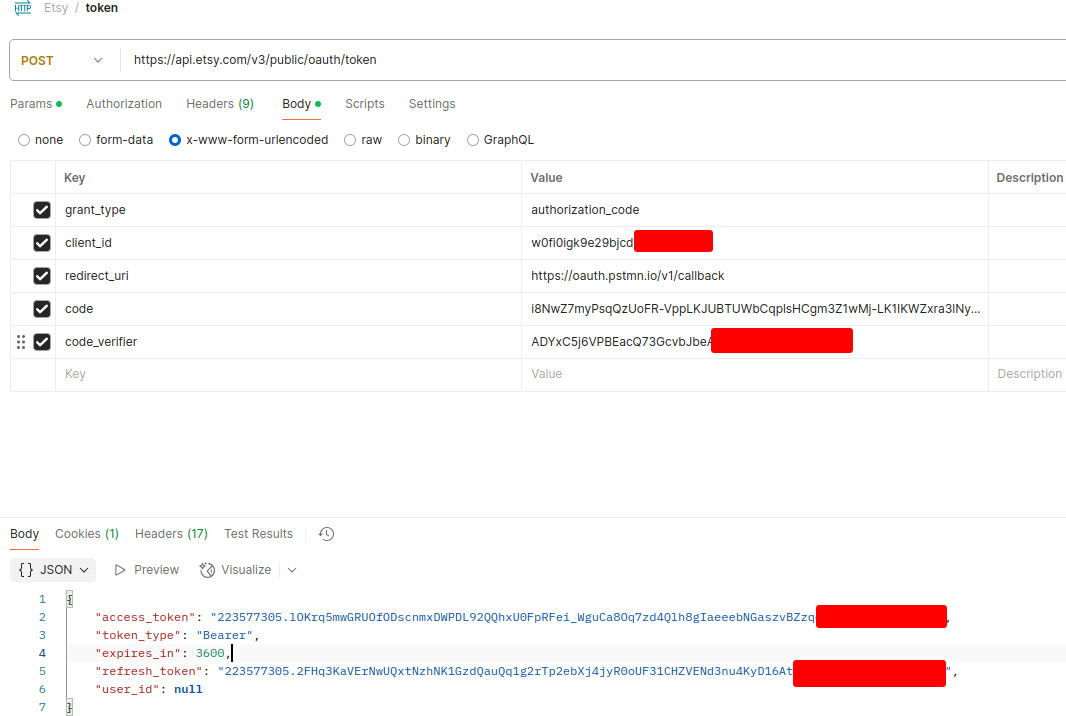
- grant_type - authorization_code.
- client_id - keystring of created application (parameter etsy_client_id).
- redirect_uri - callback_url, which is registered for this application.
- code - token from previous step.
- code_verifier - value from previous step.

FAQs
Why should developers connect Etsy API v3 through API2Cart?
Connecting Etsy API v3 through API2Cart allows developers to avoid building and maintaining a separate Etsy integration from scratch. Therefore, software teams can reduce development time and support costs.
Moreover, the same integration can be extended to dozens of other eCommerce platforms. You can learn more about the benefits of Etsy integration for SaaS products and eCommerce software.
What data can be synchronized after connecting Etsy API v3?
After connecting Etsy API v3, software can retrieve and synchronize products, orders, customers, inventory, shipments, and other store data. As a result, merchants can automate daily operations and reduce manual work.
In addition, developers can use this data to build inventory management, shipping, ERP, or multichannel selling solutions.
Can I manage Etsy product listings through API integration?
Yes. API integration allows developers to automate product listing management instead of updating listings manually. Consequently, merchants can publish products faster and keep catalog information consistent.
For example, you can learn more about creating listings on Amazon, eBay, and Etsy using API-based integrations.
Where can developers learn more about Etsy API capabilities?
Developers can explore authentication, available resources, and integration workflows before starting implementation. Therefore, understanding the API structure helps simplify future development.
For a complete technical overview, see our guide to the Etsy Developer API, which explains the available endpoints and common integration scenarios.
